Website Maintenance Guide (2026): Monthly Checklist for Speed, Security, SEO & Updates
Most people think website work ends after launch. In reality, launch is only the beginning. In 2026, websites need ongoing maintenance to stay:
- fast (performance + Core Web Vitals)
- secure (spam, attacks, vulnerabilities)
- SEO healthy (indexing, broken links, content decay)
- reliable (uptime, forms, WhatsApp CTA)
If you don’t maintain your website, you’ll start seeing problems like:
- slow loading pages
- spam leads from forms
- broken images or broken links
- outdated content
- ranking drop (content decay)
- security warnings or hacks
- lost leads due to form/CTA failure
This guide gives you a simple, professional maintenance system with weekly and monthly checklists that any business can follow.
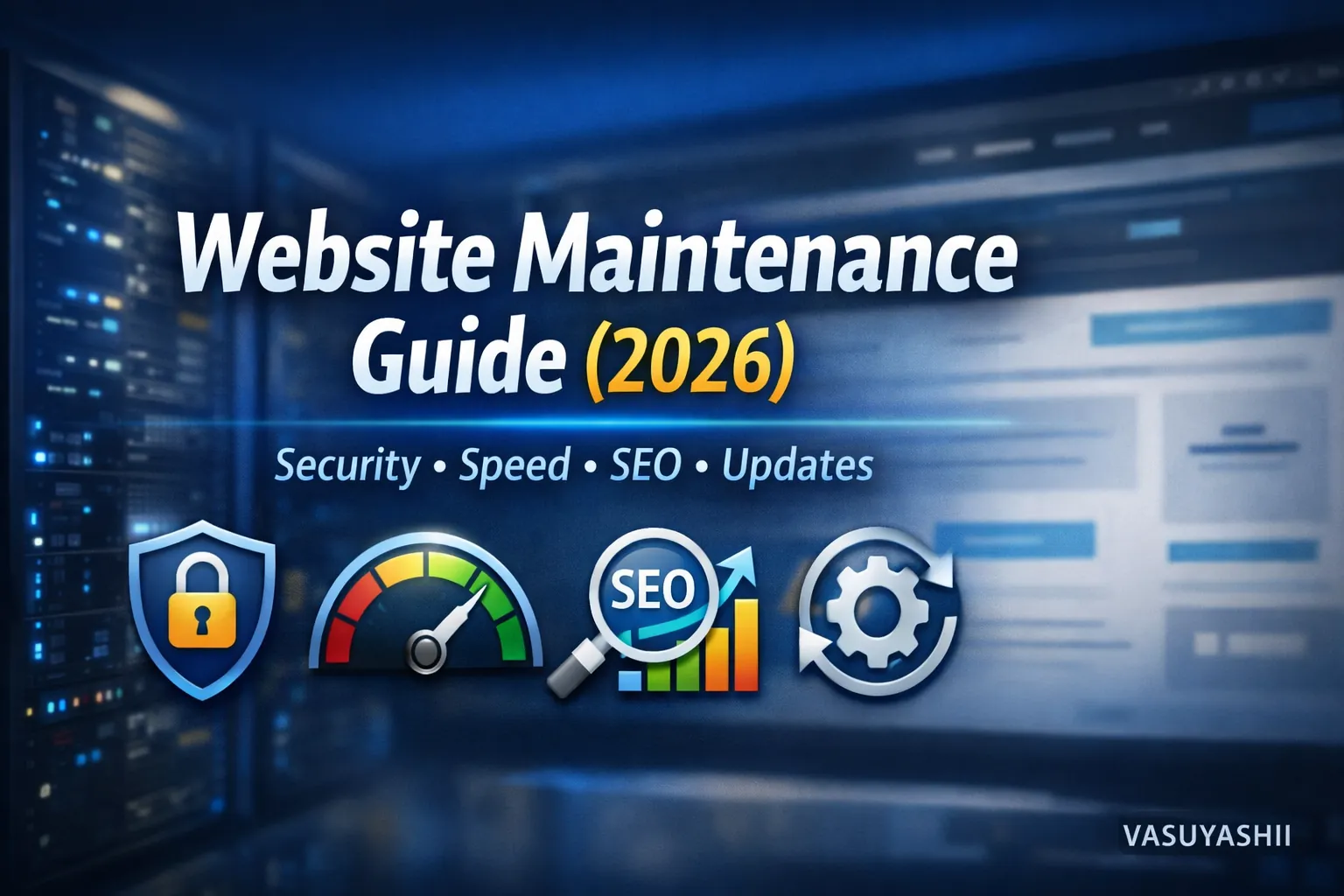
Quick Definition: What Is Website Maintenance?
Website maintenance means regularly checking and improving:
- security (patching, spam protection)
- performance (speed, image optimization)
- SEO health (indexing, broken links, metadata)
- content accuracy (updates, new proof)
- conversions (forms, WhatsApp button, tracking)
Maintenance keeps your website working as a lead engine, not just a static page.
If you run a business website or web application, maintenance is non-negotiable. If you need professional web development systems, see: Web Applications Services
Why Website Maintenance Matters (Real Business Reason)
1) Security risks increase over time
Bots attack daily. Plugins/dependencies become outdated. Maintenance prevents hacks.
2) SEO changes over time
Google updates happen, competitors publish content, rankings shift. Maintenance keeps your site relevant.
3) Speed decays slowly
New scripts, new images, and content additions can slow pages. Regular checks keep speed high.
4) Lead systems break silently
WhatsApp links, forms, email delivery—these can break and you won’t know until leads drop. Maintenance catches it early.
The Website Maintenance System (Professional Standard)
A good maintenance system has 4 pillars:
1) Security 2) Performance 3) SEO health 4) Conversion checks
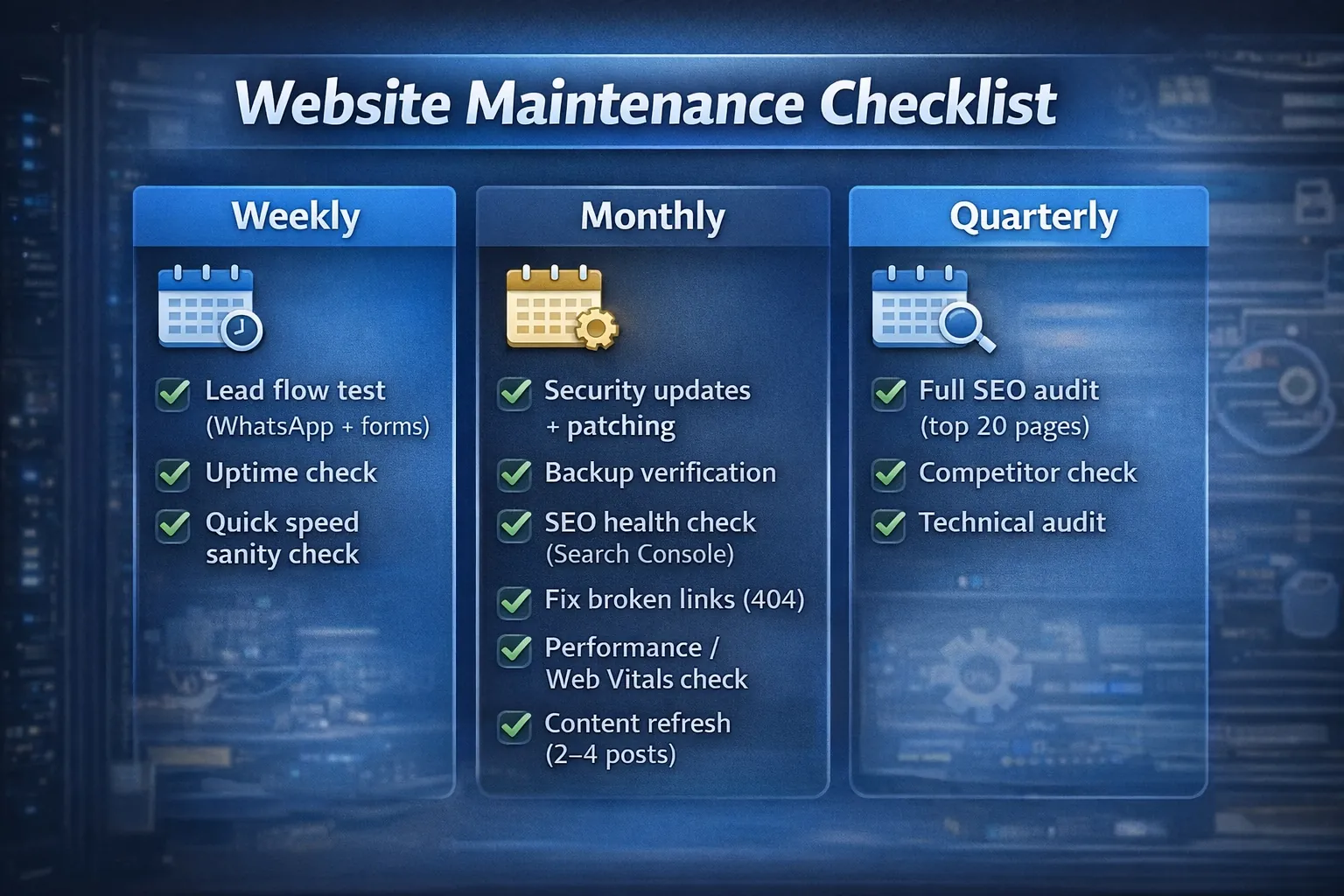
Weekly Maintenance Checklist (15–30 minutes)
1) Lead flow test (Most important)
Do these quick tests:
- click WhatsApp CTA (works?)
- submit contact form (does it reach your email/database?)
- check phone number/click-to-call links (if any)
If this breaks, your business loses leads immediately.
2) Uptime check
Make sure your site is live and loads normally. You can also use uptime monitoring tools (optional).
3) Quick speed sanity check
Open homepage and one blog on mobile data:
- does it feel slow?
- any broken images?
- layout shifting?
4) New content sanity check
If you published blogs this week:
- check that they show on
/blog - check images load
- check internal links work
Monthly Maintenance Checklist (60–120 minutes)
1) Security updates + patching
If WordPress:
- update WordPress core
- update plugins/themes (after backup)
If Next.js/custom:
- update dependencies (controlled)
- check for security patches
Always backup before updates.
2) Backup verification
- confirm backups are running
- verify you can restore (at least occasionally)
- keep backups off-server
Backups are your insurance policy.
3) SEO Health check (Search Console)
Search Console → check:
- Indexed pages count (growing?)
- Not indexed reasons (any new issues?)
- Any manual actions/security issues?
Performance report:
- impressions rising?
- which pages are growing?
- which pages are dropping?
4) Fix broken links (404)
Broken links hurt SEO and UX. Check:
- internal links
- footer links
- blog links to services/portfolio/contact
5) Performance / Core Web Vitals check
Use Lighthouse or PageSpeed for:
- homepage
- top service page
- top blog page
Fix common issues:
- heavy images
- too many scripts
- layout shifts (CLS)
If you need deeper speed strategy: Website Speed Optimization Guide
6) Content refresh (SEO maintenance)
Every month:
- update 2–4 older blog posts with:
- new internal links
- FAQs
- improved headings
- updated examples
- update portfolio or add proof
This prevents content decay and improves authority.
Quarterly Maintenance (Every 3 Months)
1) Full SEO audit (light)
- review your top 20 pages
- improve titles/meta for CTR
- identify pages with high impressions but low clicks (rewrite title/meta)
2) Competitor check
Search your main keywords and see:
- what type of pages rank
- what structure they use
- what content gaps you can fill
3) Technical audit
Check:
- sitemap correctness
- canonical issues
- duplicate pages
- mobile usability issues
Maintenance Differences: WordPress vs Custom Websites
WordPress maintenance
Needs more frequent:
- plugin updates
- theme updates
- security hardening
- database cleanup (optional)
Big risk: plugin vulnerabilities.
Custom Next.js website maintenance
Usually:
- fewer moving parts
- more stable
- updates are less frequent but still necessary
- dependency security patches matter
Custom sites can be easier long-term if built clean.
Maintenance for Web Applications (Dashboards/Portals)
Web apps need extra maintenance:
- database security rules review
- role permission checks
- logs monitoring
- API security review
- performance monitoring
If your web app runs business operations, maintenance becomes critical.
Conversion Maintenance (CRO Checks)
Every month check:
- Is CTA visible on mobile?
- Are buttons easy to tap?
- Do forms still convert?
- Do you need new proof (portfolio/screenshots)?
Conversion maintenance keeps leads consistent.
If you want conversion strategy: Website Conversion Optimization
Common Maintenance Mistakes (Avoid These)
1) No backups 2) Updating blindly without testing 3) Ignoring Search Console warnings 4) Never refreshing old blogs 5) Not testing forms/WhatsApp 6) Overloading site with scripts/plugins 7) No monitoring or alerts
A Simple Maintenance Calendar (Copy This)
Weekly
- test WhatsApp + contact form
- check new blogs show on
/blog - quick mobile check (speed + layout)
Monthly
- backup verification
- security updates
- SEO health check (Search Console)
- fix broken links
- speed check (home + one blog)
- refresh 2–4 old posts
Quarterly
- light technical audit
- competitor review
- update key service pages
This is enough for most business websites.
Need Website Maintenance Support?
If you want your website to stay fast, secure, and SEO-healthy (especially with daily blogs), we can handle maintenance professionally.
👉 WhatsApp: Chat on WhatsApp 👉 Services: Web Applications Services 👉 Portfolio: View our work 👉 Contact: Contact page
FAQs
1) How often should I maintain my website?
Weekly quick checks + monthly maintenance is a strong baseline.
2) What is the most important maintenance task?
Testing lead flow (WhatsApp + forms) and backups.
3) Does maintenance help SEO?
Yes. Broken links, indexing issues, speed drops, and content decay can reduce rankings.
4) Can I maintain a website myself?
Yes, if you follow a checklist. For complex web apps, professional support helps.
5) What happens if I don’t maintain my website?
Speed drops, security risk increases, SEO performance declines, and leads can silently stop.