
March 28, 2026
Google Search Console Indexing Guide (2026): Fast Index Without Spam
Google Search Console indexing guide for 2026: how to get pages indexed faster without spam, common issues, checks, and practical workflow.
Read articleMarch 30, 2026
How to fix Discovered - Currently Not Indexed in GSC: practical checks, crawl issues, content fixes, and what actually helps in 2026.
Seeing Discovered - currently not indexed in Google Search Console can be frustrating, especially when a page looks fine to you. The important thing is to understand what the message usually means. Google knows the URL exists, but it has not crawled and indexed it yet.
That does not always mean something is broken. Sometimes the page is new. Sometimes the site structure is weak. Sometimes the server is slow. Sometimes the page is simply not strong enough compared with the rest of the site. The fix is rarely one magic trick.
This guide explains what the status usually means, what to check first, and how to improve indexing without spammy shortcuts.
If a page is stuck in Discovered - currently not indexed, check these first:
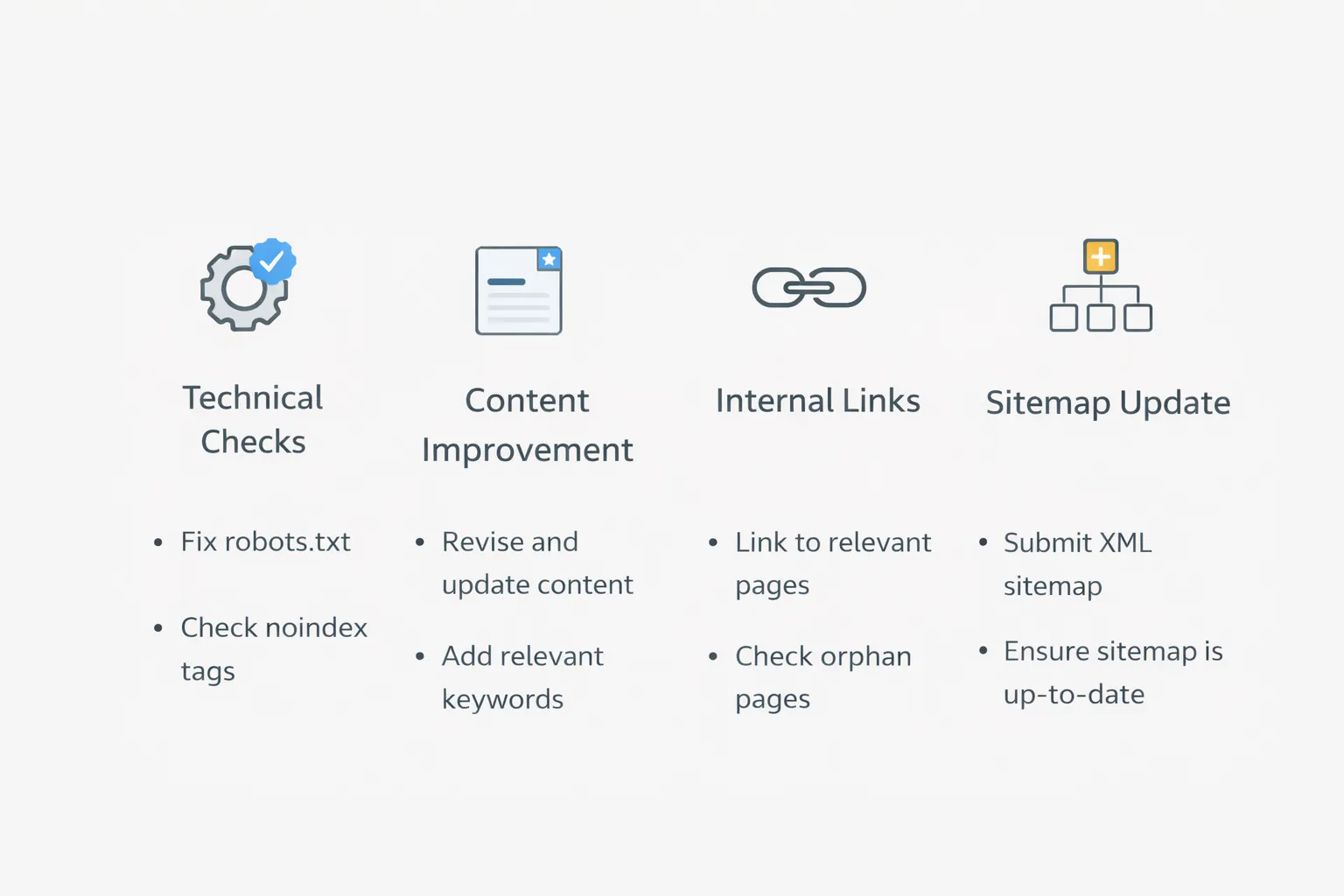
200 properly?robots.txt, noindex, or login?For most business websites, the fastest useful fixes are:
Google has found the URL, but has not yet processed it into the index. That can happen because:
For most normal business websites, it is not really a crawl budget problem. It is usually a page quality, discovery, or site structure issue.
Make sure the page loads publicly and returns a proper 200 status.
Make sure the page is not blocked by robots.txt and does not carry a noindex rule.
If the page canonical points elsewhere, Google may decide another URL is the preferred one.
If the page is buried and barely linked, Google may treat it as low priority.
Thin pages, doorway-style pages, or near duplicates often wait longer or never make it into the index.
Related reading:
Start with the basics:
200noindex is absentAsk honestly:
If not, expand or merge it.
Link the page from:
After fixes, keep the page in the XML sitemap and use URL Inspection for the exact URL.
Google does not guarantee immediate indexing. Many pages need time after fixes.
noindex to work at the same timeIf many important pages are sitting in Discovered - currently not indexed, the right next step is to audit access, content quality, and internal link structure together instead of chasing shortcuts.
Yes. It means the URL was discovered, but not yet indexed.
No. Sometimes the page is accessible but still weak, low-priority, or too similar to other pages.
Not by itself. Sitemaps help discovery, but they do not guarantee indexing.
No. Repeated requests do not replace actual improvements in accessibility and quality.
Usually no. For most small business sites, page quality and internal linking matter more.
There is no guaranteed time. It can take days or longer depending on the page and site signals.
Yes. Thin location pages and near-duplicate service pages are common reasons.
Fix technical access first, then improve the content and link the page properly.
If your good pages are not getting indexed properly, the right move is to review site structure, content quality, and technical access together instead of forcing low-value URLs into Google.
Related Articles
March 28, 2026
Google Search Console indexing guide for 2026: how to get pages indexed faster without spam, common issues, checks, and practical workflow.
Read article
March 30, 2026
Schema markup guide for service businesses in 2026: what to add, what to skip, and how to keep LocalBusiness markup useful and valid.
Read article
March 24, 2026
SEO setup cost for a new website (2026): one-time vs monthly pricing in India, what’s included (technical + on-page), what’s extra (content + backlinks), and how to choose the best plan.
Read article