
Working returns flows
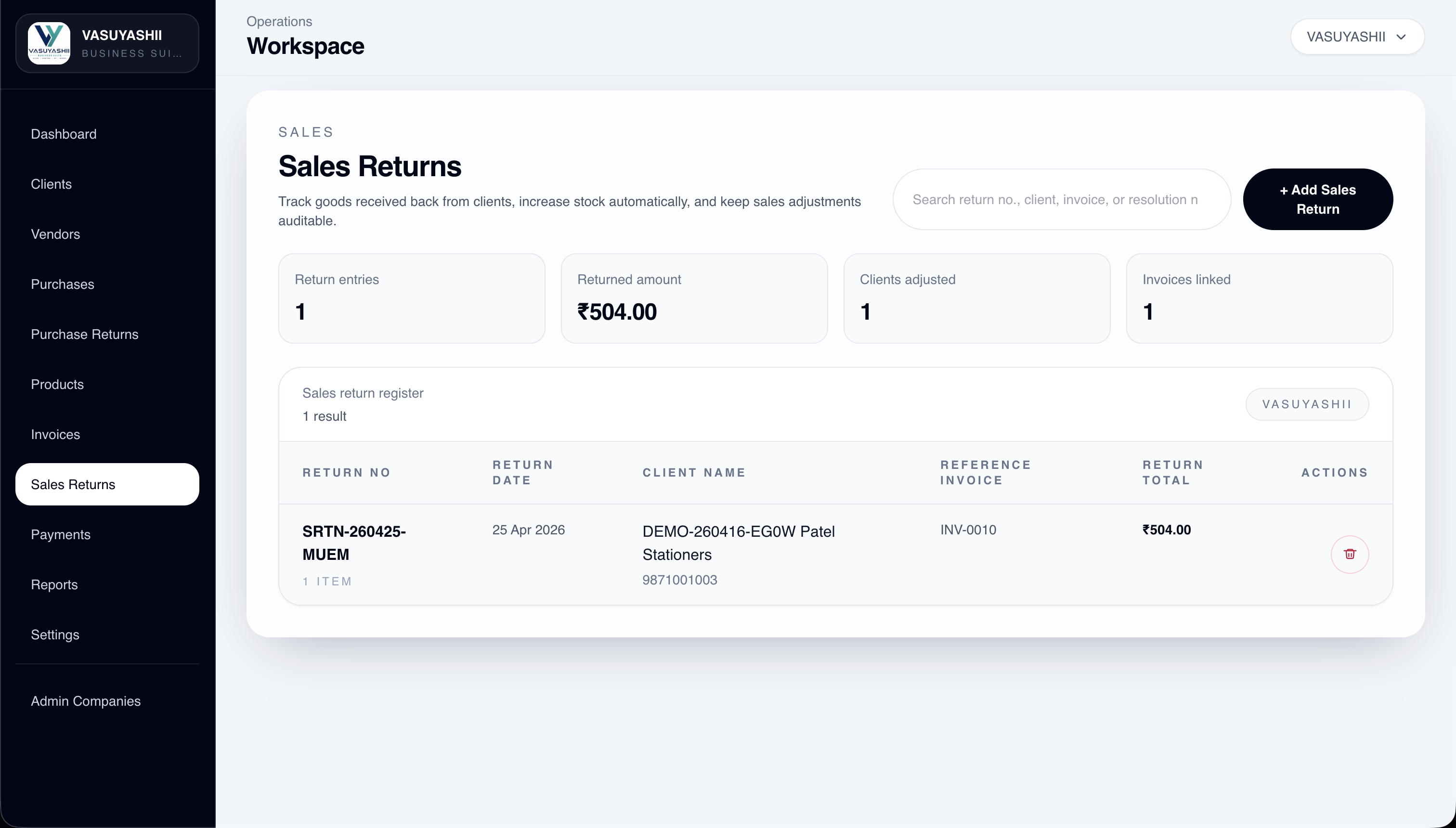
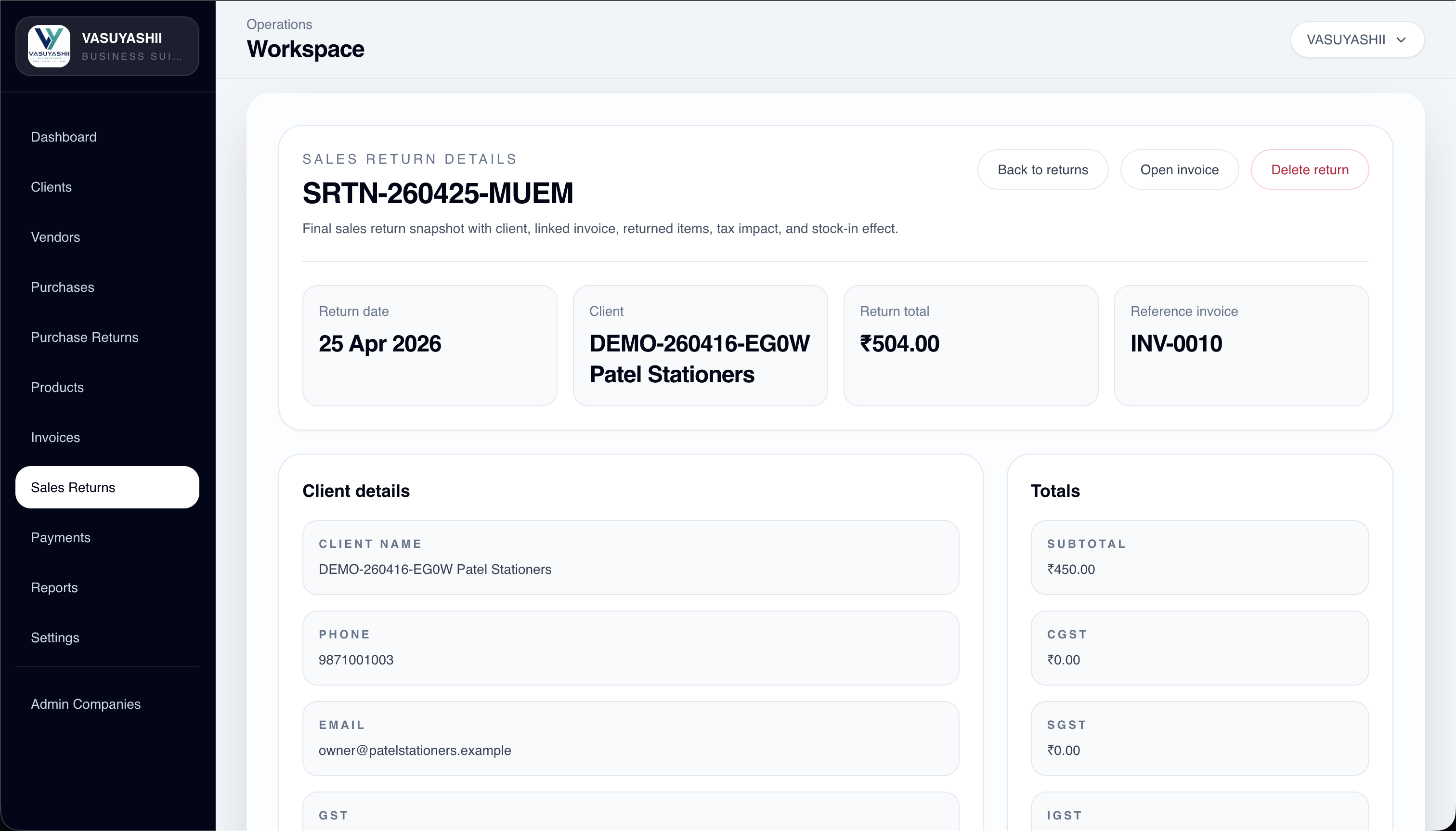
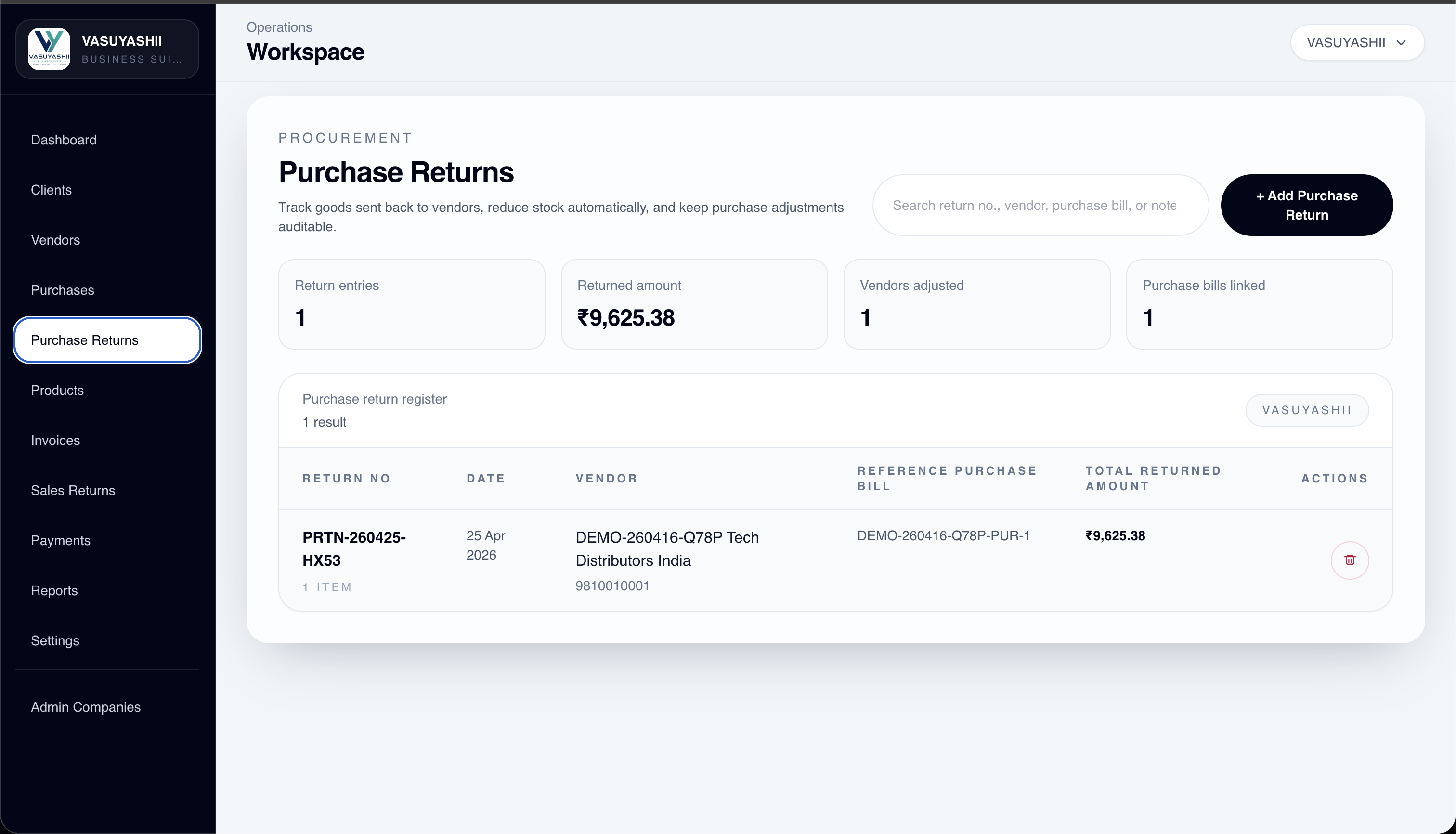
The current build already shows both sales returns and purchase returns, including linked invoice or purchase bill references and returned totals.
A connected ERP product for businesses that need clients, vendors, products, invoices, purchases, payments, returns, reports, and PDF document outputs in one practical system. This page is based on real module screens, not just a generic ERP pitch.
Current proof
16+
screen groups already visible across billing, purchase, returns, reports, and PDF workflows.
Rollout style
Focused
modules that solve real business control problems first, instead of heavy feature bloat.
Product flow
The scope already behaves like an operational business system, not just a static dashboard shell.
Outputs
Settings and preview screens confirm real document delivery coverage inside the current build.
The screenshots you shared show real operational depth across transaction screens, master data, dashboards, reports, and PDF settings. That changes how this product should be presented: as a working business system, not as a concept-only ERP page.
The current build already shows both sales returns and purchase returns, including linked invoice or purchase bill references and returned totals.
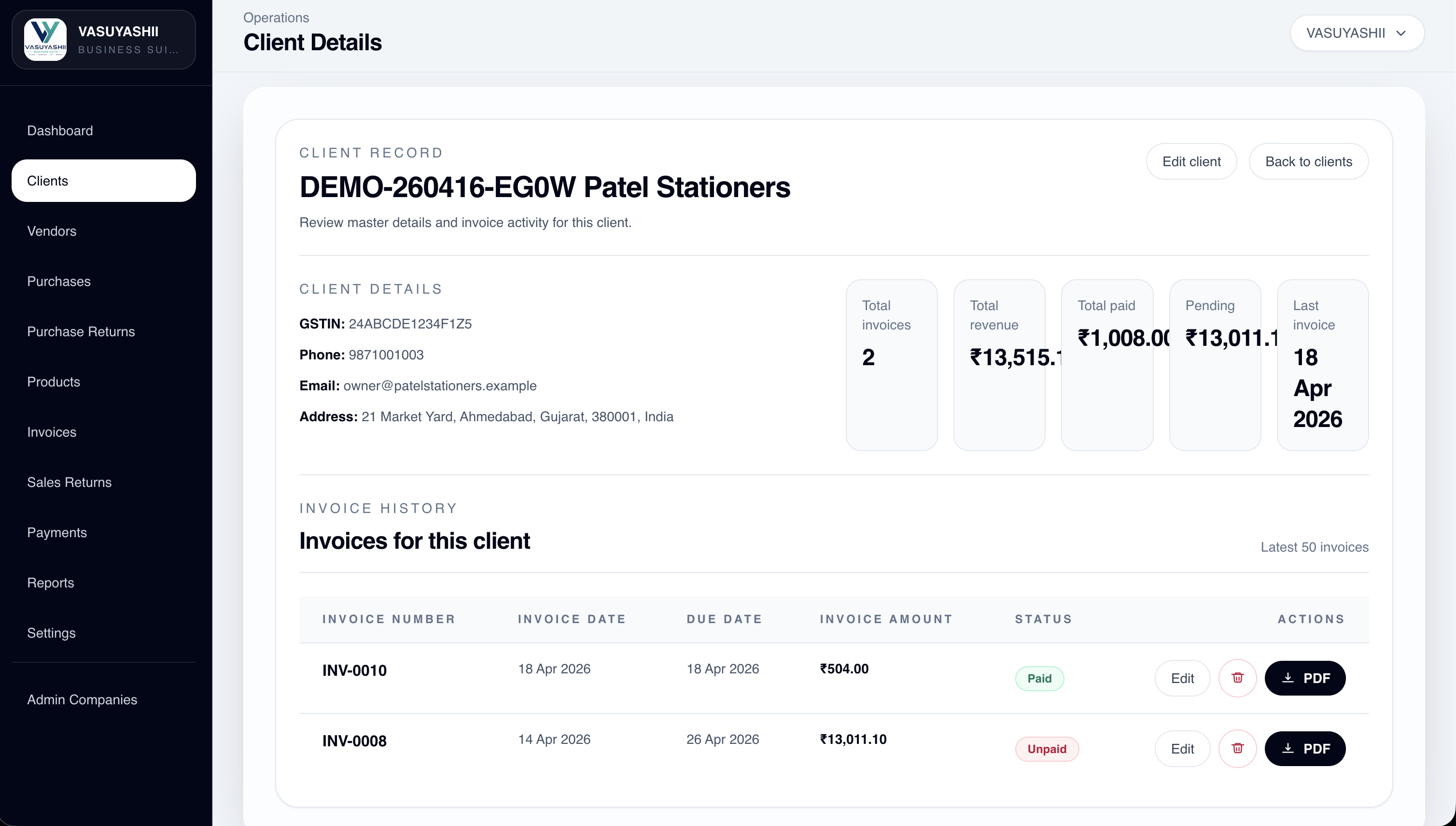
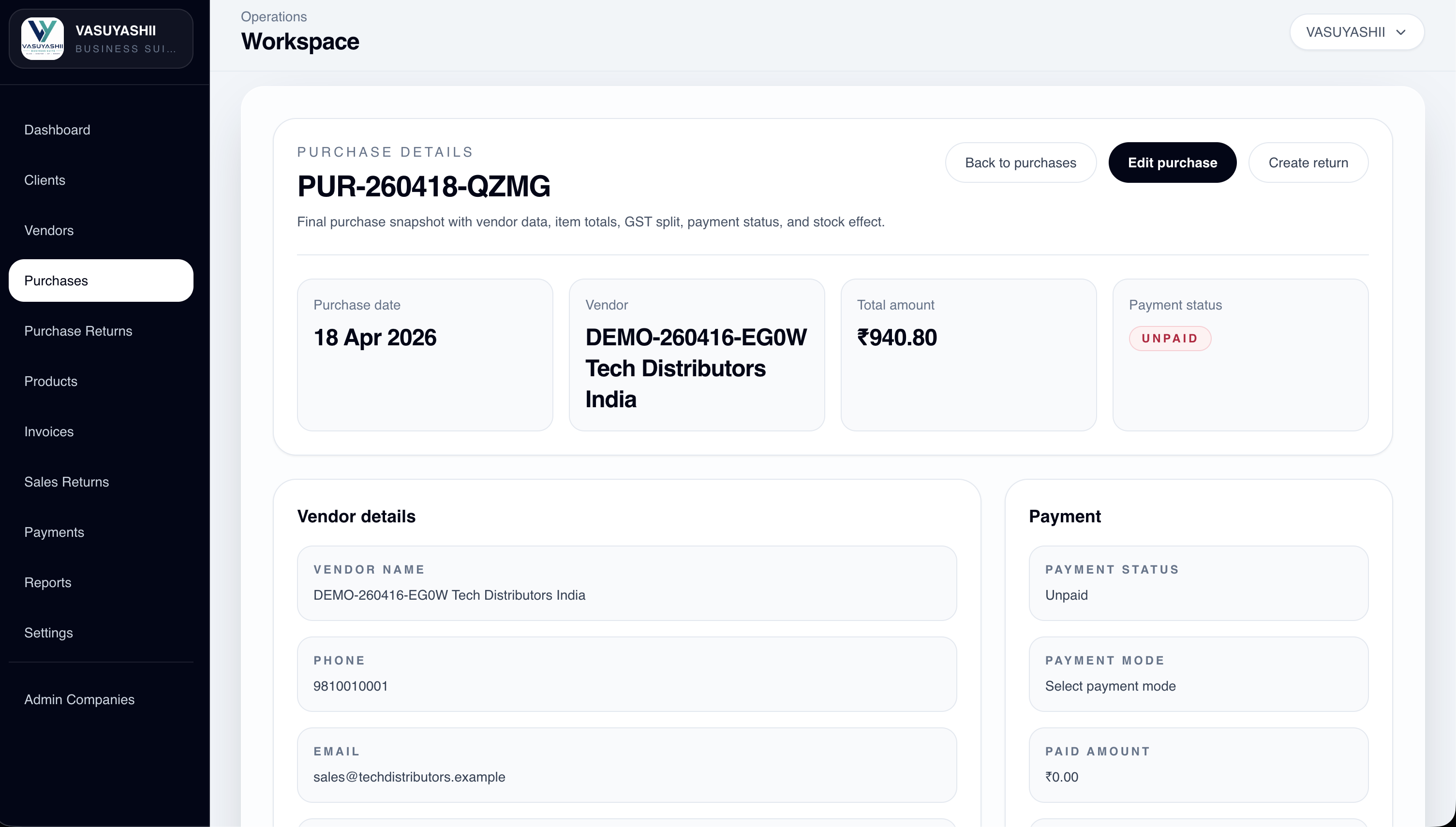
Purchase details, vendor details, client details, sales return details, and invoice details are already structured as operational record pages.
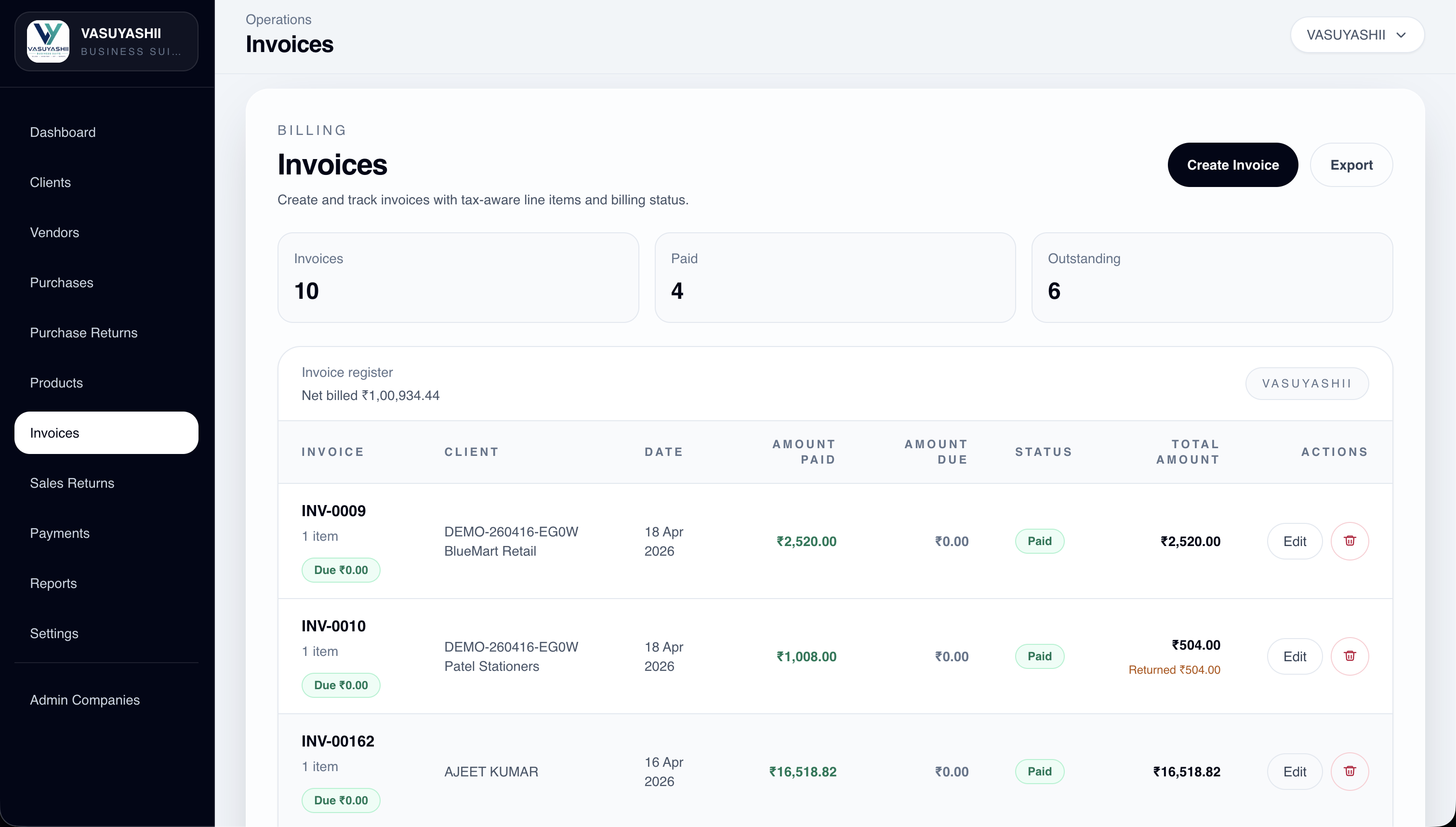
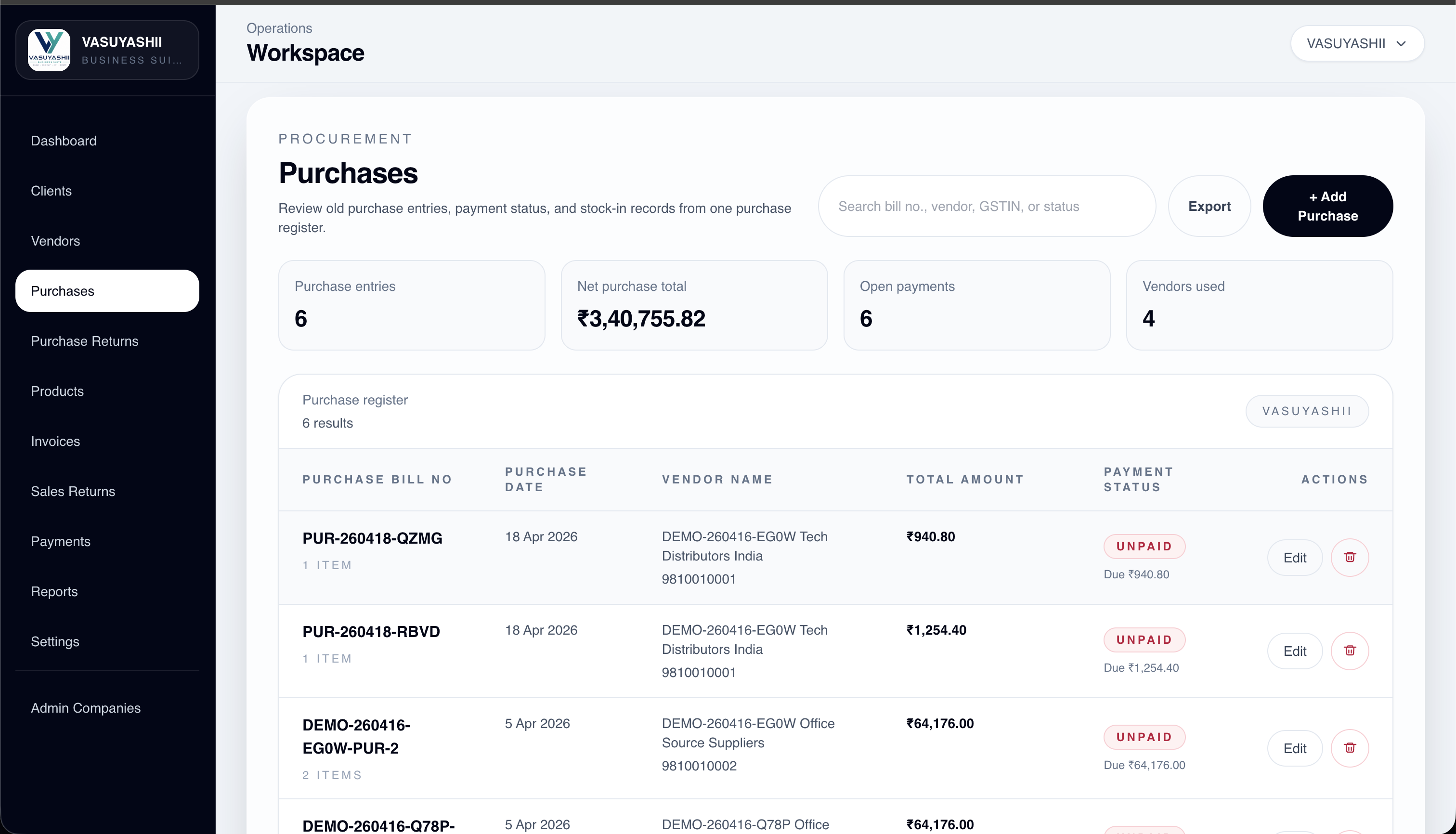
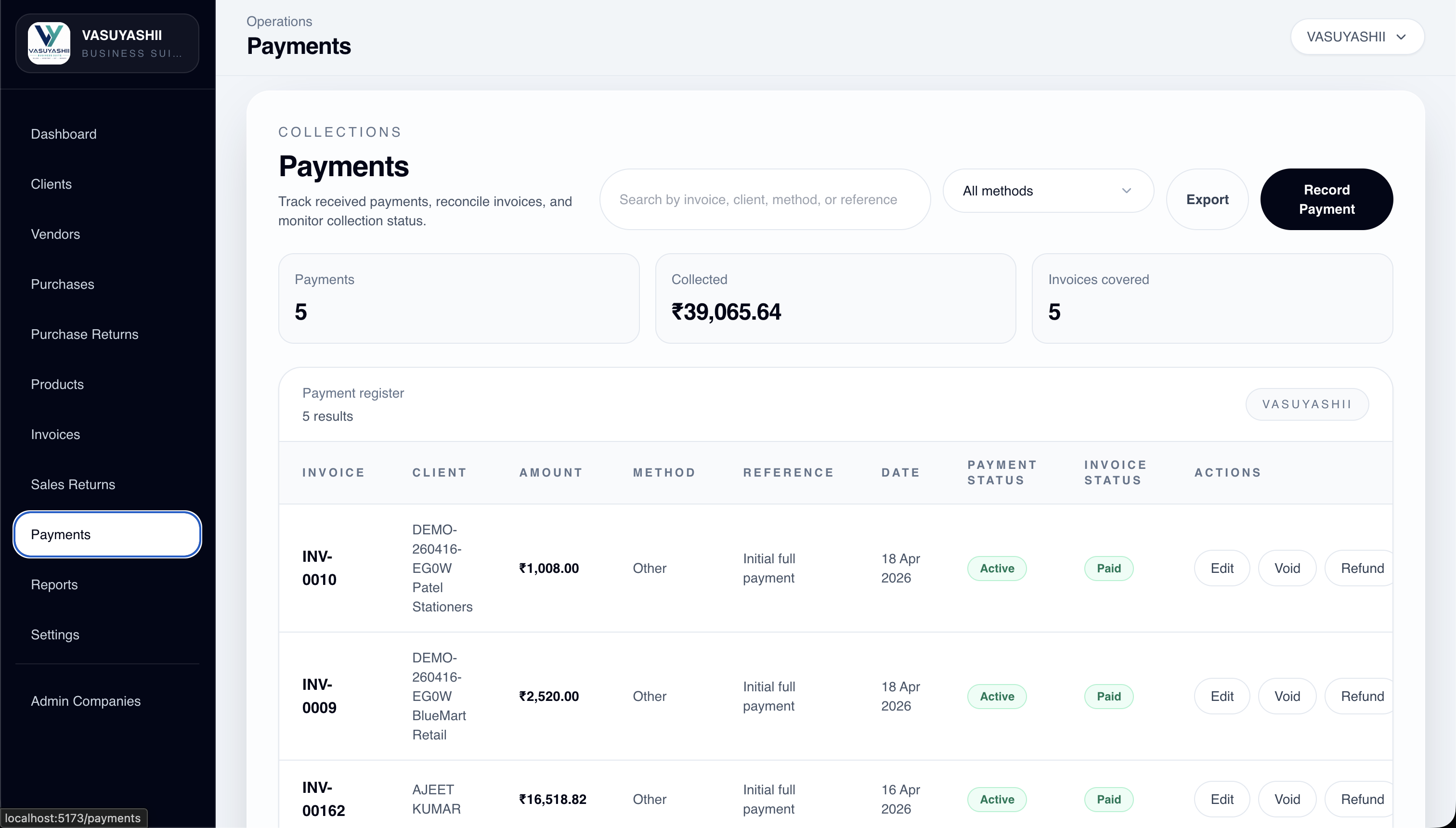
Invoices, payments, unpaid purchase entries, paid status, due amount, and invoice coverage are already visible on dedicated screens.
The product module already includes pricing, barcode, HSN, GST, stock, tracking status, and low-stock summary signals.
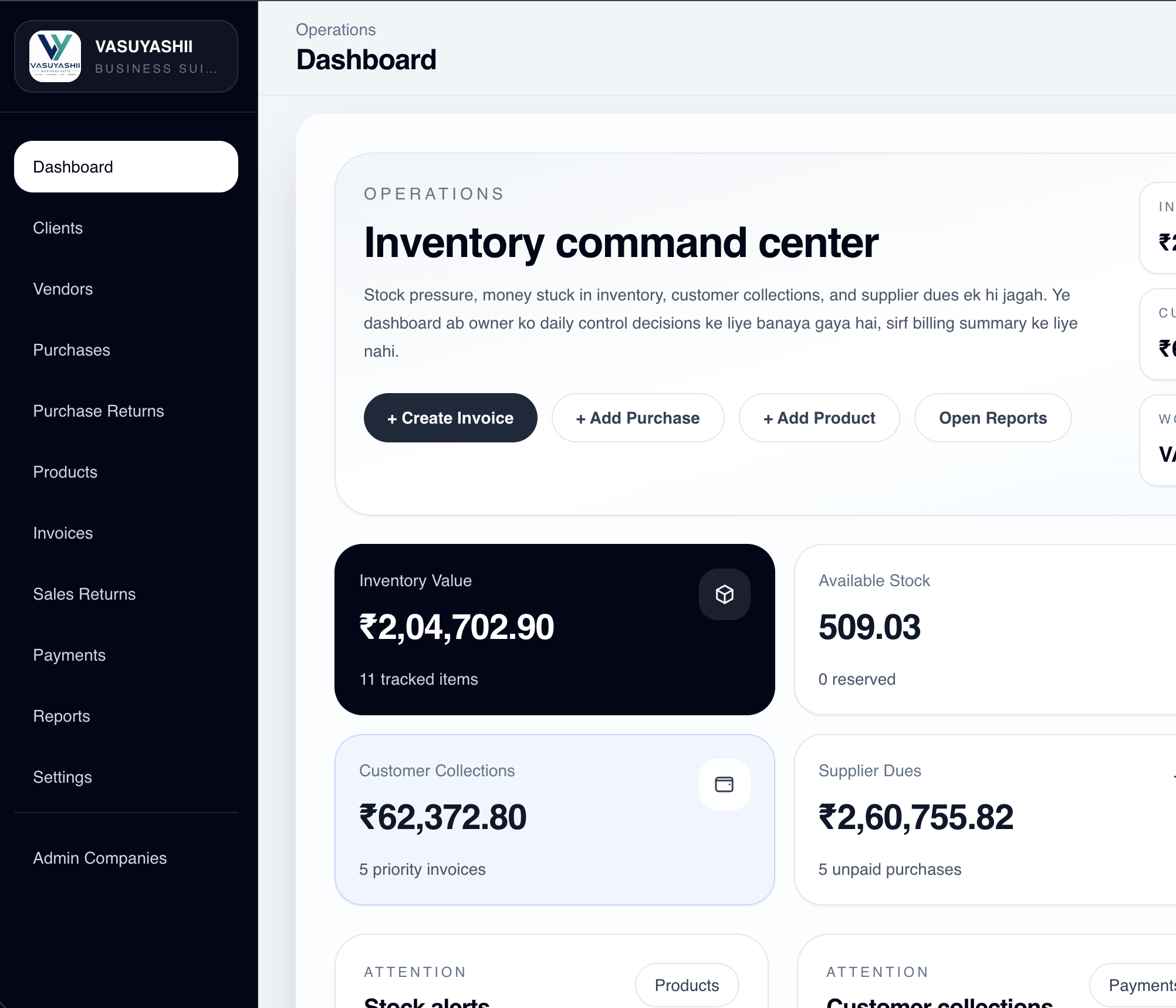
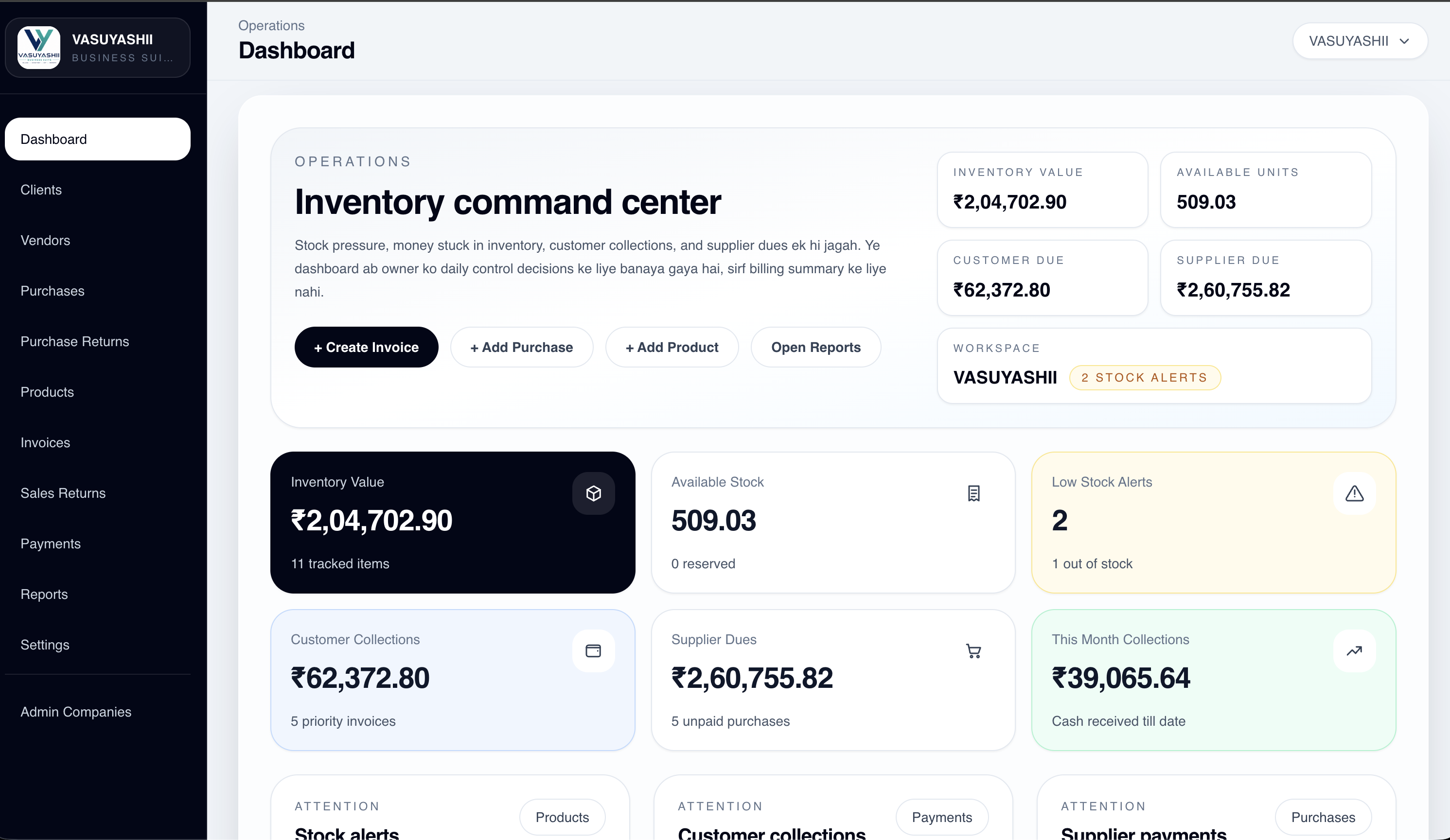
Dashboard screens are already designed around inventory value, customer collections, supplier dues, alerts, and direct action buttons.
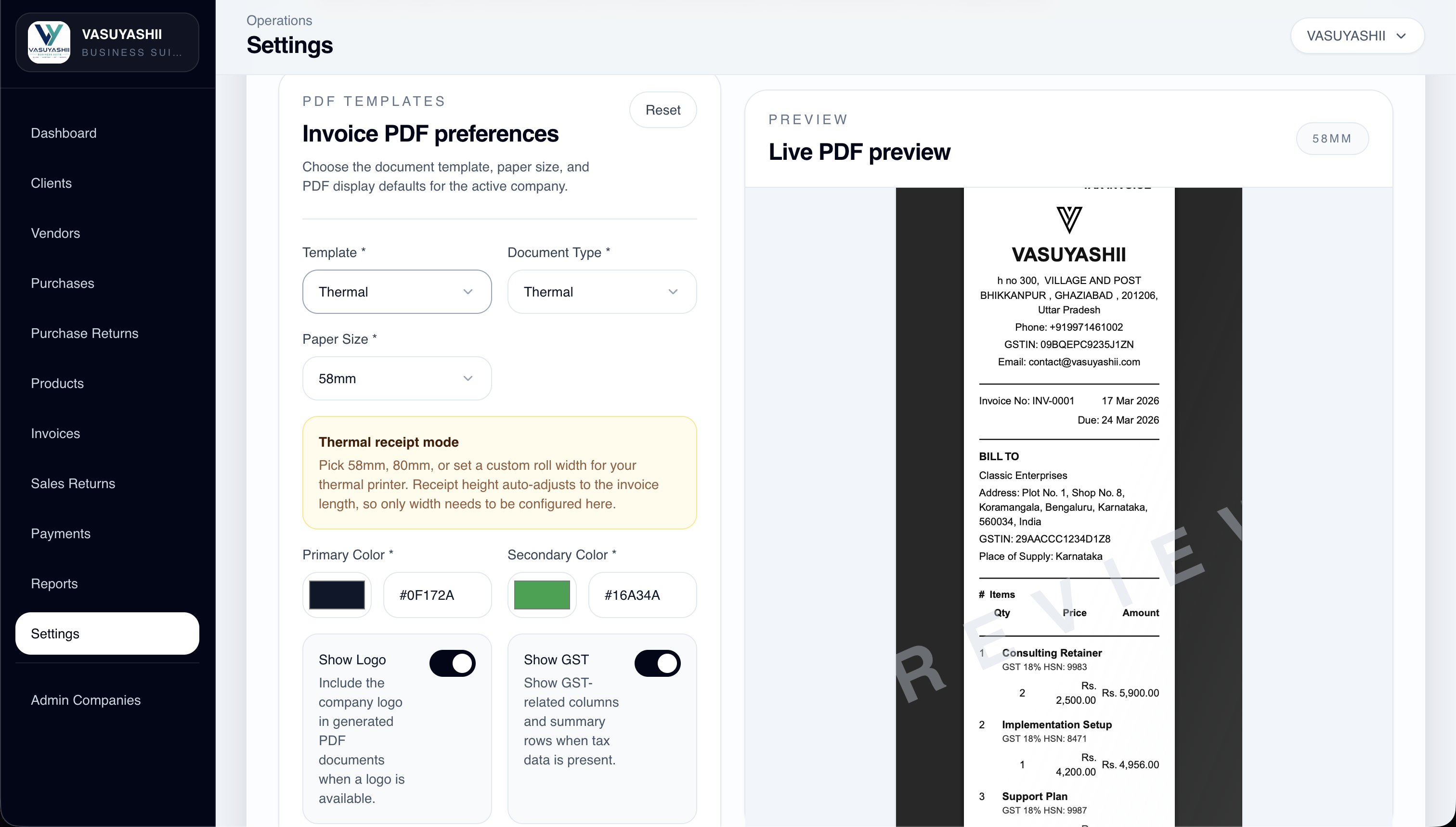
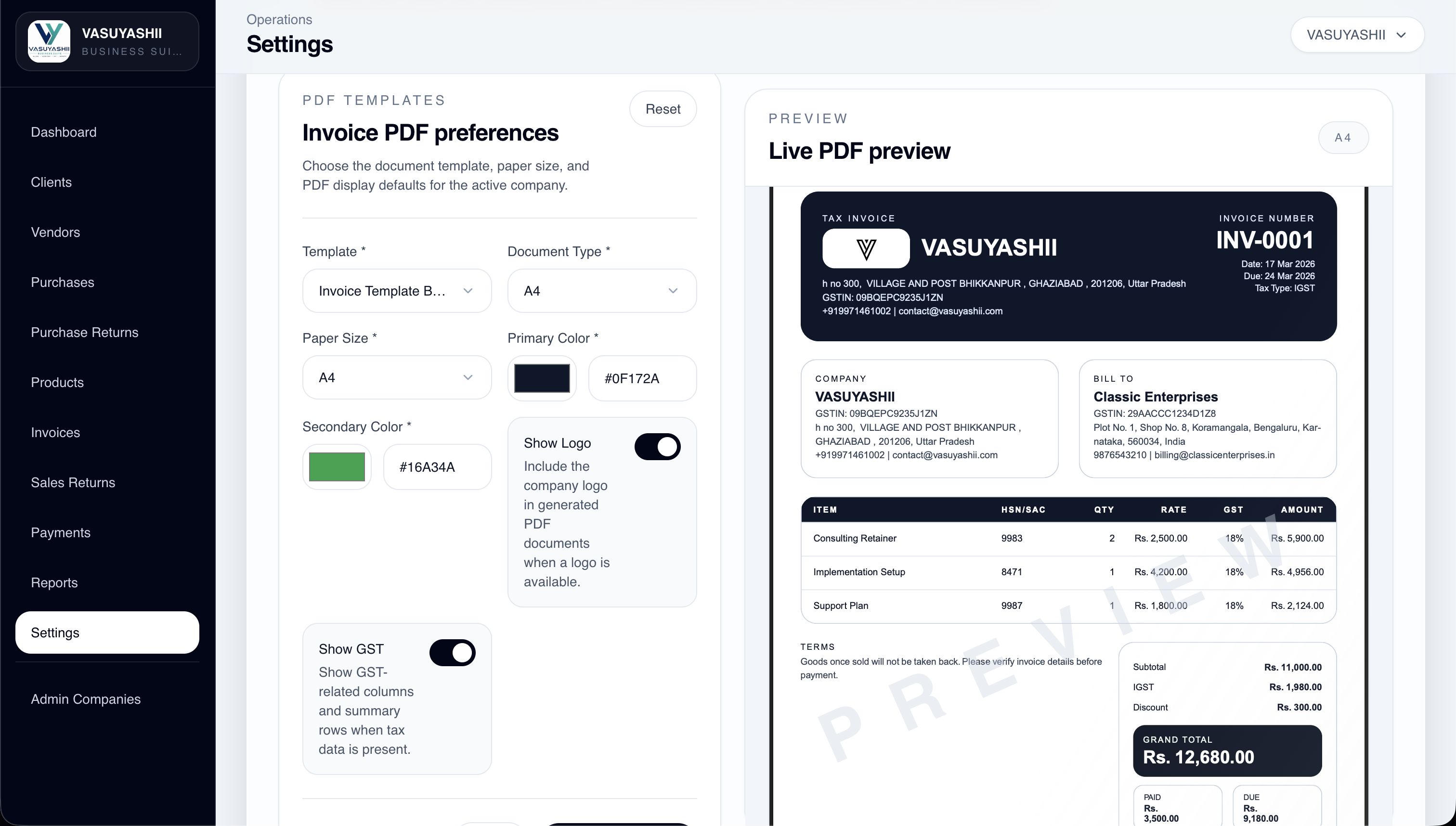
The settings area already includes A4 and thermal invoice preview flows, color preferences, logo control, and live document preview.
These screenshots are taken from the current ERP build and grouped by how the product is actually used across daily operations.
These screens show the management layer: inventory value, customer collections, supplier dues, low-stock alerts, and quick action control.
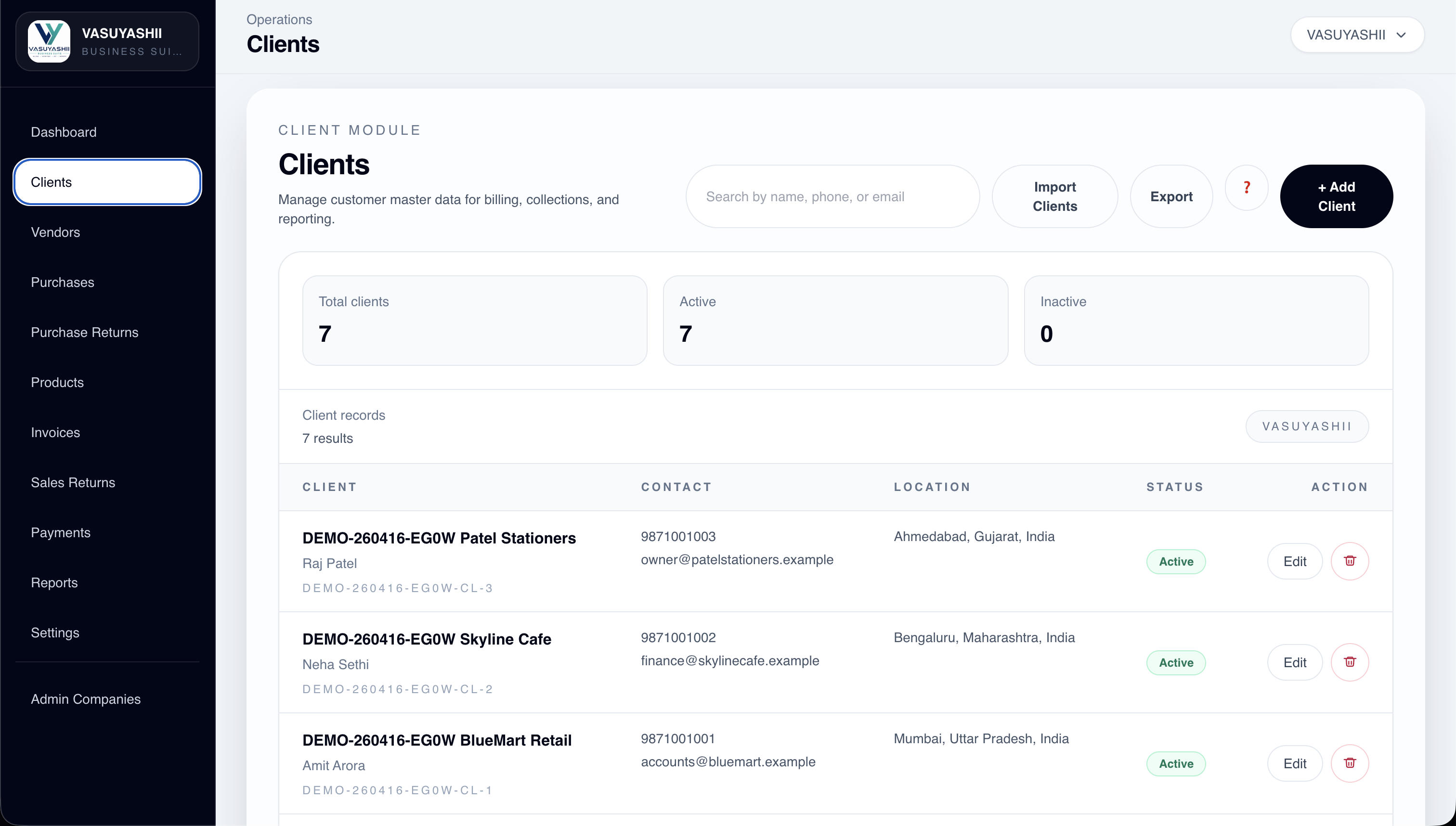
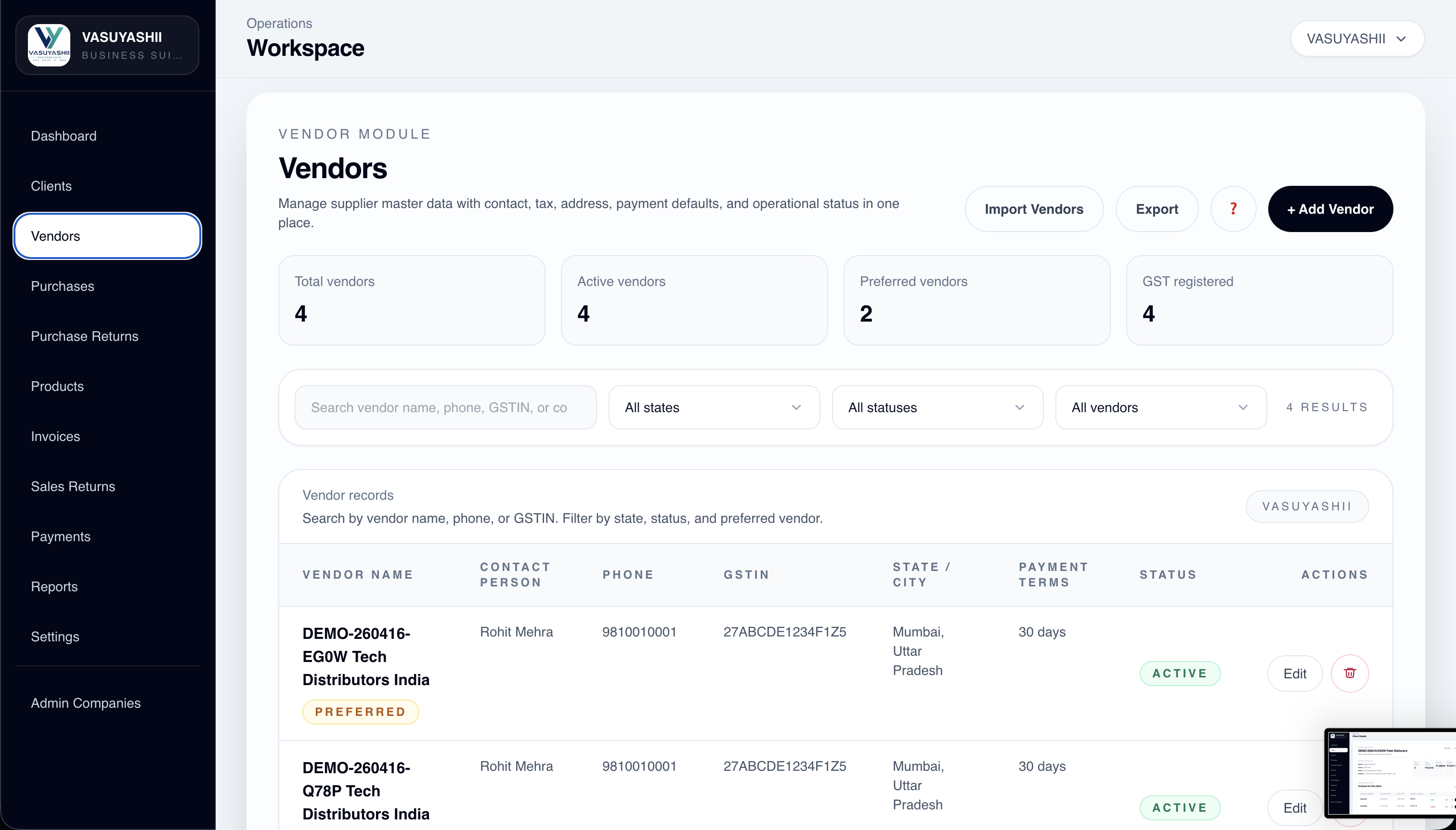
The master-data layer already covers party records, GST-linked details, product setup, contact history, and linked business context.
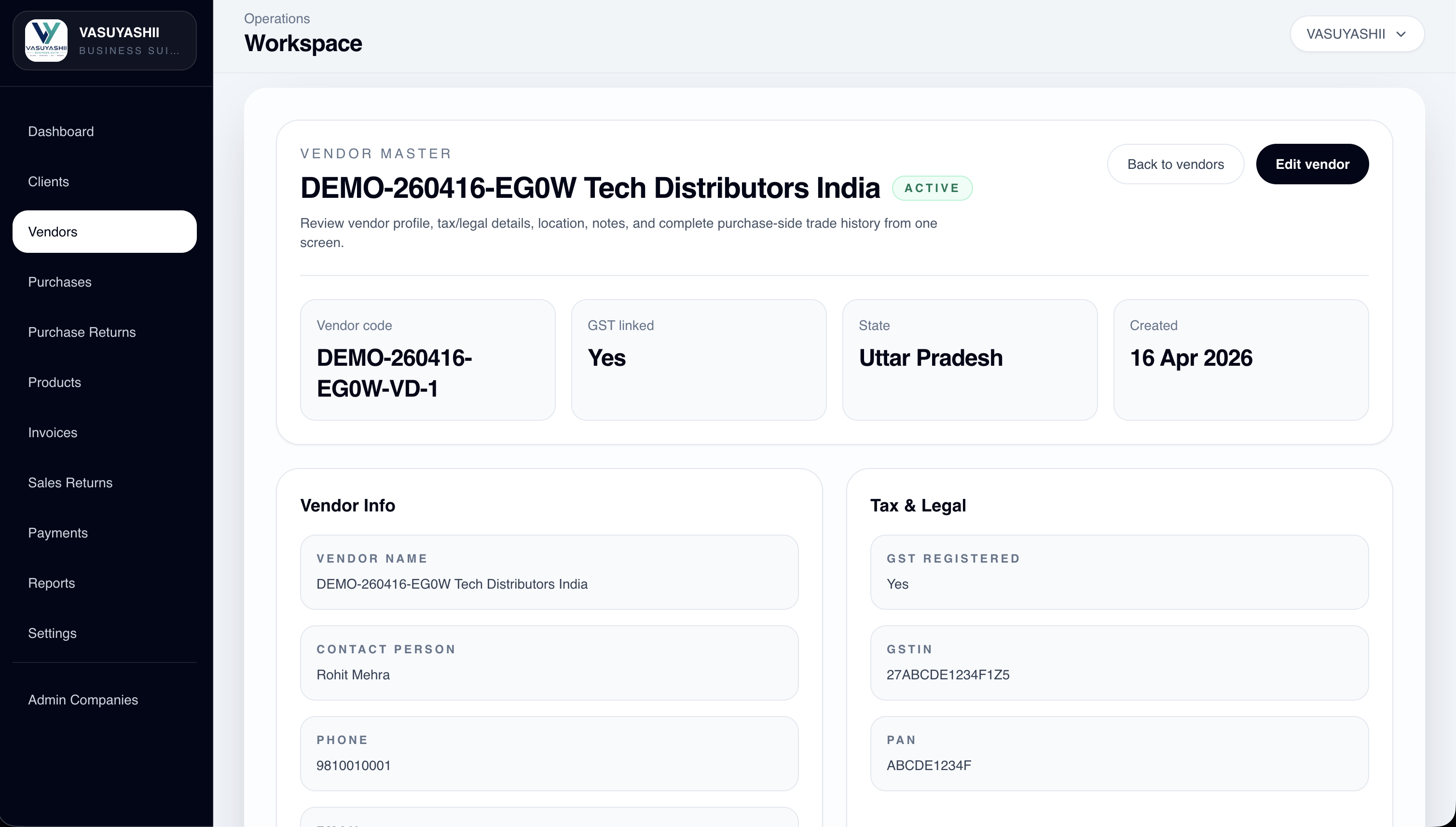
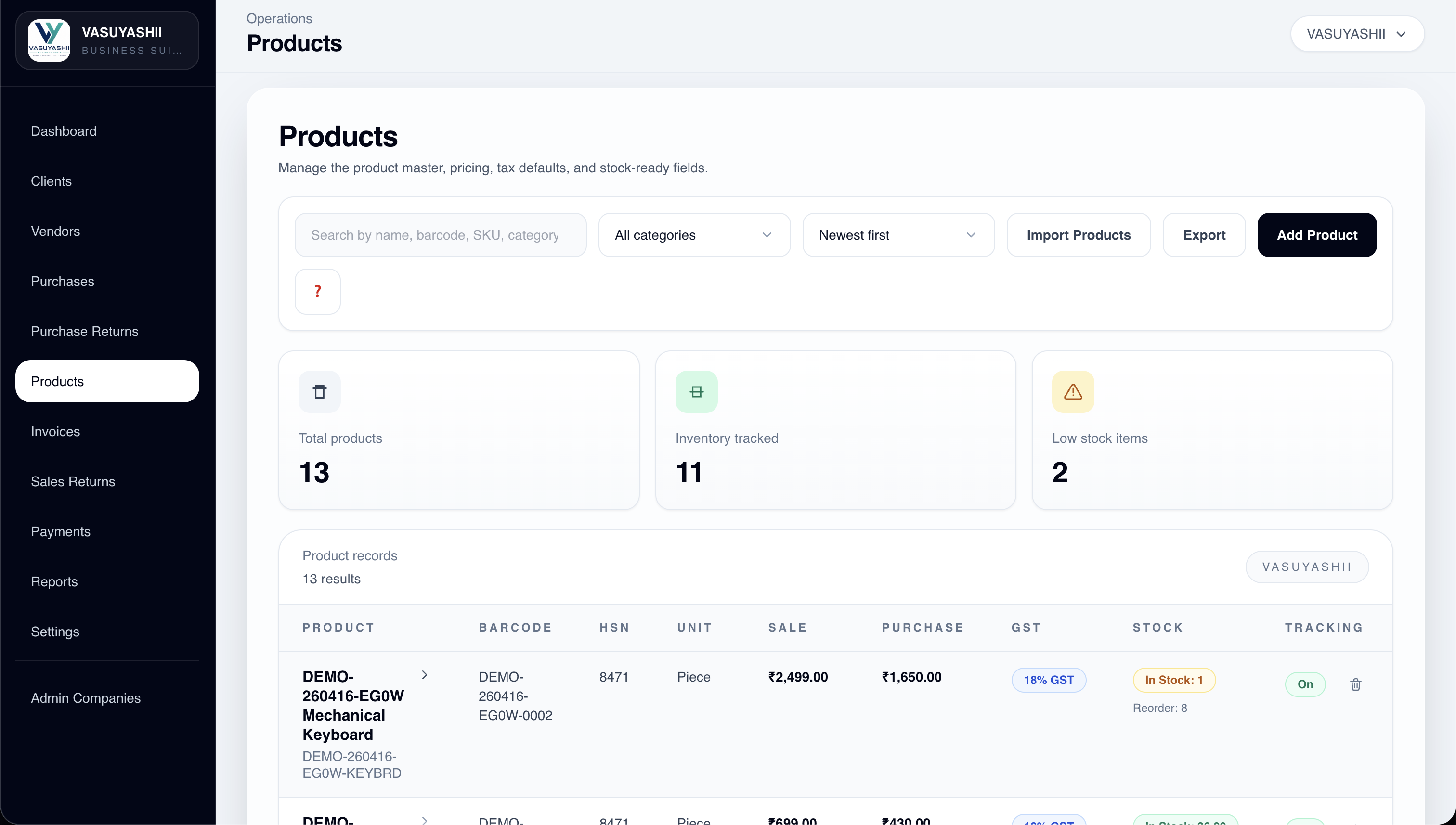
Core transaction screens are already visible across invoices, purchases, payment collection, purchase returns, and sales returns.
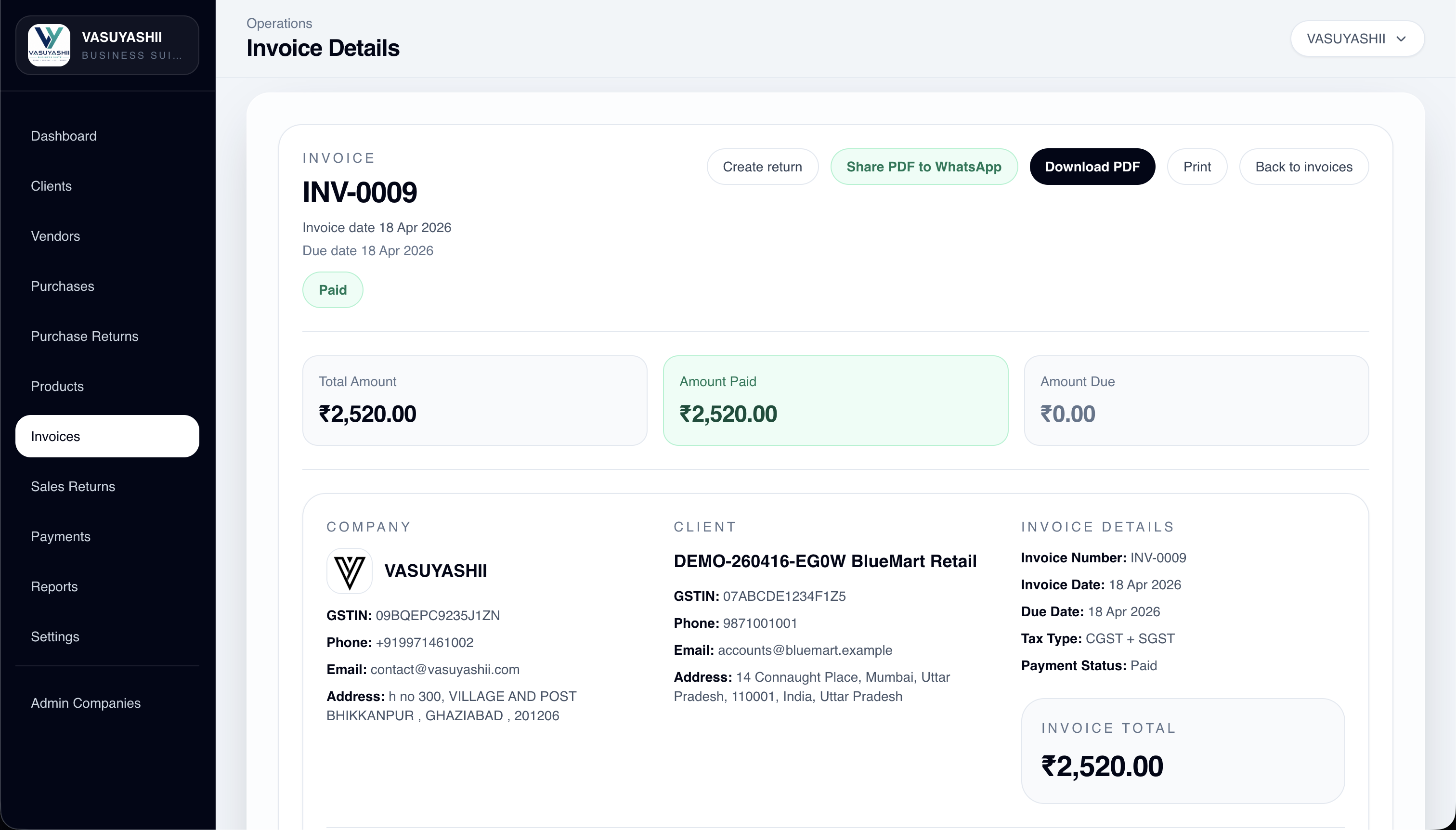
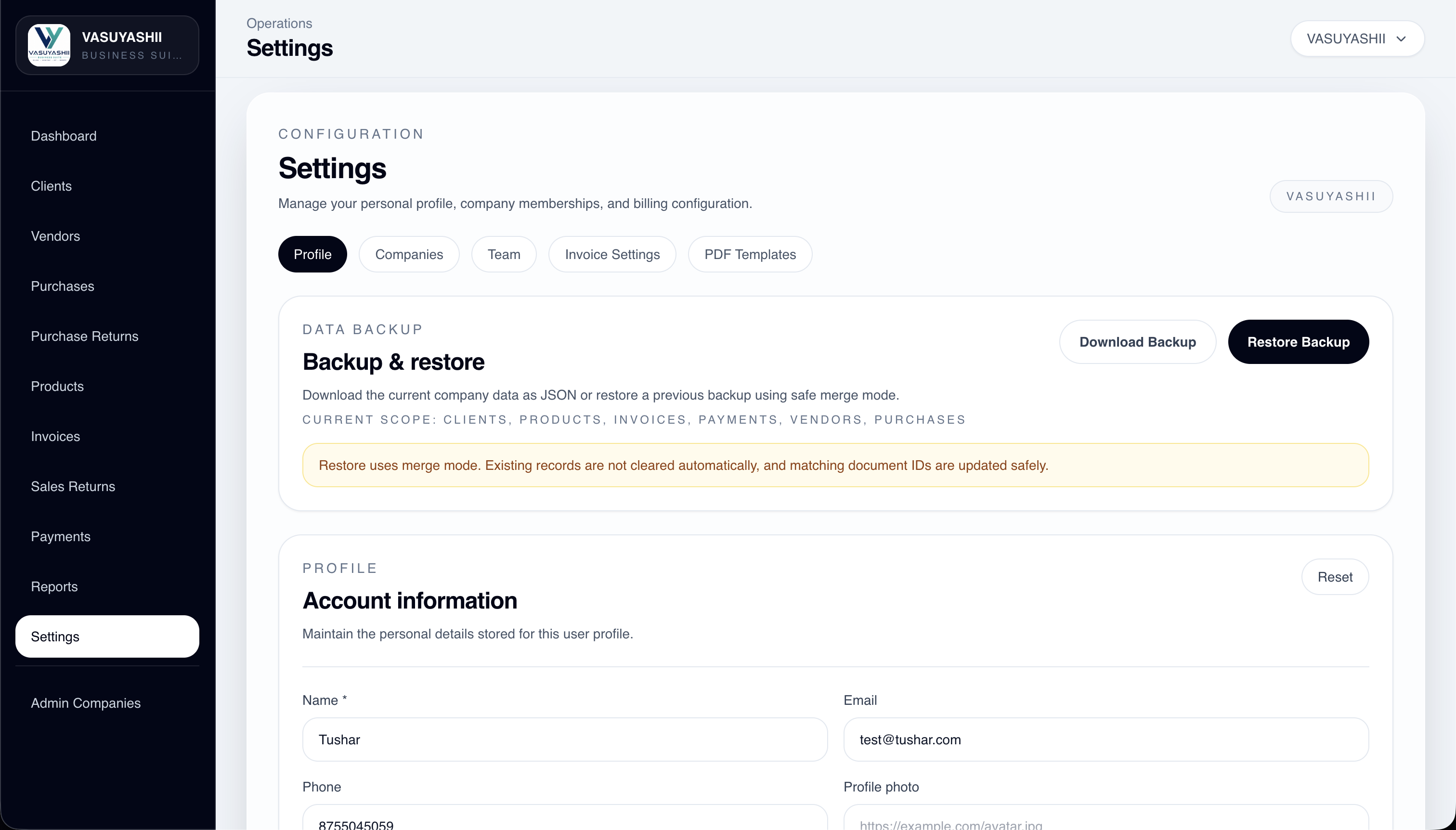
Configuration is not superficial here. The current scope already includes backup controls and live invoice template preview for A4 and thermal outputs.
The current scope already spans party masters, products, purchase and invoice workflows, returns, reporting, and document output controls.
This is a focused ERP direction for growing businesses that need one operational layer across billing, inventory, purchase, returns, documents, and management visibility.
Maintain clean business party records, GST details, contacts, locations, and linked billing or purchase history.
Track product masters, pricing, HSN, tax defaults, stock-ready fields, and low-stock visibility in one place.
Create invoices, track paid vs due amounts, manage invoice status, and keep downloadable PDF outputs ready.
Record purchase bills, watch payment status, connect vendor history, and track inward procurement entries.
Monitor collected amount, covered invoices, method-wise receipts, and operational collection follow-up.
Keep returns auditable so stock, invoice history, client/vendor adjustments, and totals stay in sync.
Give management one control layer for inventory value, customer dues, supplier dues, alerts, and quick actions.
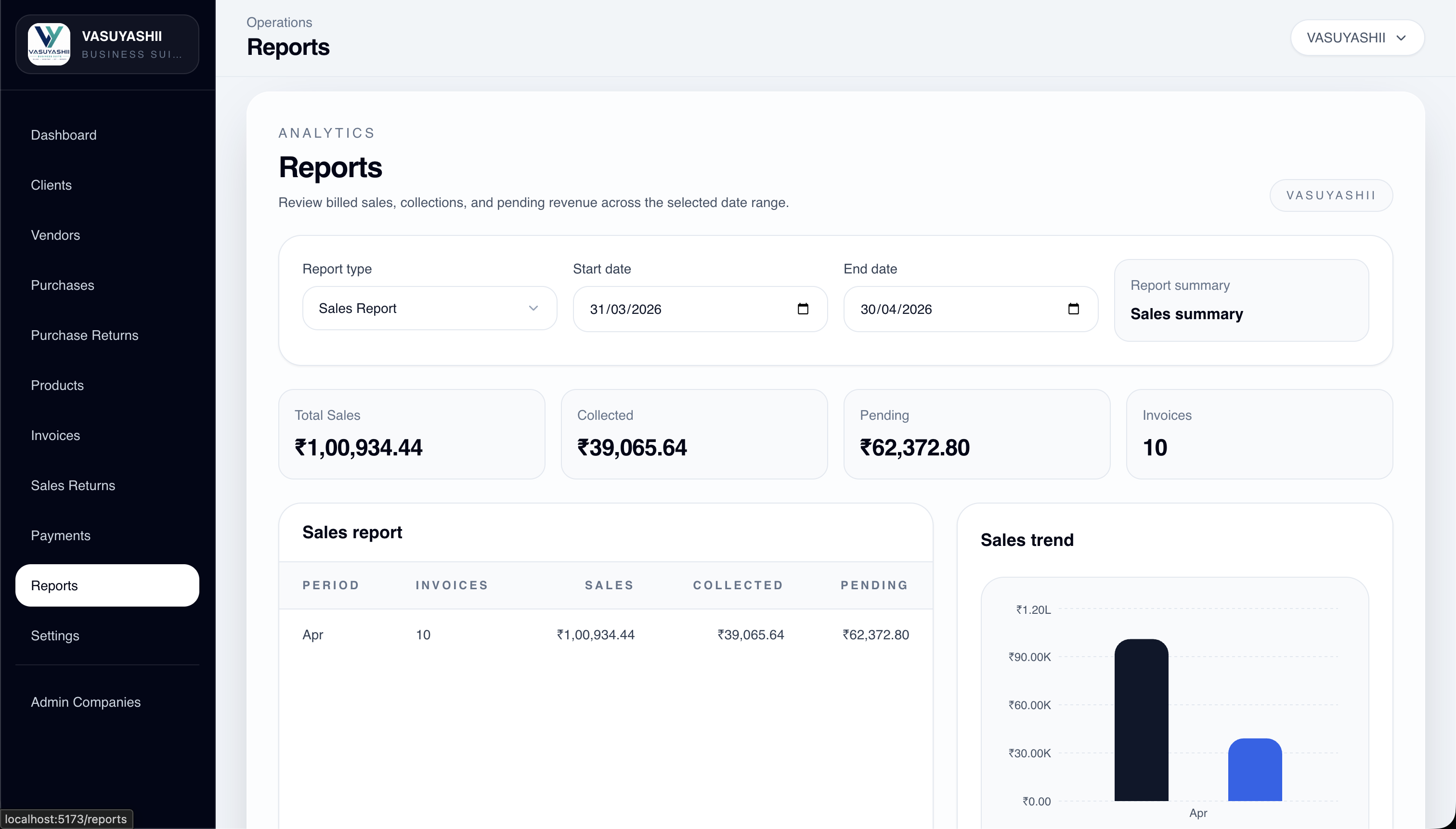
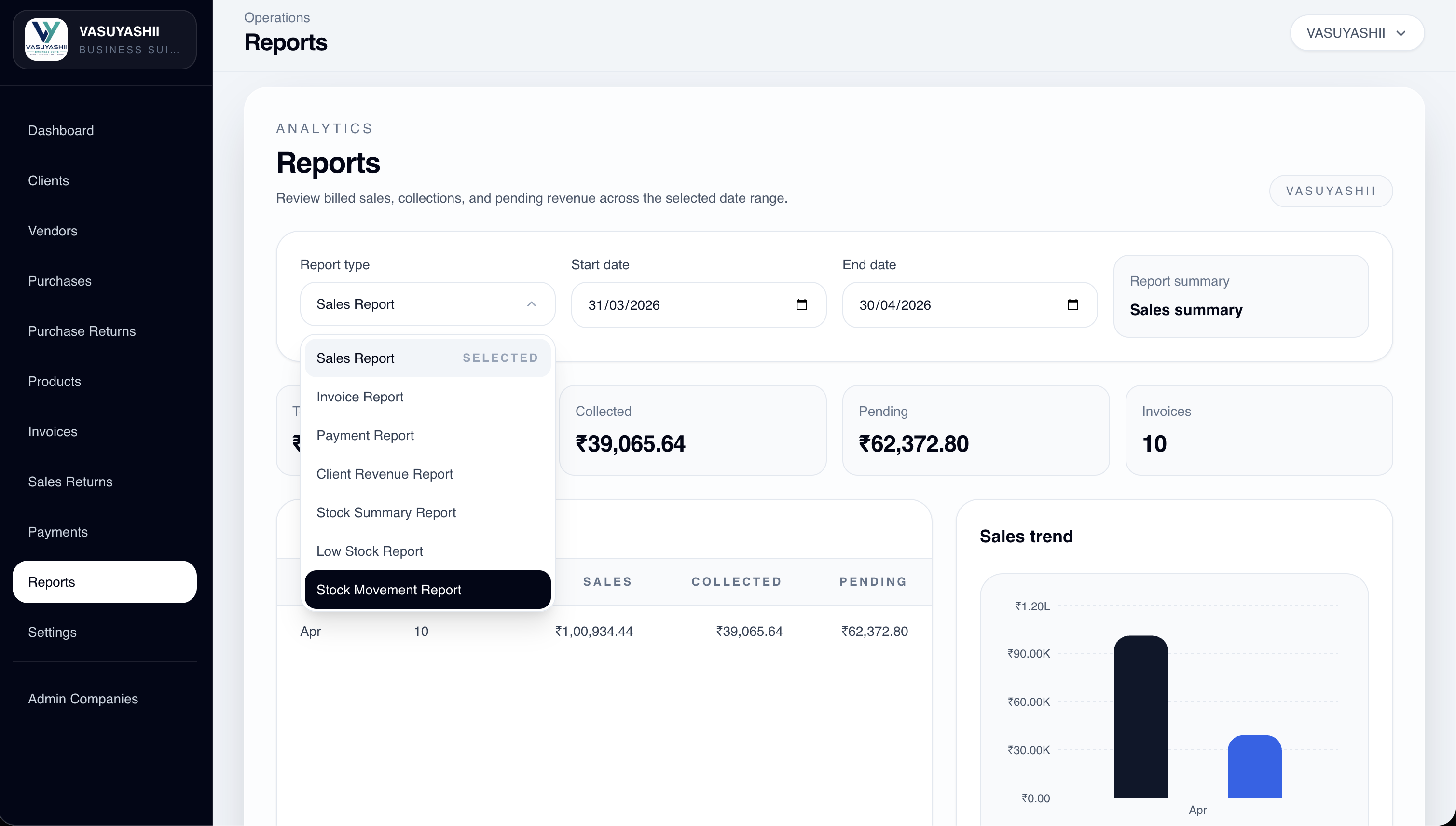
Use report types, date ranges, sales summaries, trend charts, and stock or payment reporting to review performance.
Support A4 invoice layouts, thermal receipts, live PDF previews, and print/export workflows from settings.
Control account settings, company scope, backup/restore, invoice template defaults, and PDF configuration.
VASUYASHII ERP fits businesses that have already outgrown disconnected tools and now need shared operational visibility across parties, stock, billing, purchases, returns, and reports.
Trading and distribution teams that need invoices, purchases, returns, and party management together
Inventory-led businesses that need daily visibility across stock value, customer dues, and supplier dues
Teams currently running operations through Excel, WhatsApp, and disconnected accounting or billing tools
Businesses that want a phased ERP rollout with usable modules from day one instead of a heavy enterprise deployment
Businesses usually struggle with ERP not because the idea is wrong, but because the first version tries to solve everything. A focused rollout keeps scope clear, adoption practical, and reporting useful from the first release.
Faster business adoption because the team sees modules tied to their daily work.
Better control because owners get actionable visibility instead of fragmented summaries.
Cleaner data discipline across parties, products, invoices, purchases, and returns.
Easier future expansion into approvals, automation, integrations, and multi-role control.
The product scope is only useful if the rollout stays practical. We structure delivery in phases so the software starts solving real operational bottlenecks early.
We map billing, stock, purchase, collection, returns, and reporting flows exactly as the business runs them.
We decide what must go live first so the team gets immediate control instead of an overloaded implementation.
Core modules, record pages, dashboards, PDF outputs, and permissions are built around real operations.
After launch, we tighten reports, alerts, approvals, and edge-case logic based on actual usage data.
If your business needs billing, stock, purchase, returns, collection tracking, and reporting to stay connected in one operational flow, we can help you define the right ERP scope and build it in manageable phases.