Benefits of SaaS for Businesses (2026): Why Companies Are Moving to Subscription Software
SaaS (Software as a Service) has become the default way businesses use software in 2026. Instead of buying software once and installing it on computers or local servers, companies subscribe to software that runs online. Users simply log in and work from anywhere.
This shift is happening across industries because SaaS offers real advantages:
- faster deployment
- lower upfront cost
- automatic updates
- easier scaling
- better collaboration
- improved visibility and analytics
But SaaS is not only a “technology trend.” It’s a business efficiency trend. If your team uses software every day—CRM, inventory, billing, HR, ordering systems, reporting—then the benefits of SaaS can directly improve productivity and reduce operational friction.
This guide explains the top benefits of SaaS for businesses, how SaaS impacts cost, scaling, and security, and when SaaS is the right fit versus traditional software.
Quick Definition: What Is SaaS?
SaaS = software delivered over the internet via subscription.
Instead of installing software locally, you access it through:
- browser login (web app)
- sometimes mobile app
Examples:
- Google Workspace
- Zoom
- Shopify
- Slack
- accounting/billing portals
- inventory and ERP dashboards
If you want deeper SaaS definition and how it’s built: What is SaaS Product Development?
Why SaaS Became Popular (Business Reality)
Traditional software often created friction:
- expensive upfront license
- hardware/server setup
- difficult upgrades
- limited remote access
- heavy maintenance burden on IT
SaaS solves most of these issues by shifting responsibility to the provider and turning software into a service.
Top Benefits of SaaS for Businesses (2026)
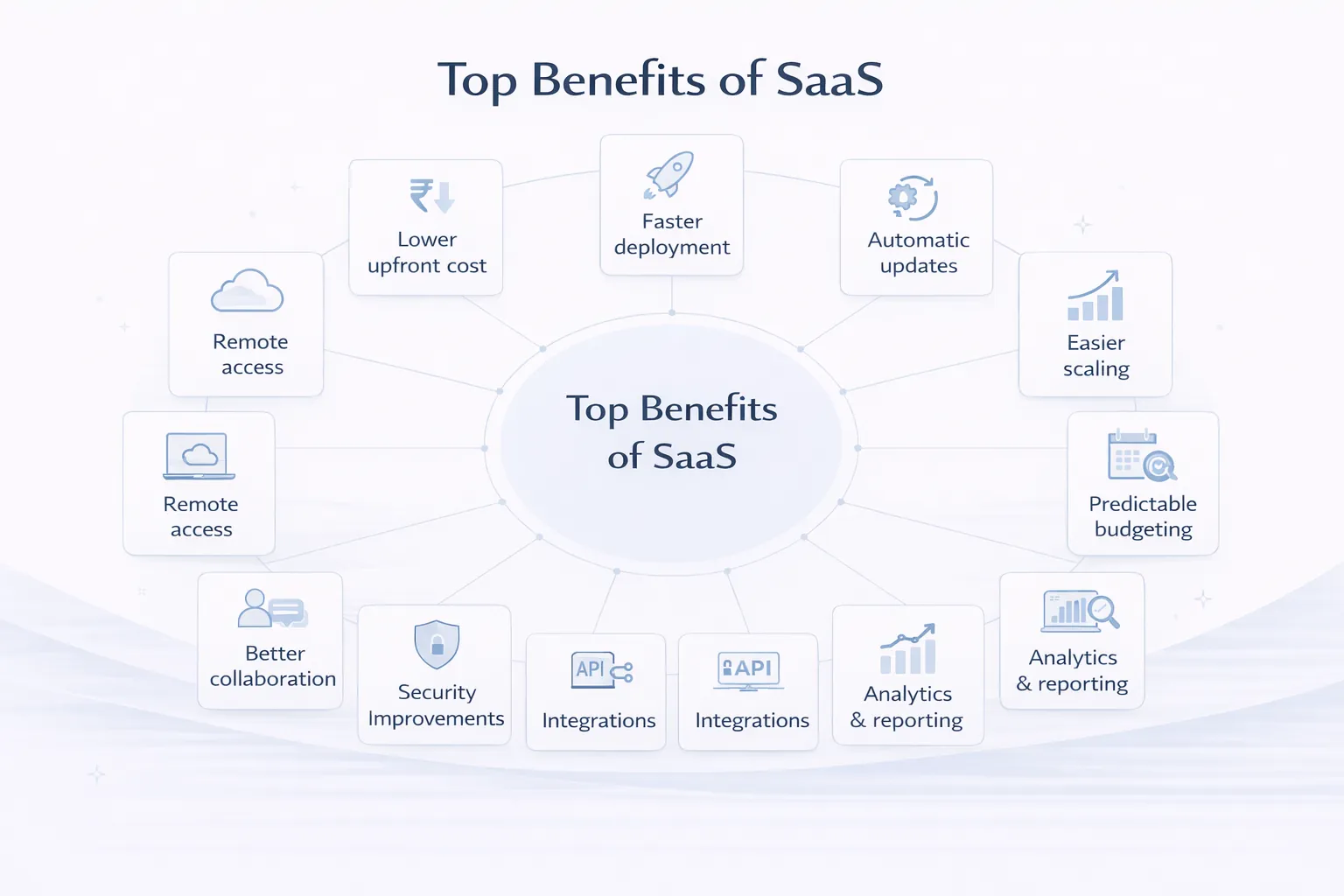
Let’s break down each benefit with practical business impact.
1) Lower Upfront Cost (Better Cash Flow)
Traditional software often requires:
- large one-time license cost
- server hardware cost
- installation and setup cost
- IT support cost
SaaS typically requires:
- a monthly or yearly subscription
- minimal setup cost
Why this matters
Businesses prefer predictable expenses. Instead of spending ₹2–₹10 lakh upfront, they can start with a smaller monthly plan and scale later.
Benefit: Better cash flow + easier decision-making.
2) Faster Deployment (Start Using in Days)
SaaS deployment is usually quick:
- create account
- configure settings
- invite team
- start using
Traditional setups can take weeks:
- installation
- server setup
- workstation installs
- network configuration
Benefit: You can start getting value faster.
3) Automatic Updates (Always Latest Version)
With SaaS:
- updates happen automatically
- security patches are applied continuously
- new features roll out regularly
With traditional software:
- updates are manual
- paid upgrades may be required
- many businesses stay on outdated versions due to fear of breaking systems
Benefit: Less risk + more features + better security over time.
4) Easy Scaling (Add Users/Branches Fast)
As businesses grow, software must scale:
- add more team members
- add branches/locations
- handle higher transactions
- store more data
SaaS is built for this:
- scaling infrastructure is usually handled by provider
- adding users is typically one click
- performance can scale with cloud resources
Traditional scaling often needs:
- server upgrades
- IT involvement
- extra licensing complexity
Benefit: Growth becomes easier.
5) Remote Access (Work from Anywhere)
Modern businesses are not limited to one office:
- sales team travels
- managers work remotely
- multiple branches exist
- owners want to check reports on phone
SaaS supports remote access by default. You can log in from:
Benefit: Faster decisions + better control.
6) Better Collaboration (Teams Work Together)
SaaS tools often include:
- shared dashboards
- role-based access
- activity history
- comments/notes (in some systems)
- centralized files/data
Instead of working on different computers or isolated databases, teams work on one “single source of truth.”
Benefit: Less confusion + fewer errors + better coordination.
7) Stronger Security (For Most Businesses)
Many small and medium businesses assume: “on-prem software is always safer.”
Reality: security depends on who manages it.
SaaS providers usually have:
- dedicated security updates
- professional hosting
- monitoring and backups
- firewalls and access controls
- encryption
Traditional/on-prem setups can be secure, but only if the business invests in:
- IT team
- monitoring
- patch management
- backups and disaster recovery
Benefit: SaaS often gives stronger security at lower effort.
(Still, your business must use strong passwords and role policies.)
8) Easier Integrations (WhatsApp, Payments, CRM, Email)
SaaS products typically integrate with:
- email systems
- payment gateways
- WhatsApp notifications
- CRMs
- analytics
- external tools via API
Integrations help automate workflows:
- lead comes in → WhatsApp message sent
- payment received → invoice generated
- order placed → dashboard updates
Benefit: Automation reduces manpower and speeds operations.
If your business wants automation systems: Web Applications Services
9) Built-in Analytics & Reporting (Better Decisions)
SaaS tools often provide:
- dashboards
- reports
- KPIs
- usage analytics
Traditional software may require:
- manual report exports
- custom reporting modules
- heavy setup
For business owners, visibility is power:
- sales trends
- customer patterns
- staff performance
- inventory movement
Benefit: Better decisions based on data, not guesswork.
10) Predictable Budgeting (Financial Stability)
SaaS subscription costs are predictable:
- monthly or yearly fee
- optional upgrades as needed
Traditional software costs can become unpredictable:
- sudden upgrade needs
- server maintenance
- support contracts
- IT costs
Benefit: Easier planning and financial stability.
11) Better Customer Support & Continuous Improvement
Good SaaS products improve continuously:
- bug fixes roll out quickly
- feedback leads to new features
- support teams exist to help
Traditional software often has:
- slower support
- upgrade cycles
- outdated documentation
Benefit: Faster resolution and evolving product value.
12) Strong Foundation for Growth (SaaS Mindset)
SaaS is not just software; it’s a system:
- onboarding
- retention
- automation
- reports
- workflows
Businesses adopting SaaS mindset usually end up:
- more process-driven
- more data-driven
- more scalable operationally
When SaaS May NOT Be Ideal (Honest Section)
SaaS is not perfect in every situation.
SaaS may not be ideal when:
- you need full offline usage (no internet)
- strict compliance requires on-prem data
- you need extremely deep customization that SaaS doesn’t support
- your environment is restricted (government/secure networks)
In those cases, traditional/on-prem may be better.
If you want full comparison: SaaS vs Traditional Software
How to Choose the Right SaaS (Buyer Checklist)
Before buying SaaS, check:
1) Does it solve your exact workflow problem? 2) Does it have role-based access? 3) Are reports useful for your decisions? 4) Is customer support reliable? 5) Is pricing transparent? 6) Can you export data anytime? 7) Does it integrate with your tools? 8) Is it secure (2FA, permissions, backups)? 9) Does it scale with your business? 10) Is onboarding easy for your team?
SaaS Adoption Plan (Practical Steps)
Step 1: Start with one department
Example: sales CRM only, or inventory only.
Step 2: Train the team
Short SOPs and videos help.
Step 3: Automate key workflows
WhatsApp notifications, reports, approvals.
Step 4: Measure impact
Track:
- time saved
- errors reduced
- lead response speed
- cost savings
Step 5: Expand modules
Once adoption is stable, expand.
Final Takeaway
SaaS helps businesses because it makes software:
- easier to start
- easier to maintain
- easier to scale
- more accessible for teams
- more data-driven for owners
That’s why companies in 2026 are moving from one-time software to subscription platforms.
Need SaaS or Business Software Development?
If you want to build a SaaS product or a business portal (CRM, inventory, ordering system, automation dashboard), VASUYASHII can help you plan and build it professionally.
👉 WhatsApp: Chat on WhatsApp 👉 Services: https://www.vasuyashii.com/services/web-applications 👉 Portfolio: https://www.vasuyashii.com/portfolio 👉 Contact: https://www.vasuyashii.com/contact