Billing Software Implementation Checklist
billing software implementation checklist matters for Indian business owners who want to launch billing software without confusion, data mismatch, or missed GST setup. This guide is written for Indian SMBs that want clearer decisions, fewer implementation mistakes, and a practical plan before they spend on software. The goal is not to use more software words. The goal is to understand what to build first, what to delay, how much to budget, and what usually goes wrong in real implementations.
If a business is still running key workflow decisions from Excel, WhatsApp, memory, or repeated status calls, then the timing of software decisions starts affecting cash flow and team efficiency directly. That is why this topic should be treated as an operational decision, not only a technology purchase.
Author & Editorial Review
By Tushar C. (Founder, VASUYASHII). Reviewed by VASUYASHII Editorial for practical scope, pricing, implementation clarity, and local business relevance.
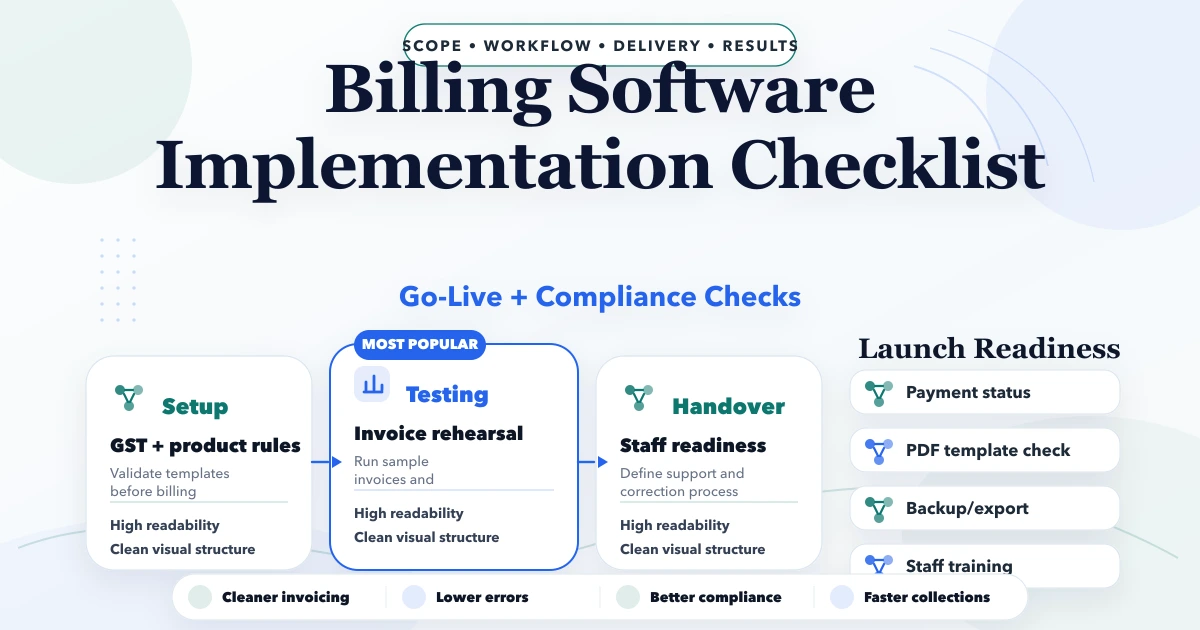
Table of Contents
- Quick answer
- Real-world experience
- Why this matters for SMBs
- Key features or decision points
- Pricing in INR
- Implementation sequence
- Tech stack
- Cost drivers
- Common mistakes
- FAQs
Quick Answer
Billing software fails when teams treat it like a simple UI purchase instead of a process change. GST setup, numbering logic, product masters, client records, payment status rules, and print or PDF flows must all be verified before launch.
| Scope | Price range | Timeline | | --- | --- | --- | | Simple GST billing setup | ₹35,000 to ₹1.2 lakh | 2 to 4 weeks | | Billing + inventory + reports | ₹1.2 lakh to ₹3 lakh | 4 to 8 weeks | | Custom billing operations stack | ₹3 lakh to ₹7 lakh+ | 8 to 14 weeks |
The strongest first step is usually not the biggest software plan. It is the clearest phase-one scope with measurable operational value. That keeps cost sane, adoption realistic, and future expansion easier.
Real-world Experience
- We have built business websites, internal dashboards, billing flows, operational tools, and admin panels where owners wanted better control before adding more features.
- A common problem we see is that SMB teams ask for “full software” but have not yet defined the workflow, ownership, or reporting expectations clearly.
- What works best is a phased rollout: stabilise the most expensive operational friction first, then expand based on real usage.
- Mistakes we avoid are bloated scope, weak user-role planning, no proof of adoption, and launching automation on top of broken process rules.
Why This Matters for SMBs
For many SMBs, software decisions are really decisions about process discipline. If the team follows inconsistent steps, the software will reflect that confusion. If the team agrees on data, ownership, and stages, even a modest first release can create fast clarity.
The financial side matters too. Delay in billing, missed follow-up, weak inventory visibility, and no manager-level reporting all have a real cost. Many businesses underestimate this cost because the pain is spread across people and time rather than appearing as one direct invoice.
Checklist essentials
- GST logic, HSN handling, tax-inclusive versus tax-exclusive rules, and round-off behaviour must be clear
- Client masters and product masters should be reviewed before issuing real invoices
- Print, A4 PDF, thermal, and sharing flows should be tested on the devices the business actually uses
- Payment status updates must be disciplined so due reports are not misleading
- Credit notes, sales returns, and editing rules should be controlled before staff start using the system daily
- Reports should show not just billed amount, but paid, due, and exception cases for owners
A useful first version should remove repeated manual work, make status visible, and reduce dependency on one person’s memory. When a system does that well, teams adopt it faster because the value becomes visible in daily work, not only in a demo.
Pricing in INR
Pricing changes based on roles, modules, integrations, data migration, and reporting depth. Businesses often compare quotes only on feature count, but that is rarely enough. Two systems with the same high-level module names can have very different implementation effort depending on the workflow behind them.
| Scope | Price range | Timeline | | --- | --- | --- | | Simple GST billing setup | ₹35,000 to ₹1.2 lakh | 2 to 4 weeks | | Billing + inventory + reports | ₹1.2 lakh to ₹3 lakh | 4 to 8 weeks | | Custom billing operations stack | ₹3 lakh to ₹7 lakh+ | 8 to 14 weeks |
The practical way to budget is phase-wise. Decide what must work first, what can wait, and what depends on cleaner data or stronger adoption later.
Implementation sequence
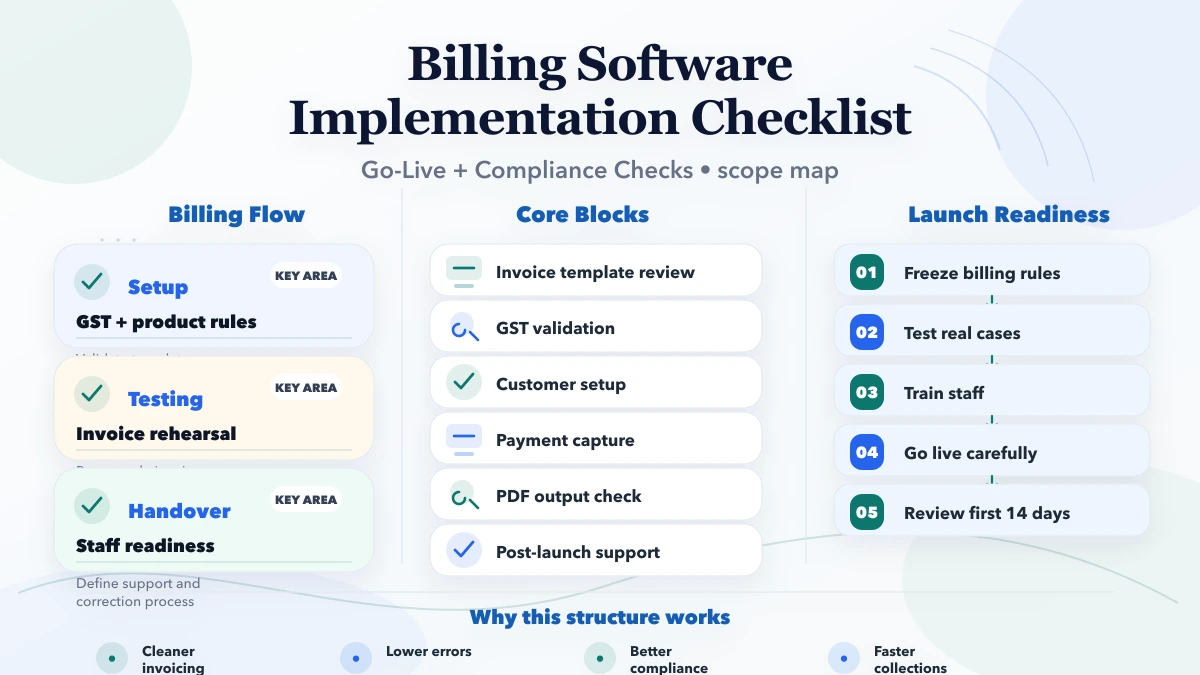
- Stage 1: Define invoice rules, GST handling, client masters, payment states, and numbering logic
- Stage 2: Prepare product data, tax defaults, print/PDF templates, and basic reports
- Stage 3: Pilot billing with real edge cases, credit notes, returns, and payment updates
- Stage 4: Connect inventory, collections, reminders, exports, and owner dashboards if needed
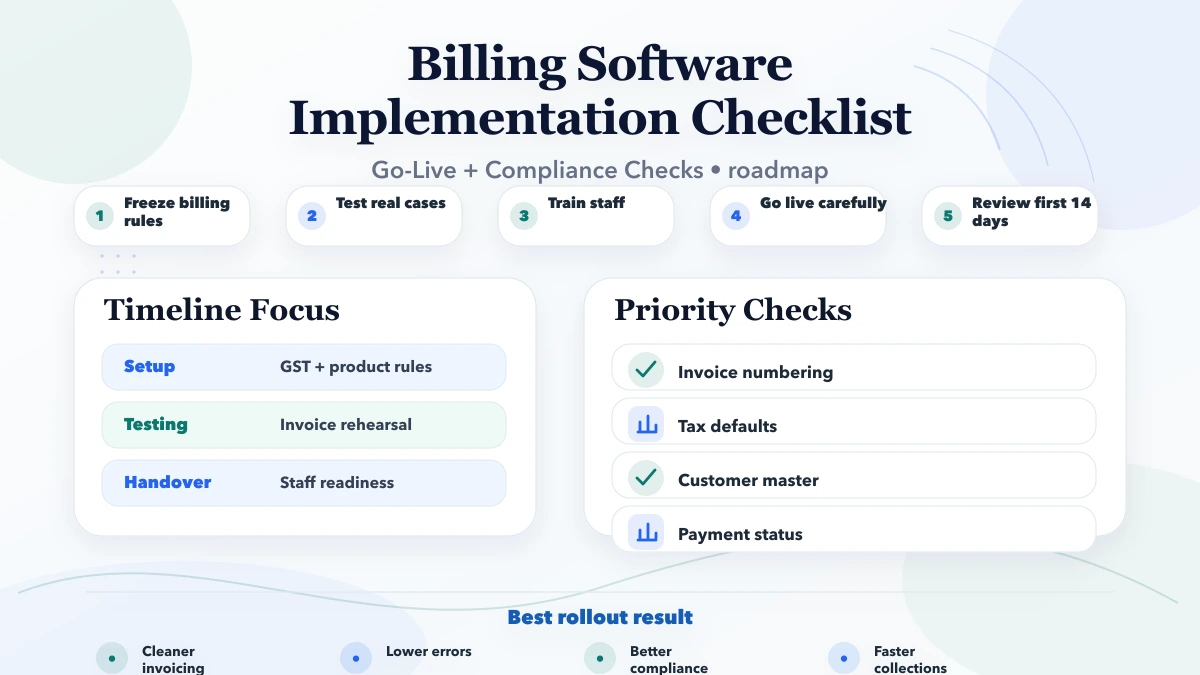
A rollout becomes smoother when every phase has a business owner, a measurable output, and clear review points. When implementation runs without those anchors, even good software teams end up burning time on avoidable confusion.
Tech Stack
A practical software build for SMBs usually depends on a stack that supports workflow control, reporting, and future change without becoming fragile:
- Frontend workflow with fast search, invoice creation, and edit controls
- Backend rules for invoices, taxes, payment status, returns, and audit history
- Database structure that keeps invoice numbers, line items, GST, and payments connected cleanly
- PDF generation for A4 and thermal outputs plus WhatsApp or email share workflows
- Search, export, and report logic so accounts and owners can review history quickly
- Integrations later with stock, CRM, or collections tools when the operation matures
The stack should serve the workflow, not dominate the decision. In many projects, data structure, role logic, and reporting design matter more than one specific framework choice.
Cost Drivers
- Product count, tax complexity, and invoice format variations
- Need for inventory linkage, returns handling, or payment tracking
- Multiple branches, users, printers, or billing counters
- Migration from old billing software or spreadsheet history
- Export and compliance expectations from accounts teams
- Training and post-launch support for non-technical staff
If you define these drivers early, your quote becomes more honest and your implementation risk drops. If you ignore them, pricing either becomes artificially low or gets inflated later by change requests and hidden complexity.
Pre-Launch Validation for Billing Software
Billing software should go live only after the business validates tax structure, numbering rules, customer data, product pricing, payment mode labels, and document outputs. A billing system looks simple from the outside, but small setup mistakes create repeated downstream problems. If GST rules, invoice sequence, or product tax defaults are wrong, the team loses trust in the software very fast.
A sensible pre-launch test should include sample invoices, debit or credit adjustments if relevant, PDF export checks, payment entry validation, and at least one real workflow rehearsal from quote or product selection to paid invoice. When owners skip this step, they usually discover errors only when a customer is already waiting.
What to Review in the First 14 Days
After rollout, review whether invoices are being created consistently, whether users are bypassing the system for urgent cases, and whether payment and due reports match operational reality. This first review window matters because it reveals whether the software setup fits daily speed requirements or only works during controlled demos.
A clean early review should answer:
- Are invoice templates readable and brand-safe?
- Are GST, totals, and payment entries reliable?
- Are staff creating records directly in the system instead of on paper or WhatsApp first?
- Are overdue amounts and collection visibility improving?
These checks keep the billing system useful as a business tool, not just as a document generator.
Compliance and Support Handover
Billing software should not be treated as fully complete on the day invoices start getting generated. There should be a handover phase where the business confirms invoice templates, GST handling, due reporting, payment status rules, and who will support day-to-day usage after the implementation partner finishes the initial setup.
A good handover should include:
- staff training on invoice creation and correction flows
- who approves product, tax, or customer master changes
- how backup or export will be handled
- what to do if a user creates the wrong invoice or enters the wrong payment
These are operational details, but they affect confidence heavily. If users do not know how to recover from mistakes, they start bypassing the system and the billing workflow becomes fragmented again.
Common Mistakes
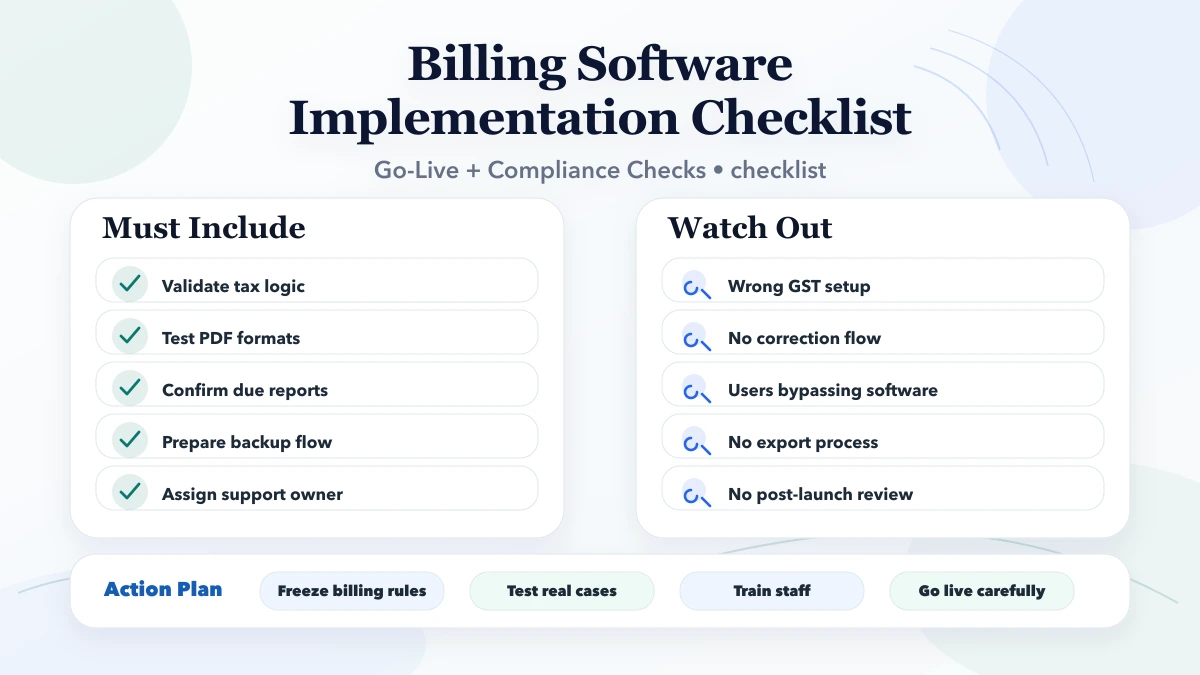
- Going live without validating GST and numbering rules
- Ignoring returns and adjustment workflows during setup
- Treating paid and unpaid invoices casually, which breaks reporting
- Not testing print or share workflows on actual business hardware
- Skipping user-level permissions and audit visibility
Most software disappointment comes from weak scoping and weak rollout discipline, not from the idea of custom software itself.
Proof Links and Internal Links
Related Reading
Soft CTA
If you are serious about implementation, start by writing the current workflow, the repeated pain, the roles involved, and the reports the owner wants every week. That single step makes good software planning dramatically easier.
FAQs
What should be checked before billing software goes live?
Check client masters, product masters, GST rules, invoice numbering, payment status logic, PDF and print outputs, and return workflows. If these are unclear, billing quality and reporting quality both fall quickly.
Can a small business start with billing only?
Yes. Many businesses should start with billing first, especially when the current problem is invoice speed, GST consistency, or due tracking. Inventory and purchase integration can be added once billing data becomes stable.
How long does implementation usually take?
Simple billing setups can go live in two to four weeks. Billing plus stock plus report workflows usually take four to eight weeks if testing and data preparation are handled seriously.
Why do billing rollouts often go wrong?
They go wrong when owners assume invoicing is simple but ignore data quality, tax logic, and exception cases. Most failures come from process gaps, not from the screen design itself.
Do I need custom software or a ready-made billing tool?
That depends on the workflow. If GST billing is standard, a ready-made tool may work. If pricing logic, approvals, print flows, reports, or integrations are custom, a tailored build becomes more useful.
Should billing connect to inventory immediately?
Only if product data and stock deduction rules are already clear. Otherwise connect them in phase two after billing quality becomes reliable.
What reports should owners expect?
Owners should expect billed amount, paid amount, due amount, client-wise history, exceptions, and return-adjusted summaries so collections and cash flow do not stay hidden.
Need Help With This Scope?
If you want a practical software plan instead of vague feature promises, share your workflow and we will map the first useful version, timeline, pricing, and rollout sequence clearly.