Headless Website Architecture Explained (2026): Complete Guide for Businesses
In 2026, many businesses want websites that are faster, more scalable, and easier to grow—especially when they publish regular blogs, run marketing campaigns, or plan to build portals and dashboards later. That’s why “headless” website architecture has become a popular approach.
But what does “headless” actually mean? And is it only for big companies?
A headless website is simply a website where the content management system (CMS) is separated from the frontend (the website UI). Instead of WordPress controlling both the backend and the frontend, a headless setup uses:
- a CMS only for content editing (backend)
- a modern frontend like Next.js/React to display the website (frontend)
This separation gives businesses more control over speed, SEO structure, and scaling. But headless also requires better planning and development discipline.
This guide explains headless architecture in a simple but deep way—so you can decide if it’s right for your business.
Quick Definition: What Is “Headless” in Websites?
A headless website means:
- CMS = only content backend
- Frontend = separate website/app
The “head” is the frontend (the website face). “Headless” means the CMS has no built-in frontend. It only stores and delivers content via API.
So your content can be displayed on:
- website
- mobile app
- dashboard
- multiple sites
- even kiosks or internal tools
Why Headless Architecture Became Popular (2026 Context)
1) Businesses want speed
Core Web Vitals and mobile speed impact SEO and conversions.
2) Businesses want premium UI/UX
Modern design systems are easier with custom frontend frameworks.
3) Businesses want scalability
Many businesses start with a website and later want:
- admin dashboards
- portals
- automation systems
- SaaS modules
4) Teams want content control
Marketing teams want to update content quickly, but without breaking design.
Headless is often the best balance:
- premium performance
- flexible content editing
- scalable architecture
If you are building high-performance websites and portals, explore: Web Applications Services
Traditional CMS vs Headless CMS (Simple Comparison)
Traditional CMS (example: WordPress)
- CMS manages content + frontend in one system
- themes control design
- plugins add features
- content editing is easy
Pros:
- quick to launch
- easy blogging
- cheaper initially
Cons:
- can become slow with plugins
- security risks if not maintained
- scaling into apps/portals becomes messy
Headless CMS (example: Strapi/Sanity/Contentful)
- CMS only stores content
- frontend is custom (Next.js/React)
- content delivered via APIs
Pros:
- faster performance
- clean SEO control
- premium UI flexibility
- scalable architecture
Cons:
- needs developer setup
- can be more complex initially
How Headless Architecture Works (Step-by-Step)
A headless setup has 3 major parts:
1) Content backend (CMS) 2) Frontend website 3) Hosting + delivery
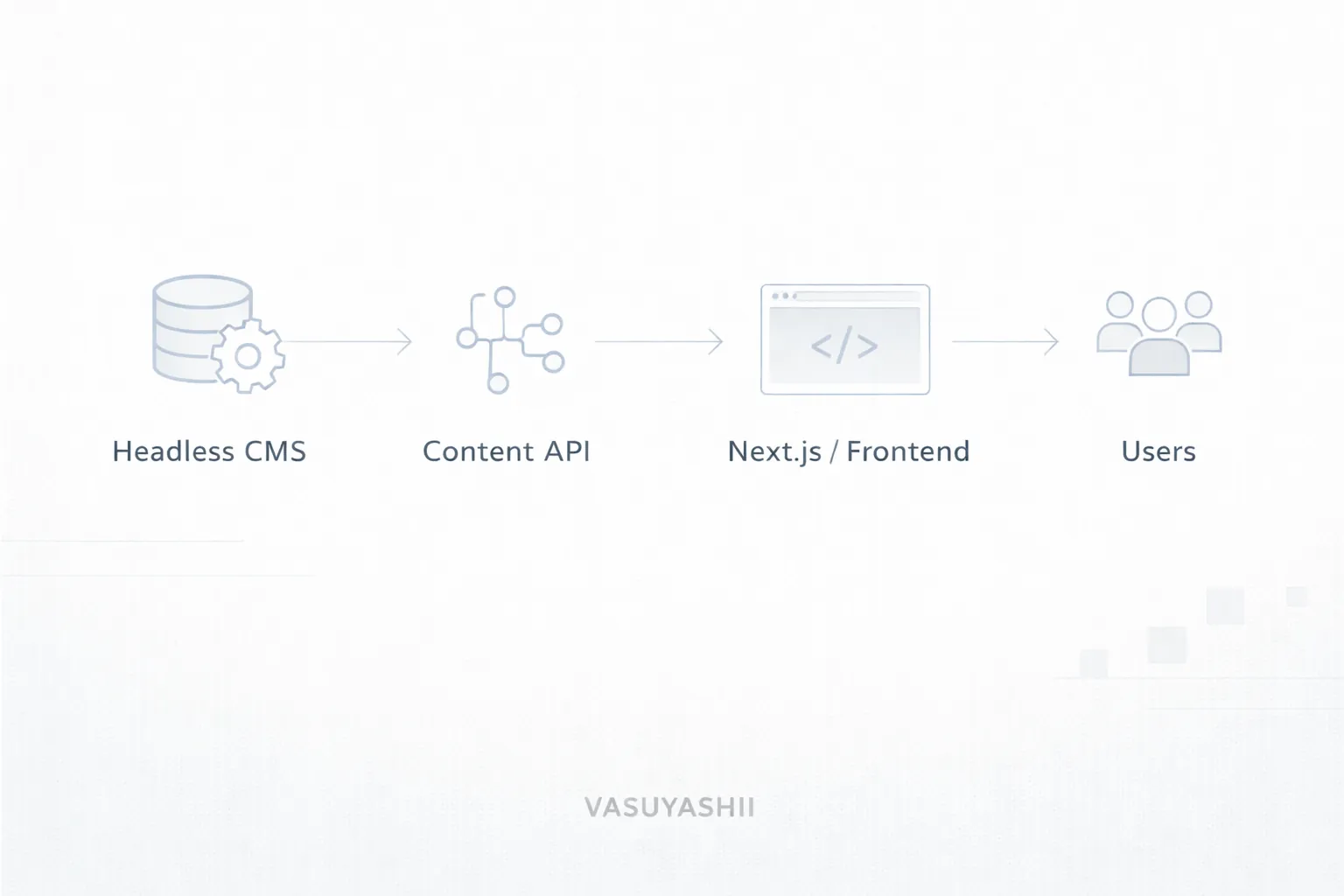
Here’s the simple flow:
- You write/edit content in CMS (like Sanity/Strapi)
- CMS stores content in database
- Frontend (Next.js) fetches content using API
- Frontend renders the page and serves it to users
- Website is hosted on Vercel/CDN for speed
Components of a Headless Website (What You Actually Need)
1) Headless CMS
Examples:
- Strapi (self-hosted)
- Sanity (hosted platform)
- Contentful (enterprise)
- Directus (self-hosted)
- Ghost (content-focused)
2) Frontend framework
Most common:
Other options:
- Nuxt (Vue)
- SvelteKit (Svelte)
3) Content API / GraphQL
CMS provides content to frontend using:
4) Hosting
Common stack:
- Frontend hosted on Vercel
- CMS hosted on its platform or server
- CDN caches static pages
Headless Benefits for Businesses (Real Advantages)
1) Best performance potential
Since frontend is optimized, you can achieve:
- fast load time
- better Core Web Vitals
- better conversion rate
2) Better SEO structure control
Headless allows clean:
- URLs
- metadata
- schema JSON-LD
- internal linking logic
- canonical handling
3) Premium UI/UX
You’re not limited by theme constraints. You can build:
- modern design system
- custom animations (light)
- better mobile UX
4) Better scalability
A headless system can evolve into:
- website + blog
- dashboard portal
- client portal
- multi-restaurant / multi-branch system
- SaaS platform
5) Content reuse
One CMS can power:
- main website
- landing pages
- help center
- apps
This is powerful for growing businesses.
SEO in Headless Websites (Important)
A common fear is: “Headless websites SEO-friendly hote hain ya nahi?”
Yes—headless websites can be extremely SEO-friendly if built correctly. The key is how pages are rendered:
Rendering options
1) Static Generation (SSG) Pages are generated ahead of time. Best for blogs and marketing pages.
2) Server-side Rendering (SSR) Pages are generated on request. Good for dynamic pages.
3) Client-side Rendering (CSR) Not ideal for SEO unless handled carefully.
For SEO-focused businesses: ✅ SSG + SSR hybrid is best (common with Next.js).
If you’re serious about SEO, also read:
Headless vs WordPress: Which One Should You Choose?
Choose WordPress if:
- your budget is limited
- you want easiest blogging workflow without dev dependency
- your site is mostly content and basic pages
- you can maintain plugins properly
Choose Headless if:
- you want premium speed + best UX
- you want clean SEO + structured content
- you plan to scale into portals/apps later
- you want long-term stability (less plugin mess)
Best hybrid (for many serious businesses)
✅ Custom frontend + headless CMS This gives:
- premium performance
- content editing
- scalability
Cost: Headless Websites in India (2026)
Headless cost depends on:
- number of content types (blogs, services, case studies)
- CMS setup complexity
- frontend design complexity
- hosting + integrations
Typical ranges:
- Headless marketing website + blog: ₹1,50,000 – ₹4,00,000
- Headless + custom CMS workflows + premium UI: ₹3,00,000 – ₹8,00,000
- Headless + portal features (login, dashboard): ₹5,00,000 – ₹15,00,000+
WordPress can be cheaper initially, but headless often wins long-term for premium businesses.
Common Mistakes in Headless Projects
1) Not planning content models properly 2) Building frontend without SEO metadata rules 3) No internal linking strategy 4) Making everything dynamic (slower) when static would work 5) Not handling canonical URLs 6) Over-engineering simple sites
Headless should be clean, not complicated.
Best Practices for Headless Success
1) Design content models clearly
Define:
- blog post fields
- service page fields
- FAQ sections
- author info
- categories and tags
2) Create pillar pages + topic clusters
Headless shines when your content is structured.
3) Use SSG where possible
Blogs and static pages should be pre-rendered for speed.
4) Strong internal linking
Every blog should link to:
- service pages
- portfolio
- contact
- related blogs
Useful links:
5) Keep image optimization strict
Use WebP + compression to keep speed high.
When Headless Is Overkill
Headless may be too much if:
- you only need a 5-page basic site
- you will never publish blogs
- you don’t need scalability
- you don’t have budget for custom development
For small static sites, WordPress or simple custom site can be enough.
Final Recommendation (Simple)
Headless architecture is best when you want:
- premium performance
- strong SEO structure
- content editing control
- scalability for future portals/apps
If your business plans to grow into: dashboards, automation systems, or SaaS— headless is a smart foundation.
Need a Headless Website Built?
If you want a premium headless website (Next.js + CMS) that is fast, SEO-ready, and scalable, we can build it professionally.
👉 WhatsApp: Chat on WhatsApp 👉 Services: Web Applications Services 👉 Portfolio: View our work 👉 Contact: Contact page