
April 29, 2026
Order Management Automation Workflows
Order management automation workflows with status control, billing, stock sync, routing, pricing, and rollout guidance for SMB operations.
Read articleApril 25, 2026
Inventory rollout plan phased: modules, stock migration, pricing, timeline, and rollout checklist for Indian businesses in 2026.
inventory rollout plan phased matters for retailers, traders, distributors, and ops teams planning a phased inventory rollout. This guide is written for Indian SMBs that want clearer decisions, fewer implementation mistakes, and a practical plan before they spend on software. The goal is not to use more software words. The goal is to understand what to build first, what to delay, how much to budget, and what usually goes wrong in real implementations.
If a business is still running key workflow decisions from Excel, WhatsApp, memory, or repeated status calls, then the timing of software decisions starts affecting cash flow and team efficiency directly. That is why this topic should be treated as an operational decision, not only a technology purchase.
By Tushar C. (Founder, VASUYASHII). Reviewed by VASUYASHII Editorial for practical scope, pricing, implementation clarity, and local business relevance.
A phased inventory rollout works better because stock discipline depends on clean masters, unit handling, inward and outward logic, and user habits. If these are rushed, the software gets blamed for process errors it never had a chance to control.
| Scope | Price range | Timeline | | --- | --- | --- | | Basic inventory control rollout | ₹75,000 to ₹1.8 lakh | 3 to 6 weeks | | Inventory + billing + purchase rollout | ₹1.8 lakh to ₹4 lakh | 6 to 12 weeks | | Inventory with automation and reporting | ₹4 lakh to ₹9 lakh+ | 10 to 18 weeks |
The strongest first step is usually not the biggest software plan. It is the clearest phase-one scope with measurable operational value. That keeps cost sane, adoption realistic, and future expansion easier.
For many SMBs, software decisions are really decisions about process discipline. If the team follows inconsistent steps, the software will reflect that confusion. If the team agrees on data, ownership, and stages, even a modest first release can create fast clarity.
The financial side matters too. Delay in billing, missed follow-up, weak inventory visibility, and no manager-level reporting all have a real cost. Many businesses underestimate this cost because the pain is spread across people and time rather than appearing as one direct invoice.
A useful first version should remove repeated manual work, make status visible, and reduce dependency on one person’s memory. When a system does that well, teams adopt it faster because the value becomes visible in daily work, not only in a demo.
Pricing changes based on roles, modules, integrations, data migration, and reporting depth. Businesses often compare quotes only on feature count, but that is rarely enough. Two systems with the same high-level module names can have very different implementation effort depending on the workflow behind them.
| Scope | Price range | Timeline | | --- | --- | --- | | Basic inventory control rollout | ₹75,000 to ₹1.8 lakh | 3 to 6 weeks | | Inventory + billing + purchase rollout | ₹1.8 lakh to ₹4 lakh | 6 to 12 weeks | | Inventory with automation and reporting | ₹4 lakh to ₹9 lakh+ | 10 to 18 weeks |
The practical way to budget is phase-wise. Decide what must work first, what can wait, and what depends on cleaner data or stronger adoption later.
A rollout becomes smoother when every phase has a business owner, a measurable output, and clear review points. When implementation runs without those anchors, even good software teams end up burning time on avoidable confusion.
A practical software build for SMBs usually depends on a stack that supports workflow control, reporting, and future change without becoming fragile:
The stack should serve the workflow, not dominate the decision. In many projects, data structure, role logic, and reporting design matter more than one specific framework choice.
If you define these drivers early, your quote becomes more honest and your implementation risk drops. If you ignore them, pricing either becomes artificially low or gets inflated later by change requests and hidden complexity.
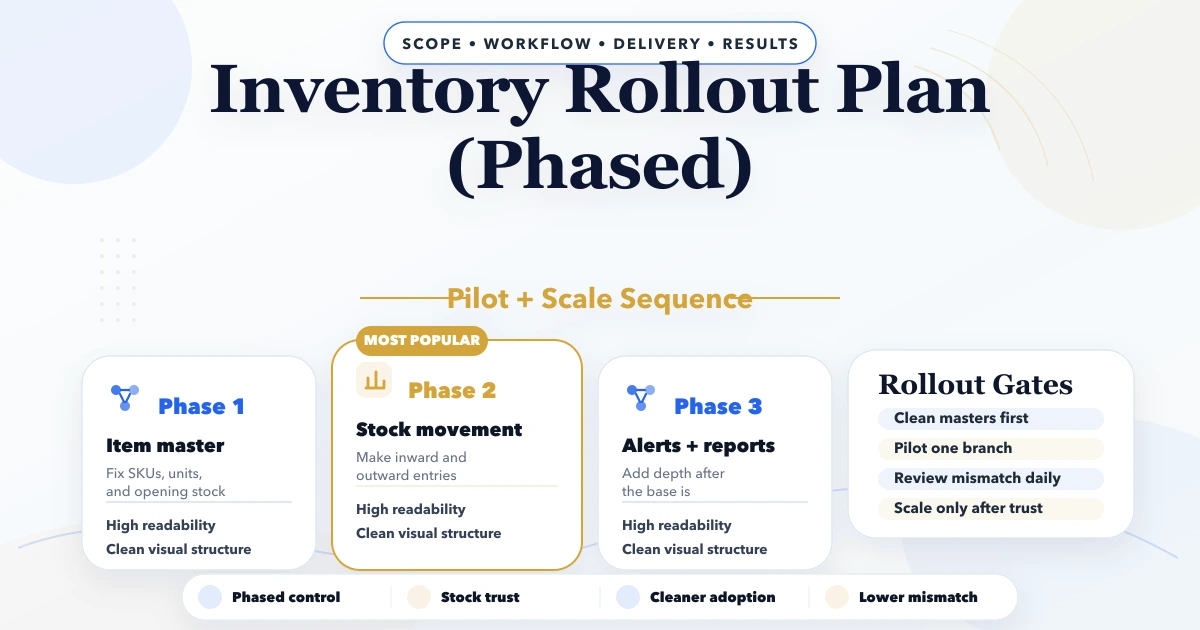
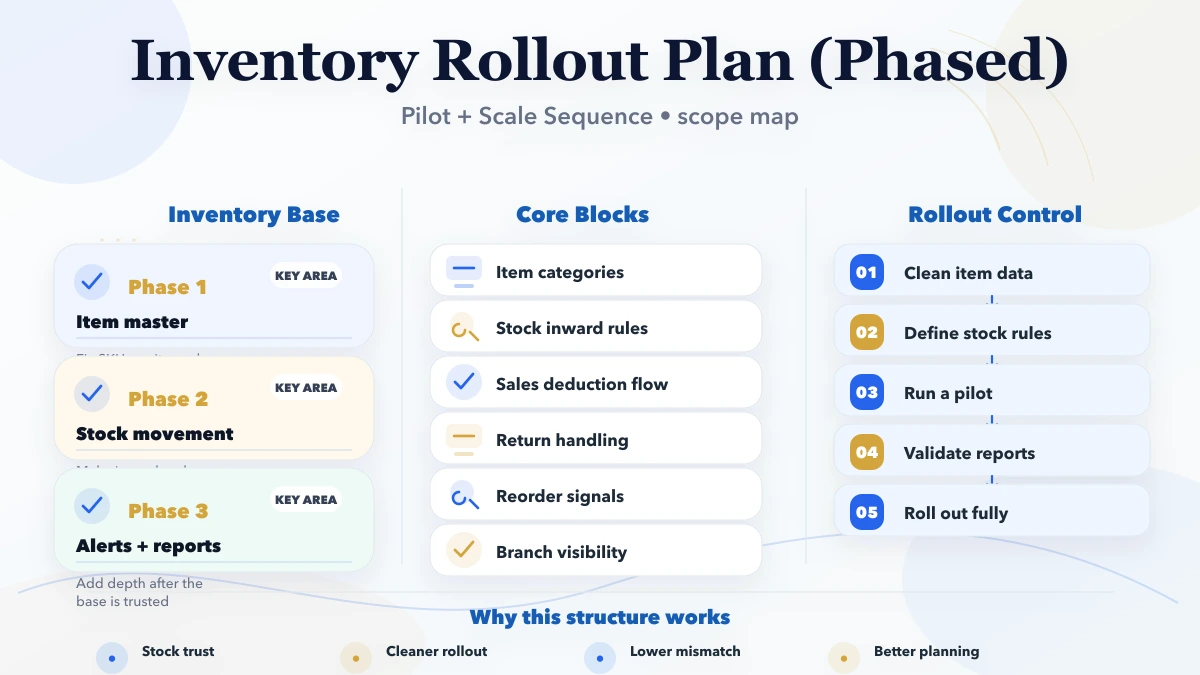
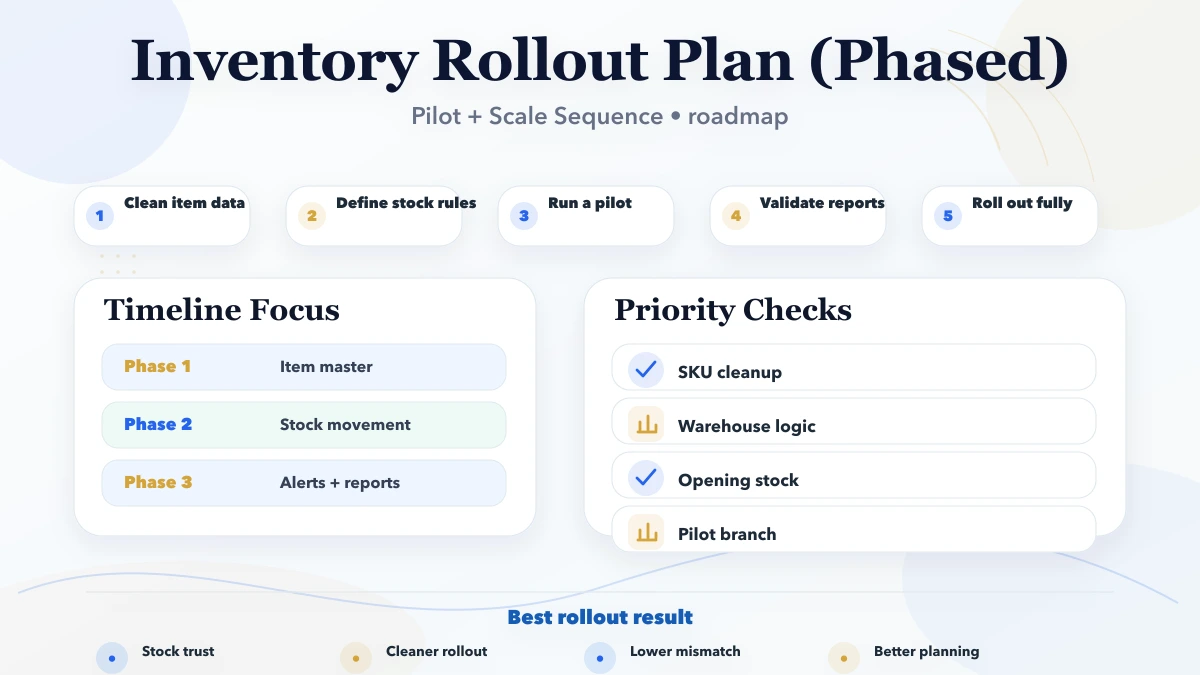
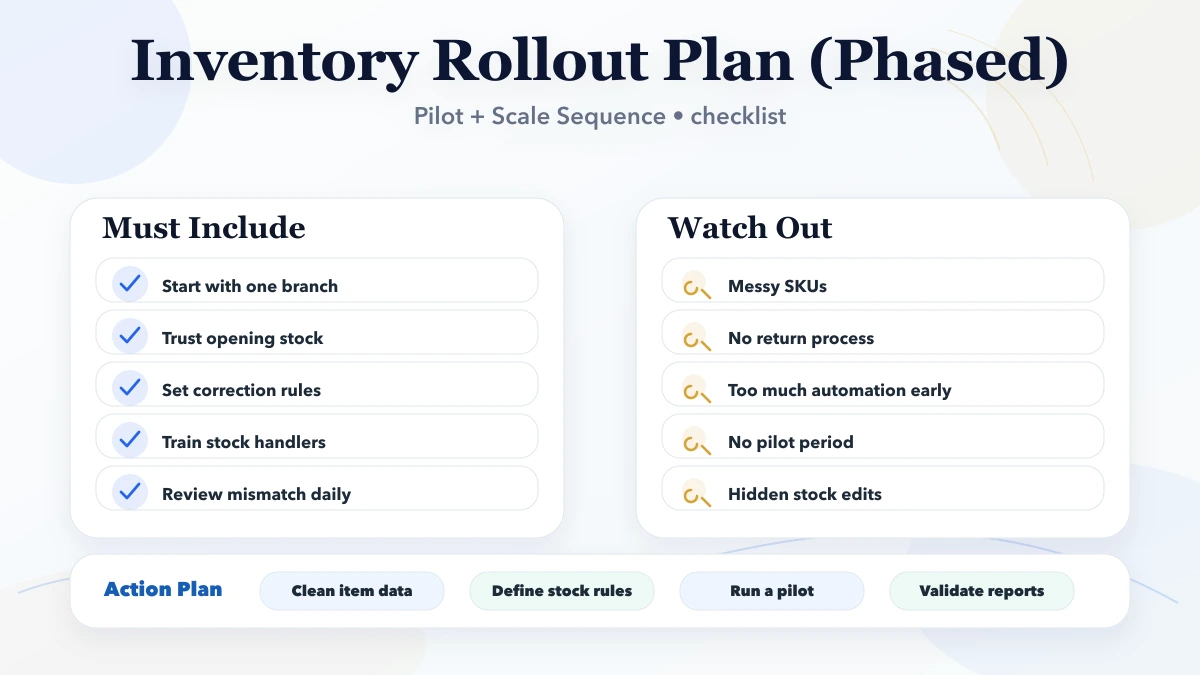
A phased inventory rollout should start with visibility before it starts with automation. In phase one, the business should define product naming rules, units, categories, opening stock logic, and who is responsible for stock updates. Phase two should cover inward and outward movement, reorder visibility, and branch or warehouse distinctions if needed. Phase three can then add barcode flows, low-stock alerts, approvals, or finance-linked reporting.
This order matters because stock software fails quickly when the base product data is weak. If the SKU logic is unclear or staff do not know how transfers, returns, or adjustments should be recorded, no dashboard will stay accurate for long.
Before the system goes live, the business should prepare a clean item master, decide how opening stock will be entered, and create rules for returns, damaged stock, and manual adjustments. These decisions look operational, but they directly affect trust in the system. If staff see wrong stock numbers in the first week, adoption becomes much harder.
A useful pre-launch checklist includes:
The goal is not to achieve perfect data before launch. The goal is to launch with enough structure that the business can trust the numbers and improve them further through real usage.
A pilot rollout is usually safer when the business has multiple users, multiple storage locations, or a history of stock mismatch. In a pilot branch, the team can validate item creation, inward and outward entries, stock correction rules, and reporting before the system expands everywhere. This reduces rollout shock and catches process errors early.
A full rollout works only when the item master is already clean, the team is disciplined, and stock movement rules are well understood. Otherwise the business ends up fixing both process and software mistakes at the same time.
A simple decision rule works well:
That sequence is what usually keeps inventory software useful after launch instead of only during setup week.
Most software disappointment comes from weak scoping and weak rollout discipline, not from the idea of custom software itself.
If you are serious about implementation, start by writing the current workflow, the repeated pain, the roles involved, and the reports the owner wants every week. That single step makes good software planning dramatically easier.
Because inventory accuracy depends on disciplined data, process clarity, and user behaviour. A phased rollout protects the business from broken trust by stabilising product masters and movement rules before deeper automation.
Phase one should usually include product masters, opening stock, inward and outward logic, stock adjustments, and basic visibility. Fancy dashboards or reorder automation can wait until stock movement becomes reliable.
Yes, but only if the billing workflow is already clean enough to deduct stock correctly. If billing logic is messy, forcing both together can multiply errors instead of reducing them.
A basic rollout can take three to six weeks. A more serious inventory plus billing plus purchase system usually needs six to twelve weeks with testing, training, and validation.
Dirty masters, weak opening stock validation, low user adoption, and no clear responsibility for stock corrections cause the most failures. Reports cannot be trusted if movement rules are inconsistent.
If stock value matters, purchasing decisions affect cash flow, or owners do not trust manual sheets, then yes. Good inventory control usually saves more money than the rollout cost over time.
Yes. A stable phase-one inventory base makes barcode, warehouse rules, dispatch control, and valuation reporting much easier to add later without rebuilding the core.
If you want a practical software plan instead of vague feature promises, share your workflow and we will map the first useful version, timeline, pricing, and rollout sequence clearly.
Related Articles
April 29, 2026
Order management automation workflows with status control, billing, stock sync, routing, pricing, and rollout guidance for SMB operations.
Read article
March 26, 2026
Inventory management software development guide: features, pricing in India, tech stack, timeline, and cost drivers for small business stock control today.
Read article
April 29, 2026
CRM automation workflows for sales with lead routing, follow-up rules, task logic, reporting, pricing, and implementation guidance for SMBs.
Read article