Kitchen Display System (KDS) Explained: Features, Workflow, and Build Guide for Restaurants (2026)
Restaurants often invest in guest-side technology first: QR menus, online ordering, or billing improvements. But if the kitchen still depends on paper chits, shouted updates, or informal coordination, service quality keeps hitting the same ceiling. That is where a kitchen display system matters.
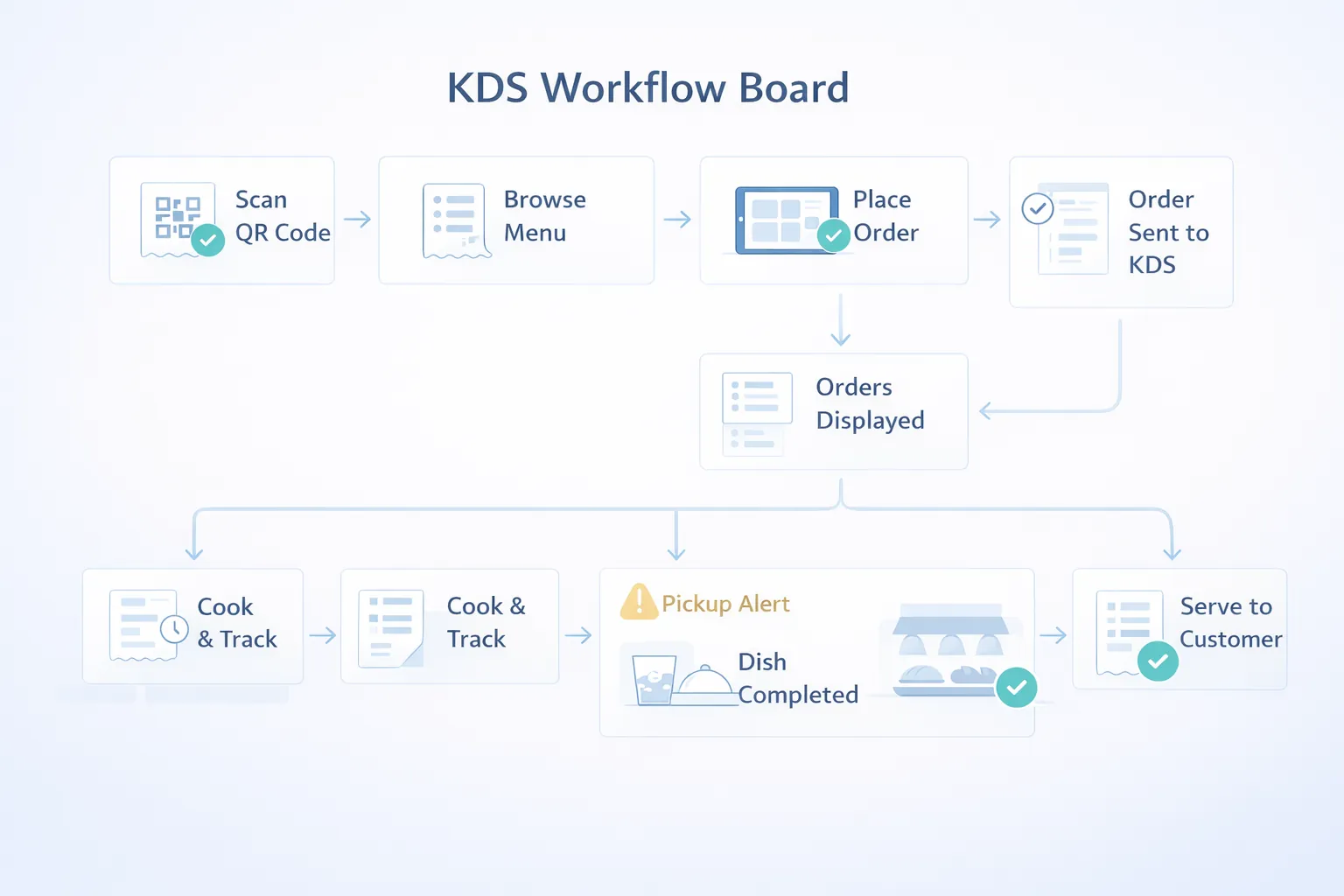
A Kitchen Display System, or KDS, is the screen-based workflow that shows incoming orders, routes them to the right preparation area, tracks preparation status, and helps the kitchen move with more structure. For many restaurants, it reduces missed items, improves timing visibility, and creates cleaner coordination between floor and kitchen.
This guide explains what a KDS really does, which restaurants benefit most, how much development typically costs in India, and what to scope first if you are building or integrating one.
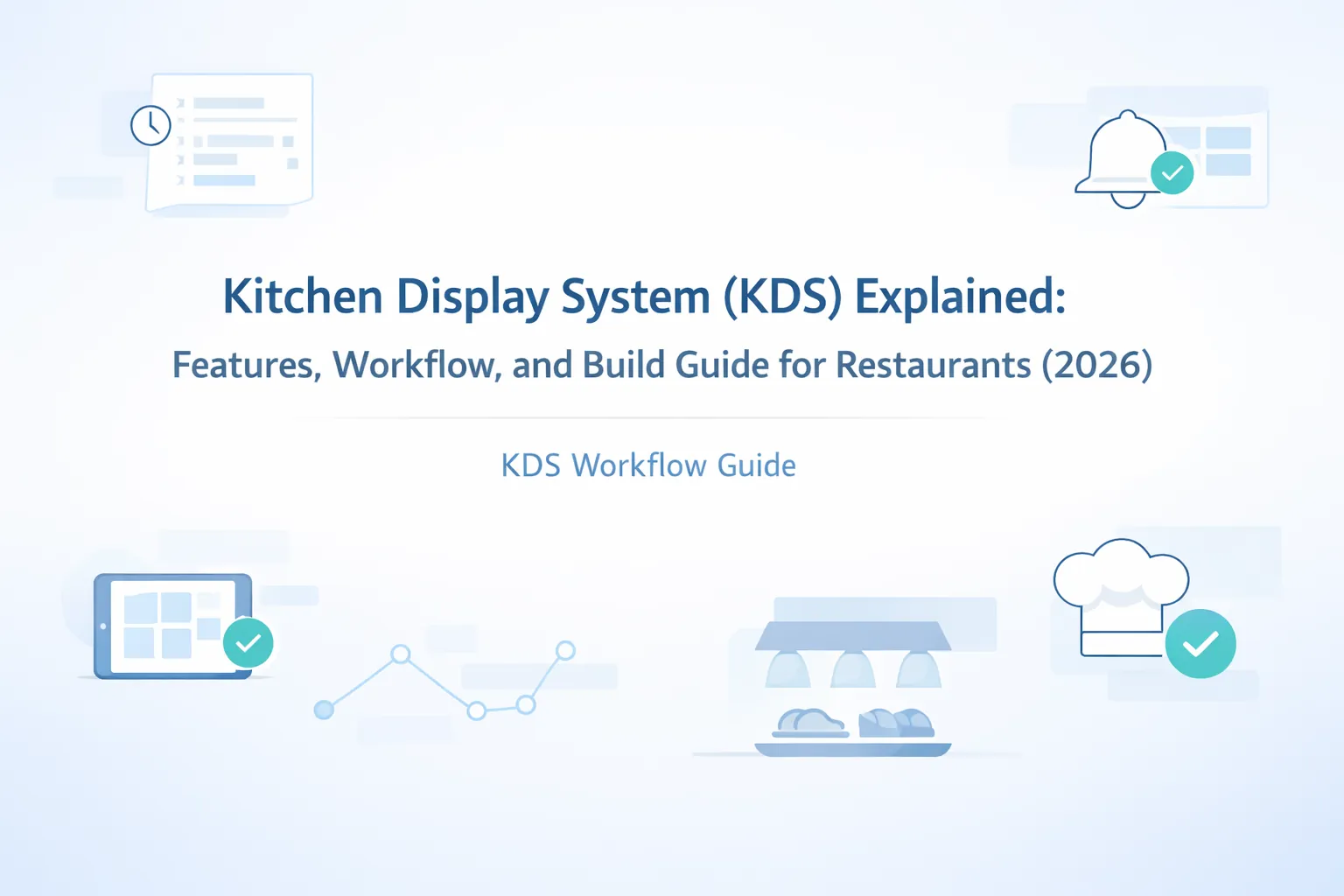
Table of Contents
- Quick answer
- Best fit scenarios
- Why restaurants need KDS
- What KDS should control
- Features
- Pricing in India
- Tech stack
- Timeline
- Cost drivers
- FAQs
Quick Answer
If your kitchen still manages orders through paper, printer slips, or verbal coordination, a KDS can improve accuracy and service flow. It works by replacing fragmented order communication with a structured screen that shows what has arrived, which station owns it, how urgent it is, and what status it is currently in.
For most restaurants, a good KDS includes:
- live incoming orders
- station-based routing
- timers or age indicators
- status progression
- special notes visibility
- expo or ready-to-serve clarity
If the restaurant is still earlier in its digital journey, restaurant ordering systems and restaurant admin dashboards are the closest related reads.
Best Fit Scenarios
KDS is especially useful for QSRs, cafes with active takeaway, casual dining restaurants, cloud kitchens, and multi-station kitchens where one order may involve different prep areas. It becomes valuable when paper KOTs start causing missed items, delayed communication, or difficulty tracking what is still pending.
It is also a strong fit for kitchens facing peak-hour stress, staff turnover, or order volume growth. In those situations, screen-based structure often reduces dependence on one experienced person "keeping everything in mind."
Why Restaurants Need KDS
The kitchen is where small communication gaps turn into real guest problems. Even a well-designed ordering flow can break down if order handoff into preparation is weak.
Common kitchen pain points
- Paper slips get lost or delayed: especially during peak traffic.
- Multi-station coordination is unclear: grill, beverage, dessert, and packing may all need different timing.
- Special instructions are missed: no onion, extra spicy, or combo notes do not travel well through informal communication.
- No urgency view exists: teams cannot easily see which tickets are ageing.
- Expo and floor coordination is weak: ready items are not surfaced cleanly to the service side.
What a good KDS changes
A good KDS makes the kitchen queue visible and actionable. It shows not only what to make, but also what is getting late, what is blocked, what is already ready, and what should be grouped together. That clarity helps both speed and consistency.
What KDS Should Control
Before building, decide how deep the kitchen-side workflow should go.
Incoming order view
Orders should appear with item details, quantity, table or channel context, modifiers, and timing. This is the baseline screen that replaces or supplements KOT slips.
Station routing
Some restaurants need one shared queue. Others need automatic separation by station, such as bar, grill, tandoor, dessert, or packaging. This routing logic is often the biggest functional decision in a KDS build.
Status progression
The team should be able to move items or full orders through statuses such as new, in progress, ready, served, packed, or delayed. This helps both kitchen control and owner reporting.
Expo or service handoff
The service or packing side should know when an order is actually ready, not just when it disappeared from a paper slip.
For restaurants planning guest-side ordering next, QR code menu websites for restaurants connects strongly with KDS planning.
What the Kitchen Team Must Agree On First
KDS projects go smoother when the kitchen team agrees on the operational model before screens are designed.
One queue or multiple station queues?
This is one of the most important questions. Some kitchens work better with one combined queue and strong grouping. Others need distinct views for beverage, hot line, dessert, or packing. The answer changes the whole workflow.
What counts as "ready"?
If one station completes its part but another is still pending, the system needs clear rules about whether the item or full order moves forward. Restaurants often skip this discussion and then feel friction later.
Who updates status during rush hours?
If the KDS requires too many taps or too much thinking, staff will avoid it during peak load. Status flow should be designed around the person who will actually touch the screen under pressure.
Where will the screens physically sit?
Screen placement, visibility angle, heat, touch access, and line of sight matter. A technically good KDS can still underperform if the physical setup is wrong.
Features
These are the features that usually matter most in a practical KDS build.
- Live order queue: new orders should appear immediately without manual refresh habits.
- Station-wise routing: route items to the right prep line or station.
- Timers and ageing indicators: urgent or ageing orders need visual priority.
- Modifier visibility: extra cheese, less spice, no onion, and similar notes must stay obvious.
- Grouped vs split order logic: depending on service style, the system may group or separate tickets differently.
- Status transitions: new, cooking, ready, served, packed, or held states should be easy to update.
- Visual priority cues: color states or labels help during rush periods.
- Expo or pickup board: useful for ready-to-serve or ready-to-pack coordination.
- Item-level completion: important when one order contains multiple preparation paths.
- Role-specific screens: kitchen line, supervisor, expo, and manager screens may differ.
- Order history or archive: useful for issue checks and training.
- Audit and timing data: helpful for owner reporting and service improvement later.
Useful phase-two additions
Printer fallback, recipe-level routing, prep-time analytics, delayed-order alerts, or outlet comparison are often added after the basic KDS workflow is stable.
What Success Looks Like After Launch
KDS is successful when the kitchen feels less noisy and more readable, not just more digital.
Shorter clarification loops
The team should need fewer verbal checks about what to cook, what is late, or which item belongs to which order. That is one of the fastest signs the system is improving flow.
Better prep visibility under pressure
During peak hours, staff should be able to glance at the screen and understand priority without depending on memory or repeated slip checking. If that happens, the KDS is already paying off.
Cleaner expo handoff
When ready items are surfaced more clearly, the service or packing side responds faster. That reduces waiting and makes the kitchen feel more coordinated with the front of house.
Stronger owner reporting later
Once timing and status data become reliable, owners can start learning from kitchen bottlenecks instead of only hearing about them after service problems. That longer-term visibility is a major bonus of a good KDS setup.
Soft CTA
If your kitchen still runs on paper and memory, KDS is usually one of the highest-impact operational upgrades after ordering itself.
Pricing in India
KDS cost depends on how many stations, screens, and status rules the kitchen needs.
Typical custom pricing
- Basic KDS setup:
₹1.35 lakh to ₹2.4 lakh
Includes live queue, item display, basic status change, and one-screen kitchen flow.
- Growth KDS:
₹2.5 lakh to ₹4.2 lakh
Includes station routing, timers, modifiers, expo view, and stronger admin control.
- Advanced KDS layer:
₹4.4 lakh to ₹6.75 lakh
Includes multi-screen routing, outlet-level settings, analytics, and deeper integration with ordering or POS.
Best-fit budget
For most independent restaurants and cloud kitchens, the ₹2.5 lakh to ₹4.2 lakh range creates the strongest operational improvement without chasing enterprise complexity.
Where cost rises
Price rises with multiple kitchen stations, deep printer logic, outlet-specific workflows, recipe routing, or tight POS and ordering integration from day one.
Tech Stack
KDS should be fast, readable from a distance, and reliable under burst traffic.
- Frontend:
Next.js or responsive web app for kitchen screens and supervisor views. - Backend:
Node.js for routing logic, status updates, timers, and order aggregation. - Database:
PostgreSQL for orders, items, station rules, timing records, and histories. - Realtime updates: websocket or similar transport for instant queue changes.
- Role and device logic: kitchen, expo, and manager screens may need distinct permissions.
- Display optimization: larger text, high contrast, and touch-friendly actions for kitchen use.
- Hosting: stable cloud deployment with strong local network planning at the outlet.
- Integration readiness: link points for QR ordering, table flow, admin dashboard, and POS.
Timeline
KDS projects usually take 3 to 7 weeks depending on routing complexity.
- Week 1: kitchen workflow study, station mapping, and status design.
- Week 2: screen wireframes, routing logic, and readability testing.
- Week 3 to 4: live queue, status actions, and station views.
- Week 5: timers, priority cues, and basic reporting.
- Week 6 to 7: kitchen trials, rush-hour testing, and refinements.
Testing on the real kitchen floor matters a lot. A KDS that looks clean in a demo can still fail if touch flow, spacing, or grouping is wrong during live service.
Cost Drivers
These are the factors that affect KDS budget most:
- Number of kitchen stations: single queue is simpler than multi-station routing.
- Status complexity: fewer steps are faster to build and easier to train.
- Screen count: one kitchen screen vs kitchen plus expo plus manager panel changes scope.
- Modifier depth: detailed item notes and combo splitting add operational logic.
- Integration needs: ordering, POS, and admin sync increase architecture depth.
- Timing analytics: useful for performance review, but adds data structure and reporting.
- Hardware environment: screen size, network stability, and placement affect design decisions.
- Training sensitivity: kitchen software must be intuitive enough for fast adoption.
The best KDS reduces kitchen confusion, not just paper. If the staff still needs constant verbal clarification, the workflow design needs work.
Implementation Tips for Phase One
To keep rollout practical:
- decide whether the kitchen needs one queue or multiple station views
- keep status names simple and obvious
- make modifier text highly visible
- test from actual kitchen distance and touch conditions
- add analytics and advanced routing only after the basic flow is trusted
This prevents the project from becoming overdesigned and underused.
Common Mistakes to Avoid
Designing like a dashboard instead of a kitchen tool
Kitchen screens need fast scanning and big actions, not delicate admin UI.
Overcomplicated routing
If too many conditions decide where orders go, training and troubleshooting get harder.
Ignoring expo flow
The kitchen may finish items, but the service team still needs clarity on readiness.
Tiny text and weak contrast
Kitchen visibility conditions are different from office screens.
No live-floor testing
KDS must be tested during realistic pressure, not only in a quiet setup.
FAQs
What is a KDS in a restaurant?
It is a screen-based kitchen workflow system that shows live incoming orders and helps manage preparation status.
How much does a KDS cost in India?
For SMB restaurants, custom KDS usually starts around ₹1.35 lakh and often falls in the ₹2.5 lakh to ₹4.2 lakh range.
Is KDS better than paper KOT?
It can be, especially for busy restaurants where order clarity, timing visibility, and station routing matter.
Does KDS need a full POS to work?
Not always. It can connect with QR ordering or other ordering flows directly.
Can small restaurants use KDS?
Yes, if order volume and kitchen coordination justify it. It is not only for large chains.
How long does it take to launch?
Usually 3 to 7 weeks depending on routing and integration depth.
Can KDS show special item notes clearly?
Yes, and that is one of its most practical benefits.
What is the biggest KDS mistake?
Treating kitchen screens like standard admin screens instead of operational interfaces under pressure.
Related Reading
Need a KDS That Makes the Kitchen Faster, Not More Confused?
If your kitchen is still dependent on paper and verbal coordination during peak service, a well-scoped KDS can create immediate operational relief.