Admin Dashboard Development: Features, UX Priorities, and Best Practices (2026)
Businesses often ask for a dashboard when what they really need is operational clarity. A good dashboard answers practical questions fast: what needs attention, who is responsible, what changed, and what should happen next.
In 2026, dashboard expectations are higher because teams work across branches, mobile devices, and multiple tools. Users want role-based views, better filters, faster actions, and reports that do not require exporting everything into spreadsheets.
This guide covers:
- which dashboard features matter most for daily operational use
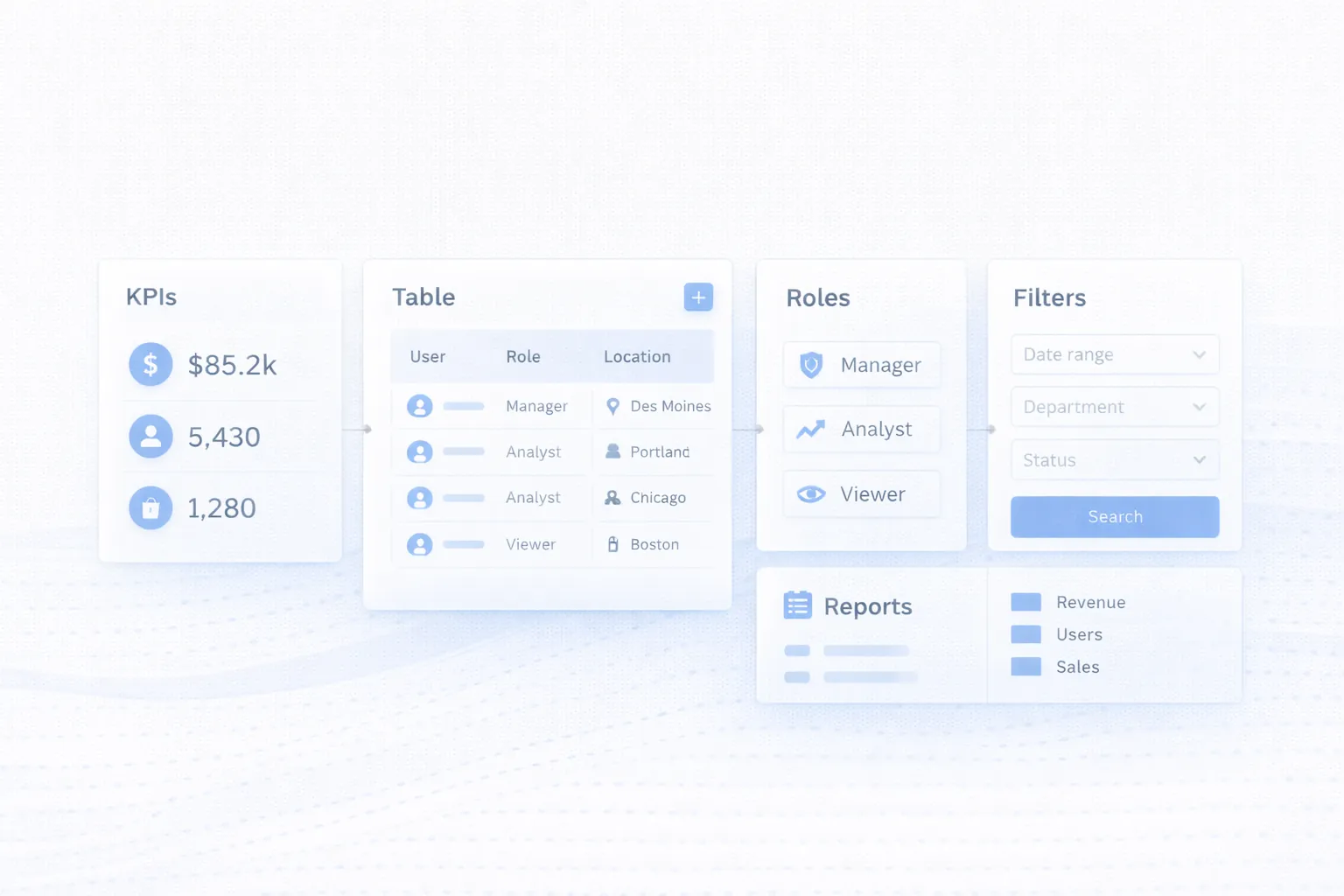
- how role-based views, tables, and reporting shape the user experience
- why dashboard UX should optimize speed and clarity instead of decoration
- common business dashboard examples across sales, operations, and support
- best practices that keep dashboards maintainable as the system grows
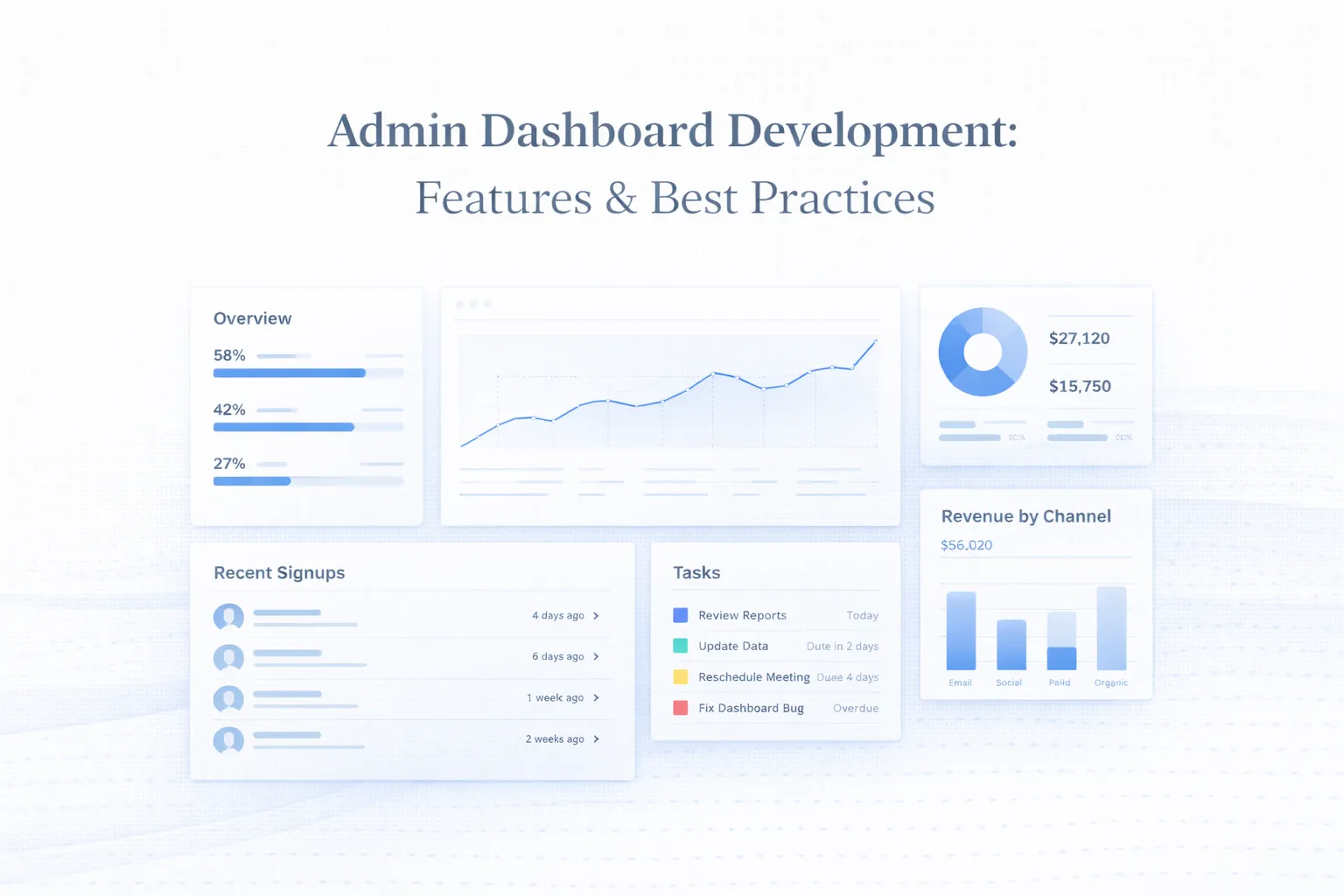
Table of Contents
- Quick answer
- Why this matters in 2026
- What changes the outcome
- What good implementation usually includes
- Common business use cases
- Cost, timeline, and scale considerations
- FAQs
Quick Answer
An admin dashboard is not just a screen full of numbers. It is a working interface for managers and staff to monitor status, take actions, and move business workflows forward without confusion.
- Good dashboards prioritize the right KPIs, the right actions, and the right visibility for each role.
- Tables, filters, detail views, notifications, and permissions matter as much as summary cards.
- Dashboard UX should reduce clicks, support fast scanning, and make important tasks obvious.
- The most useful dashboard is not the most crowded one; it is the one people can trust and operate quickly.
If you already know your business needs a stronger technical foundation, web application services are usually the best place to start the discussion because the scope can be mapped around workflows instead of guesswork.
The right scope starts by matching the business goal, the users involved, and the decisions the system needs to support every day. That keeps the project practical, measurable, and easier to phase.
Why This Matters in 2026
Dashboard development matters because it sits at the intersection of data, workflow, and UI. If even one of those is weak, the product feels harder to use than the process it was supposed to replace.
What Changes the Outcome
Who the dashboard is for
Owners, managers, analysts, support staff, and operations teams often need different metrics and actions. One shared layout rarely serves all of them equally well. This changes the outcome because role clarity determines what information appears first and what actions stay protected.
Data quality and source consistency
A dashboard can only be trusted if the underlying data is structured well, updated correctly, and clearly defined across modules. This changes the outcome because weak data design creates misleading KPIs and undermines user confidence quickly.
Actionability of the interface
The screen should not stop at showing numbers. It should let users search, filter, update status, assign work, or investigate exceptions without friction. This changes the outcome because actionable UI is what makes a dashboard operational instead of decorative.
Navigation and information hierarchy
Cards, charts, tables, and side navigation should support fast scanning and clear movement between overview and detail views. This changes the outcome because strong hierarchy reduces cognitive load and training time.
Permissions and audit requirements
Sensitive data, financial actions, and administrative controls need to reflect role-based access and leave a reliable action history. This changes the outcome because dashboard trust depends as much on control as on usability.
Performance on real datasets
Dashboards that feel smooth with sample data can break down when tables, filters, exports, and charts have to handle live operational volume. This changes the outcome because performance planning affects both user experience and future reporting scalability.
What Good Implementation Usually Includes
A strong project is not only about getting features live. It is about making sure the system can be operated, edited, trusted, and improved after launch. That is where implementation quality becomes visible.
Overview cards and core KPIs
Summary sections should show the few metrics users need to assess status quickly, not every number the database can produce.
Focused KPIs help teams see priority changes without digging through unnecessary noise. When this layer is done properly, the product becomes easier to onboard, easier to support, and easier to improve later.
Search, filters, and table workflows
Most admin work happens in lists and records, so filters, sorting, bulk actions, and fast status changes are central dashboard capabilities.
This is often the part of the product that saves the most time day to day. When this layer is done properly, the product becomes easier to onboard, easier to support, and easier to improve later.
Role-based views and protected actions
Each role should see the right menu items, the right data depth, and the right controls without exposing sensitive functions broadly.
Tighter permissions make the interface safer and less cluttered. When this layer is done properly, the product becomes easier to onboard, easier to support, and easier to improve later.
Reports, exports, and alerts
Managers need reports, while operators need timely alerts and tasks. Both should be easy to access without sending users into separate systems.
Well-planned reporting turns the dashboard into a decision tool instead of a passive monitor. When this layer is done properly, the product becomes easier to onboard, easier to support, and easier to improve later.
Design system and consistent UI states
Buttons, badges, forms, loading states, and empty states should behave consistently so users learn the interface once instead of relearning every module.
Consistency improves speed, trust, and development maintainability. When this layer is done properly, the product becomes easier to onboard, easier to support, and easier to improve later.
Security, logs, and support visibility
Admin systems should make it easy to inspect changes, review user activity, and understand why a workflow succeeded or failed.
Support becomes faster and accountability becomes much clearer. When this layer is done properly, the product becomes easier to onboard, easier to support, and easier to improve later.
Common Business Use Cases
Sales and lead management dashboard
Teams can monitor new leads, pipeline stages, pending follow-ups, source performance, and conversion activity in one place. In practice, businesses usually choose this direction because the workflow repeats often and has a clear value when handled better.
The main gain is faster action and clearer manager visibility. That combination of speed, clarity, and control is why this use case tends to justify the build.
Operations control center
Dashboards for service, logistics, or production teams often combine statuses, pending tasks, delays, and branch-level summaries. In practice, businesses usually choose this direction because the workflow repeats often and has a clear value when handled better.
That reduces manual coordination and makes exceptions easier to spot quickly. That combination of speed, clarity, and control is why this use case tends to justify the build.
Finance or admin oversight dashboard
Approvals, payouts, invoices, reconciliations, and account health can all be monitored through a permission-aware interface. In practice, businesses usually choose this direction because the workflow repeats often and has a clear value when handled better.
This creates a stronger audit trail while reducing repetitive checking. That combination of speed, clarity, and control is why this use case tends to justify the build.
Support and ticket management view
Ticket queues, SLA status, ownership, and escalations can all live in a dashboard built for fast team response. In practice, businesses usually choose this direction because the workflow repeats often and has a clear value when handled better.
The interface helps keep service quality visible instead of reactive. That combination of speed, clarity, and control is why this use case tends to justify the build.
Mid-Article CTA
If you want to translate this topic into a practical scope for your own business, the fastest next step is to review the real workflow, the must-have first phase, and the integrations that matter most.
Common Mistakes to Avoid
Trying to show everything on one screen
Crowded dashboards may look impressive in demos but quickly overwhelm real users. Prioritization is more valuable than density. Avoiding this one mistake often protects both budget and adoption quality.
Ignoring tables and detail states
Many teams over-design summary cards and under-design the screens where actual work gets done. The dashboard ends up looking polished but still feeling slow in daily use. Avoiding this one mistake often protects both budget and adoption quality.
Weak permissions
If all users see the same data and actions, the product becomes risky and harder to navigate. Role design improves both safety and usability. Avoiding this one mistake often protects both budget and adoption quality.
No loading, empty, or error planning
Operational interfaces need clear states for delays, missing data, and failed actions so users know what is happening. State design is part of UX quality, not optional polish. Avoiding this one mistake often protects both budget and adoption quality.
No real-user testing
Dashboards built only from stakeholder opinions may miss the habits and shortcuts actual operators depend on. Short feedback loops with end users usually improve usability dramatically. Avoiding this one mistake often protects both budget and adoption quality.
Cost, Timeline, and Scale Considerations
Dashboard cost depends on how many modules, roles, data sources, tables, and report types are involved. A simple KPI overview is far easier than a full operational dashboard with search-heavy workflows and permission-aware actions.
If your dashboard is part of a broader system, Web Application Development Guide is a strong companion resource because dashboard quality depends on backend structure as much as on frontend visuals.
The most important scaling question is whether the dashboard is only for visibility or also for action. Once actions, approvals, exports, and alerts are involved, planning depth needs to increase.
- Action-oriented dashboards require more planning than summary-only views.
- Role-based visibility and reporting are major complexity drivers.
- Table and filter UX often matter more than charts for operational teams.
- A durable dashboard is built on clean data structure, not just good visual design.
Related Reading
FAQs
What is the most important part of an admin dashboard?
Usually the combination of the right KPIs, actionable tables, and clear role-based views. Without those, the dashboard may look modern but still fail operationally.
Should every role use the same dashboard?
Usually no. Different users need different metrics, actions, and levels of detail. Tailoring views by role improves clarity and safety.
Are charts always necessary?
No. Many teams gain more value from strong tables, filters, and alerts than from extra charts. Use charts where they clarify trends or comparisons.
Why are tables such a big deal in dashboards?
Because real operational work often happens in records, lists, assignments, and status changes. If table UX is weak, the whole product feels slow.
How do dashboards stay usable as they grow?
They need a clear design system, thoughtful navigation, modular reporting, and regular pruning so the interface does not become crowded over time.
What makes dashboard development expensive?
Multiple roles, rich filters, reports, exports, live data, and integrated actions add significant planning and QA complexity.
Can a dashboard be mobile-friendly too?
Yes, but mobile needs should be defined clearly. Some dashboards require responsive monitoring views while others need full mobile task execution flows.
Strong CTA (End)
If you want this planned around your business instead of around generic assumptions, the next move is to define the workflow, the first release boundary, and the technical approach that matches your growth path.