Staff Management System: Attendance, Roles, Reports, and Practical Build Scope for SMBs (2026)
Many small and mid-sized businesses do not need a giant HR suite. They need a practical staff management system that can record attendance, define roles, manage leaves, show who belongs to which branch or department, and generate reports without manual juggling.
The problem usually starts small. Attendance comes from a register, leave requests come on WhatsApp, employee documents sit in folders, and role clarity exists only in someone's head. As the team grows, that setup stops scaling. Reporting becomes weak, managers lose visibility, and payroll or compliance preparation becomes more time-consuming than it should be.
This guide explains how a staff management system should be scoped for Indian SMBs, what features matter, what development cost usually looks like, and how to keep the first release useful instead of overloaded.
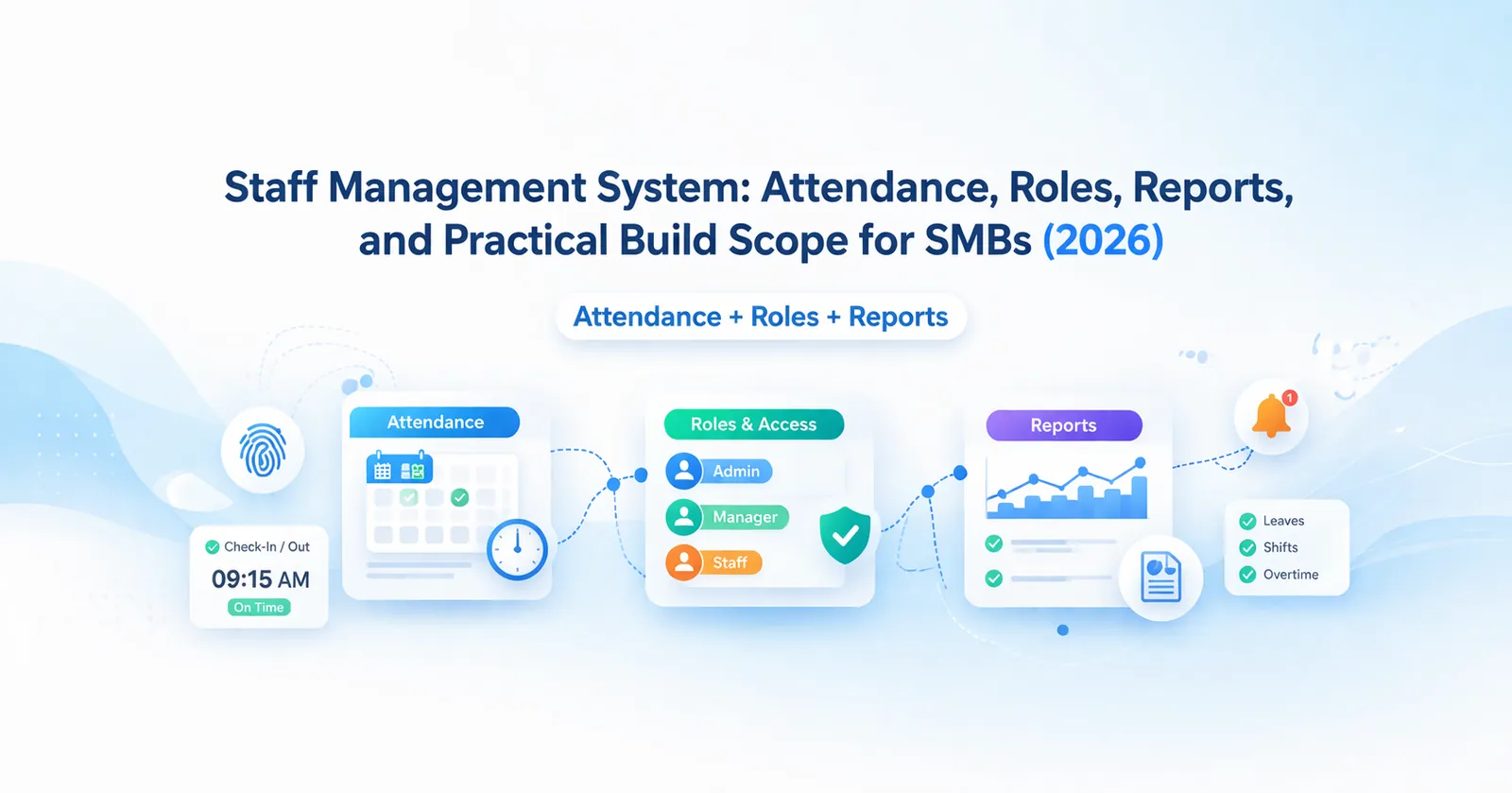
Table of Contents
- Quick answer
- Why businesses need a staff system
- What the software should cover
- Features
- Pricing in India
- Tech stack
- Timeline
- Cost drivers
- FAQs
Quick Answer
If your business is handling attendance, leaves, roles, and employee reporting through spreadsheets, chat approvals, and manual follow-up, a staff management system can reduce confusion and save a lot of admin time. For most SMBs, the best version is not a full corporate HRMS. It is a lean operations-focused system that centralizes staff data and gives managers clearer daily visibility.
The most useful phase-one scope usually includes:
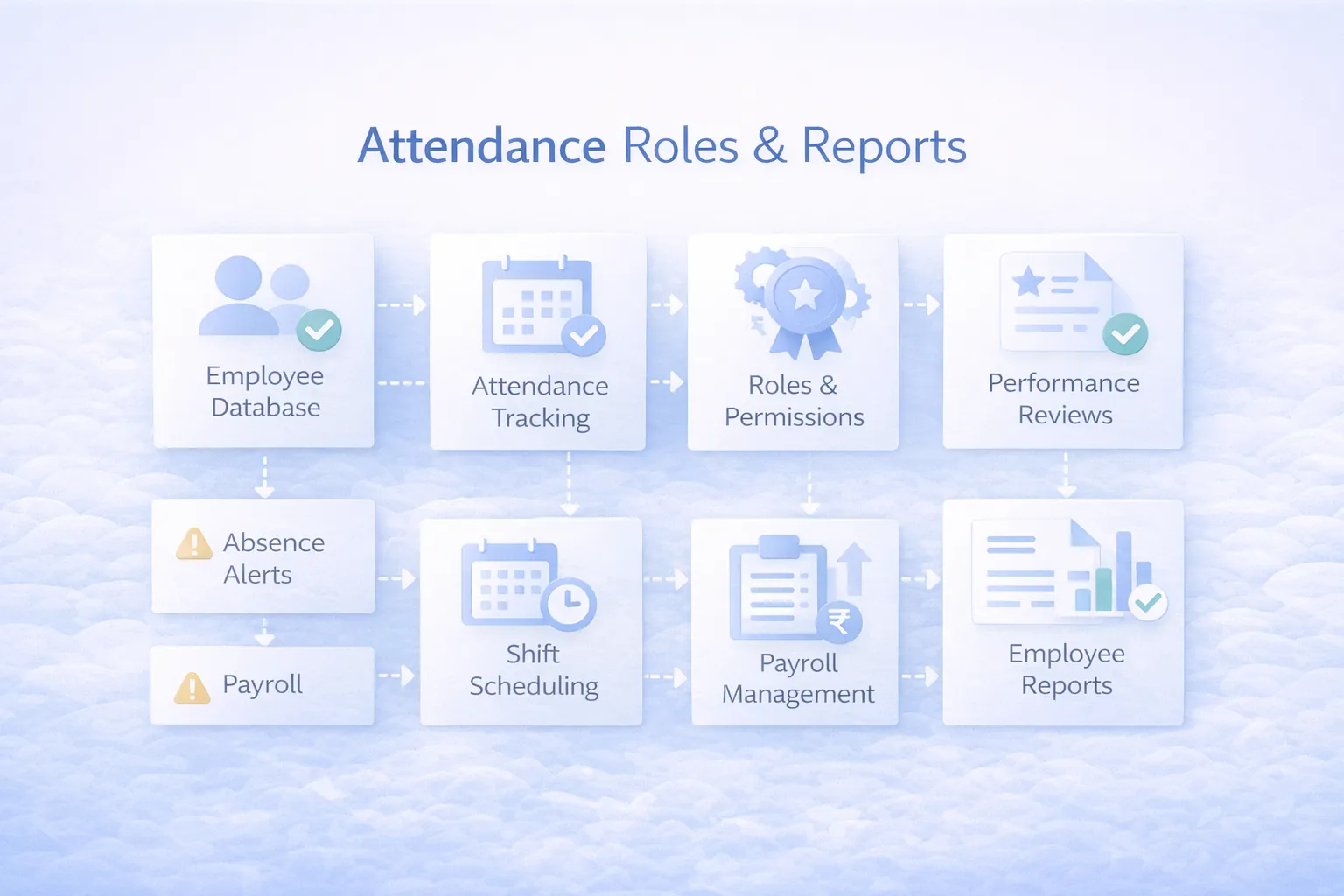
- employee master and document records
- attendance and shift logging
- leave requests and approvals
- department or branch assignment
- role-based access
- manager and owner reports
If your business also needs internal approvals and dashboard-heavy operations, admin dashboard development and internal tools development for companies are relevant companion reads.
Best Fit Scenarios
Staff management systems work best for businesses with 10 or more employees, multiple managers, attendance-heavy operations, or more than one branch. Retail groups, clinics, agencies, training centers, service teams, and admin-led companies usually feel the value early because attendance, leave, and role visibility become much easier to manage. If your HR work is still small but messy, a lean staff system often gives more value than jumping straight into a heavyweight HR platform.
It becomes even more useful when monthly payroll preparation still depends on last-minute attendance corrections, leave confirmations, and repeated manager follow-up.
That alone can justify the first release for many admin-heavy SMBs.
Why Businesses Need a Staff System
People management becomes messy much faster than founders expect. It is not only about who joined and who left. It is also about attendance consistency, exception handling, role clarity, late approvals, and report accuracy.
Common SMB pain points
- Attendance records are fragmented: registers, biometric exports, and manual Excel updates do not always match.
- Leave approvals are informal: teams ask on chat, managers forget, and final records stay incomplete.
- Role clarity is weak: employees can access or approve things they should not, or managers do not know who owns which task area.
- Branch visibility is limited: owners struggle to compare attendance and staffing status across locations.
- Reports take too long: HR or admin teams spend hours compiling simple monthly numbers.
- Documents are scattered: ID proofs, contracts, and joining records are not easy to find when needed.
What good staff software changes
A good staff management system gives structure to the daily admin of people operations. It reduces dependency on memory, makes manager approvals cleaner, and creates a trusted source for attendance and staff reporting.
This matters even more for growing businesses where owners want visibility but do not want to micromanage every leave request or attendance exception.
What the Software Should Cover
Before development starts, decide how broad you want the system to be.
Level 1: Staff records and attendance
This is suitable for businesses that mainly want employee master, branch mapping, attendance, leave, and reports. It works well for offices, retail chains, clinics, training centers, agencies, and service companies.
Level 2: Role and approval management
This adds leave approval hierarchy, role-based access, branch manager views, attendance exceptions, and stronger admin reporting. It is useful where multiple managers handle different departments or branches.
Level 3: Wider people operations
This can include shift planning, task assignment, document expiry reminders, onboarding checklists, payroll export support, and workflow integrations. Not every SMB needs this on day one, but many grow into it once the attendance base becomes stable.
If the system later needs to connect with payroll, operations, or ERP modules, it is better to prepare the data structure early rather than rebuilding later.
Features
These are the staff management features that usually deliver the most practical value.
- Employee master: name, contact details, department, designation, branch, joining date, reporting manager, and employment status.
- Document storage: keep ID proofs, offer letters, contracts, and compliance documents linked to the employee profile.
- Attendance tracking: daily attendance, late marks, half days, holidays, and absence records in one place.
- Shift and schedule support: useful for businesses with rotating teams, fixed slots, or branch-specific timings.
- Leave management: apply, approve, reject, and track leave balances with visible status.
- Role-based permissions: HR, admin, manager, and owner access should be separated clearly.
- Branch and department views: compare attendance or staffing exceptions across locations without manual reporting.
- Attendance regularization: corrections should be possible but controlled with reasons and approver visibility.
- Reports and dashboards: monthly attendance summary, leave trends, late arrivals, department attendance, and headcount movement.
- Announcements or notices: helpful for companies that want one simple internal communication layer.
- Export support: HR teams often need monthly exports for payroll or audit review.
- Audit trail: changes in attendance, leave, or staff records should leave history behind.
Useful second-phase additions
After launch, businesses often add geolocation attendance, selfie verification, onboarding checklists, asset allocation, or payroll export integrations. These should come after the base attendance and reporting process is working properly.
Soft CTA
If your team is already doing attendance or leave tracking manually, the real question is not whether software is needed. The real question is how lean phase one can be while still solving the daily mess.
Pricing in India
Staff management software pricing depends on employee count, attendance method, role complexity, and reporting requirements.
Typical custom pricing
- Starter staff system:
₹1.4 lakh to ₹2.5 lakh
Includes employee master, attendance, leave requests, and basic reports.
- Growth staff platform:
₹2.6 lakh to ₹4.5 lakh
Includes role-based access, branch views, exception handling, and stronger dashboards.
- Advanced people-ops platform:
₹4.75 lakh to ₹7.5 lakh
Includes shift planning, geo attendance, document workflows, exports, and integration support.
Support budget
For most SMBs, yearly support and improvements usually fall around ₹20,000 to ₹70,000 depending on employee count, hosting, and change frequency.
Best starting scope
The best lead-oriented budget is usually the middle tier if your business already has multiple managers or branches. A very small build works for one office. A more structured build pays off when reporting and approvals are already eating team time.
Tech Stack
Staff software needs reliable forms, clean approvals, and fast report access.
- Frontend:
Next.js for employee records, attendance panels, leave screens, and admin dashboards. - Backend:
Node.js or equivalent server logic for attendance rules, approval flows, and report processing. - Database:
PostgreSQL for employee master, attendance logs, leave records, documents, and audit entries. - Auth and roles: secure access for HR, branch manager, admin, and owner users.
- File storage: cloud storage for employee documents and policy files.
- Notifications: email or WhatsApp alerts for leave approvals, attendance corrections, or document expiry reminders if needed.
- Hosting: centralized cloud deployment for branch access and simpler backups.
- Reporting layer: role-based dashboards with export capability for monthly admin work.
If this system will later connect to payroll, ERP, or broader admin tools, planning those integrations early helps avoid rework.
Timeline
Staff management system projects usually take 4 to 8 weeks for an SMB-ready rollout.
- Week 1: understand attendance, leave, reporting, and role hierarchy.
- Week 2: define employee master, attendance rules, holiday logic, and screen flow.
- Week 3 to 4: build employee records, attendance, and leave modules.
- Week 5: add dashboards, reports, and permission logic.
- Week 6: test attendance exceptions, approvals, and export flows.
- Week 7 to 8: training, launch, and optional improvements.
Projects often slow down when the business has unclear leave policy or attendance exception rules. That is a process problem first, then a software problem.
Cost Drivers
These factors usually decide the actual project size:
- Attendance source: manual attendance is simpler than biometric or geolocation-linked attendance.
- Role hierarchy: more approval levels and manager views mean more logic.
- Branch count: multi-location reporting adds filters, dashboards, and permission layers.
- Shift complexity: fixed hours are simpler than rotating, weekly, or night shifts.
- Document workflow: onboarding, expiry reminders, and asset tracking increase scope.
- Report expectations: simple summary is easy; exception-heavy reporting takes more planning.
- Payroll export needs: finance handoff adds structure even if payroll itself is external.
- Mobile behavior: if staff or managers act mainly from phones, extra UX work is needed.
The right build should make staff management calmer, not heavier. If approvals and records still feel confusing after launch, the scope needs rethinking.
Implementation Tips for Phase One
To keep the first release practical:
- freeze attendance and leave rules before development
- define who approves leave and regularization
- keep the employee master lean but complete
- decide which reports management truly needs monthly
- delay advanced features like geo attendance unless there is a strong operational reason
This keeps the software easy to adopt. Once usage becomes consistent, you can expand into task workflows, onboarding checklists, or broader ERP and admin modules.
Common Mistakes to Avoid
Building a full HR suite too early
Many SMBs ask for payroll, recruitment, appraisal, onboarding, and attendance all at once. That usually slows down launch and reduces clarity. Start with the operational basics first.
Unclear attendance rules
If late marks, grace time, half days, and holidays are not defined clearly, software cannot magically create consistency. Business rules must be written down before rollout.
Weak permission planning
Staff software often contains sensitive data. Not every manager should see every document or report. Role design is part of trust.
Ignoring branch realities
Attendance processes can differ between office staff, field staff, and branch teams. If phase one ignores that difference, adoption becomes messy fast.
No report owner on the business side
Someone from the company should define what "monthly attendance report" or "leave summary" really means. Without that ownership, reporting keeps changing late in the project.
FAQs
How much does staff management software cost in India?
For most SMBs, a lean custom build starts around ₹1.4 lakh and grows toward ₹4.5 lakh or more as roles, branches, and reporting become more detailed.
Is this the same as a full HRMS?
Not necessarily. A staff management system can be much leaner and more operations-focused than a full HRMS.
Can it include attendance and leave together?
Yes. In fact, that combination is one of the most common and useful first-phase scopes.
Do I need a mobile app for staff management?
Not always. Many SMBs do well with a responsive browser system first. Mobile app investment should be based on actual usage pattern, not assumption.
Can it support multiple branches?
Yes. Branch-wise records, managers, and reports are common requirements and should be planned early if the business already works that way.
Can this connect with payroll later?
Yes. Many businesses first launch attendance and leave, then add payroll exports or integrations once the data becomes reliable.
What is the biggest mistake in rollout?
Launching without clear attendance rules and approval ownership. Users get confused, and the software starts taking blame for process gaps.
How long does it take to build?
Usually 4 to 8 weeks for a practical SMB scope, depending on branch logic and report depth.
Related Reading
Need a Lean Staff System That People Will Actually Use?
If attendance and leave are still managed through chat, register, and repeated follow-up, there is a clear process gap worth fixing now.