Internal Tools Development for Companies: Why Custom Internal Systems Keep Teams Faster (2026)
Many companies already pay for SaaS tools but still rely on spreadsheets, group chats, and manual status checks for critical operations. That usually happens because the real internal workflow is too specific, too fragmented, or too fast-moving for a generic product to fit cleanly.
In 2026, internal tools are increasingly common because teams want browser-based systems that reflect their actual processes without the cost and rigidity of enterprise software. This is especially true for SMEs that need something practical, not bloated.
This guide covers:
- why companies build internal tools even when they already use SaaS products
- which departments usually benefit first from internal tool development
- how internal tools improve workflow speed, accuracy, and accountability
- what makes internal software easy for staff to adopt and maintain
- how to scope a first version without overbuilding
Table of Contents
- Quick answer
- Why this matters in 2026
- What changes the outcome
- What good implementation usually includes
- Common business use cases
- Cost, timeline, and scale considerations
- FAQs
Quick Answer
Internal tools are custom systems built for staff, managers, or branch teams to handle operational work faster than spreadsheets, email threads, or generic apps allow. Their value comes from fit, speed, and control.
- Internal tools are most useful where repeated tasks, approvals, and reporting are slowing teams down.
- They work best when designed around staff behavior, not around public-facing product patterns.
- Role-aware workflows, logs, and dashboards usually create the biggest operational gains.
- A focused internal tool can often replace several manual steps and improve visibility across teams.
If you already know your business needs a stronger technical foundation, web application services are usually the best place to start the discussion because the scope can be mapped around workflows instead of guesswork.
The right scope starts by matching the business goal, the users involved, and the decisions the system needs to support every day. That keeps the project practical, measurable, and easier to phase.
Why This Matters in 2026
The point of internal tools is not to build software for the sake of it. The point is to reduce repeated admin work, improve control, and give teams one reliable operating layer instead of several partial workarounds.
What Changes the Outcome
How repetitive the internal process is
The more often a task repeats, the more value a custom internal tool can create by reducing manual copying, status chasing, or decision bottlenecks. This changes the outcome because repetition is a strong signal for where software can save the most time.
Role and team structure
Managers, staff, admins, and branch operators usually need different workflows and visibility. Internal tools should respect those differences instead of flattening them into one experience. This changes the outcome because role-aware design improves both usability and operational control.
Need for centralized data and history
When updates live across sheets, email, and chats, it becomes hard to trust what is current. Internal tools create one source of truth for process state and action history. This changes the outcome because centralized data reduces confusion and makes reporting more reliable.
Approval and exception logic
Processes like discounts, purchases, leave, stock adjustments, or reimbursements usually need clear rules for who can approve what and when. This changes the outcome because approval logic is often where manual systems waste the most time.
Integration with existing systems
Internal tools may need to read from CRM, update inventory, sync messaging, or trigger reports elsewhere. These connections influence architecture significantly. This changes the outcome because integration depth determines whether the tool becomes central or just another isolated layer.
Adoption and maintenance expectations
Staff need a tool that feels fast and obvious. Leaders need a system that can evolve without constant friction whenever the workflow changes slightly. This changes the outcome because maintenance quality affects whether the tool stays useful or slowly gets bypassed.
What Good Implementation Usually Includes
A strong project is not only about getting features live. It is about making sure the system can be operated, edited, trusted, and improved after launch. That is where implementation quality becomes visible.
Process discovery with real staff input
The best internal tools come from observing how work is actually done, including shortcuts, bottlenecks, and approval workarounds that may never appear in formal SOPs.
This makes the tool more realistic and easier for teams to adopt. When this layer is done properly, the product becomes easier to onboard, easier to support, and easier to improve later.
Fast operational UI design
Internal tools should favor clarity, quick actions, and strong table or form workflows over flashy presentation.
Speed of use matters more than visual novelty for daily staff operations. When this layer is done properly, the product becomes easier to onboard, easier to support, and easier to improve later.
Workflow and status modeling
Statuses, transitions, ownership, and escalation rules should be built into the product so work moves visibly and predictably.
That reduces dependence on memory and manual follow-up. When this layer is done properly, the product becomes easier to onboard, easier to support, and easier to improve later.
Dashboards and reporting for management
Leaders usually need a cleaner summary layer than staff do, so reports and overview dashboards should be designed intentionally.
Reporting is what converts daily activity into managerial control. When this layer is done properly, the product becomes easier to onboard, easier to support, and easier to improve later.
Permissions, logs, and admin controls
Operational tools should make it easy to review who changed something, who approved it, and what exceptions were handled.
This improves trust and makes issues easier to investigate. When this layer is done properly, the product becomes easier to onboard, easier to support, and easier to improve later.
Post-launch refinement
Internal tools nearly always improve after real usage reveals missing shortcuts, field adjustments, and status edge cases.
A refinement phase helps the tool settle into the company's daily rhythm. When this layer is done properly, the product becomes easier to onboard, easier to support, and easier to improve later.
Common Business Use Cases
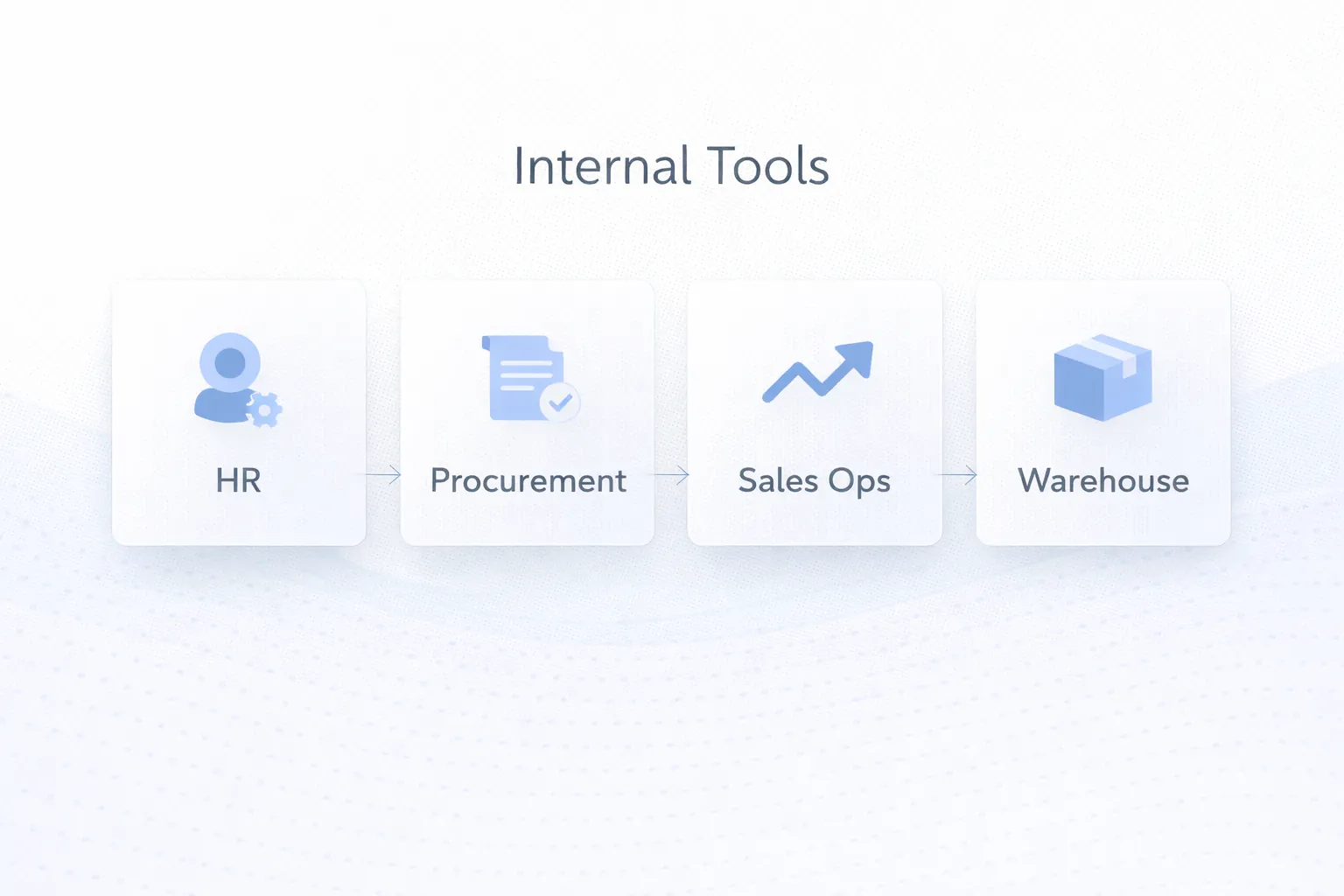
HR, leave, and reimbursement workflows
Requests, approvals, histories, and supporting documents can all move through one internal interface instead of messages and spreadsheet trackers. In practice, businesses usually choose this direction because the workflow repeats often and has a clear value when handled better.
This gives staff clarity and HR teams better control. That combination of speed, clarity, and control is why this use case tends to justify the build.
Sales operations and lead tracking
Internal tools can coordinate lead assignment, follow-up reminders, manager approvals, and branch visibility without forcing sales work into a generic CRM pattern. In practice, businesses usually choose this direction because the workflow repeats often and has a clear value when handled better.
The gain is often faster response and clearer accountability. That combination of speed, clarity, and control is why this use case tends to justify the build.
Procurement or vendor coordination
Purchase requests, approval steps, vendor updates, and stock-linked status changes can all be managed through one workflow system. In practice, businesses usually choose this direction because the workflow repeats often and has a clear value when handled better.
That reduces delay and gives management better purchasing visibility. That combination of speed, clarity, and control is why this use case tends to justify the build.
Warehouse or operations support tool
Internal tools can handle movement logs, dispatch checks, exception flags, and branch-level reporting more cleanly than ad hoc spreadsheets. In practice, businesses usually choose this direction because the workflow repeats often and has a clear value when handled better.
Operational accuracy improves because the process becomes structured and auditable. That combination of speed, clarity, and control is why this use case tends to justify the build.
Mid-Article CTA
If you want to translate this topic into a practical scope for your own business, the fastest next step is to review the real workflow, the must-have first phase, and the integrations that matter most.
Common Mistakes to Avoid
Keeping spreadsheets too long
Spreadsheets work until scale, branch coordination, or approval complexity make them error-prone and hard to trust. Companies often wait too long and pay the cost in delays and inconsistent reporting. Avoiding this one mistake often protects both budget and adoption quality.
Copying public SaaS interfaces
Internal users often need faster, simpler flows than customer-facing products provide. Design should follow the work, not just familiar UI trends. Avoiding this one mistake often protects both budget and adoption quality.
Ignoring admin and reporting needs
If the tool only handles input and does not help managers oversee performance, adoption value stays limited. Visibility is part of the business case, not an optional feature. Avoiding this one mistake often protects both budget and adoption quality.
No team onboarding
Even simple tools need explanation around ownership, statuses, and what has changed in the daily process. Without onboarding, teams may revert to old channels out of habit. Avoiding this one mistake often protects both budget and adoption quality.
Treating support as optional
Internal tools become operational dependencies, so fixes and improvements after launch matter more than they do on a simple brochure site. A weak support plan reduces trust in the system over time. Avoiding this one mistake often protects both budget and adoption quality.
Cost, Timeline, and Scale Considerations
Internal tool cost depends on workflow depth, number of departments, approvals, and whether the system needs dashboards, integrations, or branch-level reporting. A focused tool can be quite efficient to build; a cross-functional operating system is a larger commitment.
The strongest first project is often one that replaces a painful recurring process rather than trying to digitize the whole company at once. That creates measurable operational improvement with lower rollout risk.
If you want technical planning context, Web Application Development Cost in India (2026) and Web Application Development Guide map well to internal tool projects because the core principles are very similar.
- Repetition, approvals, and reporting are strong indicators that an internal tool can create ROI.
- Operational UI speed matters more than decorative interface complexity.
- The best first version solves one painful workflow very well.
- Support and iteration are part of the value because internal tools evolve with business processes.
Related Reading
FAQs
What are internal tools in a company?
They are custom software systems built for staff or managers to handle operational work, approvals, tracking, reporting, or coordination more efficiently.
Why not just keep using spreadsheets?
Spreadsheets are flexible, but they become risky when multiple users, approvals, histories, and reporting accuracy matter. Internal tools add structure and visibility.
Which department should get an internal tool first?
Usually the one with the most repeated manual work or the greatest reporting and coordination pain, such as operations, sales ops, procurement, or HR approvals.
Do internal tools need dashboards too?
Often yes. Staff may need workflow screens, while managers need summary views and reports to monitor performance and exceptions.
How do internal tools differ from customer portals?
Internal tools are built for staff operations and management control. Portals are external-facing and focused on secure self-service for customers or partners.
Can internal tools integrate with existing software?
Yes. Many internal tools pull or push data to CRM, messaging systems, spreadsheets, inventory systems, or finance tools to avoid duplicate work.
What makes internal tools successful after launch?
Fast workflows, clear ownership, management support, proper onboarding, and steady refinement based on real staff usage are the biggest success factors.
Strong CTA (End)
If you want this planned around your business instead of around generic assumptions, the next move is to define the workflow, the first release boundary, and the technical approach that matches your growth path.