Web Application Development Guide (2026): Process, Cost, Tech Stack & Best Practices
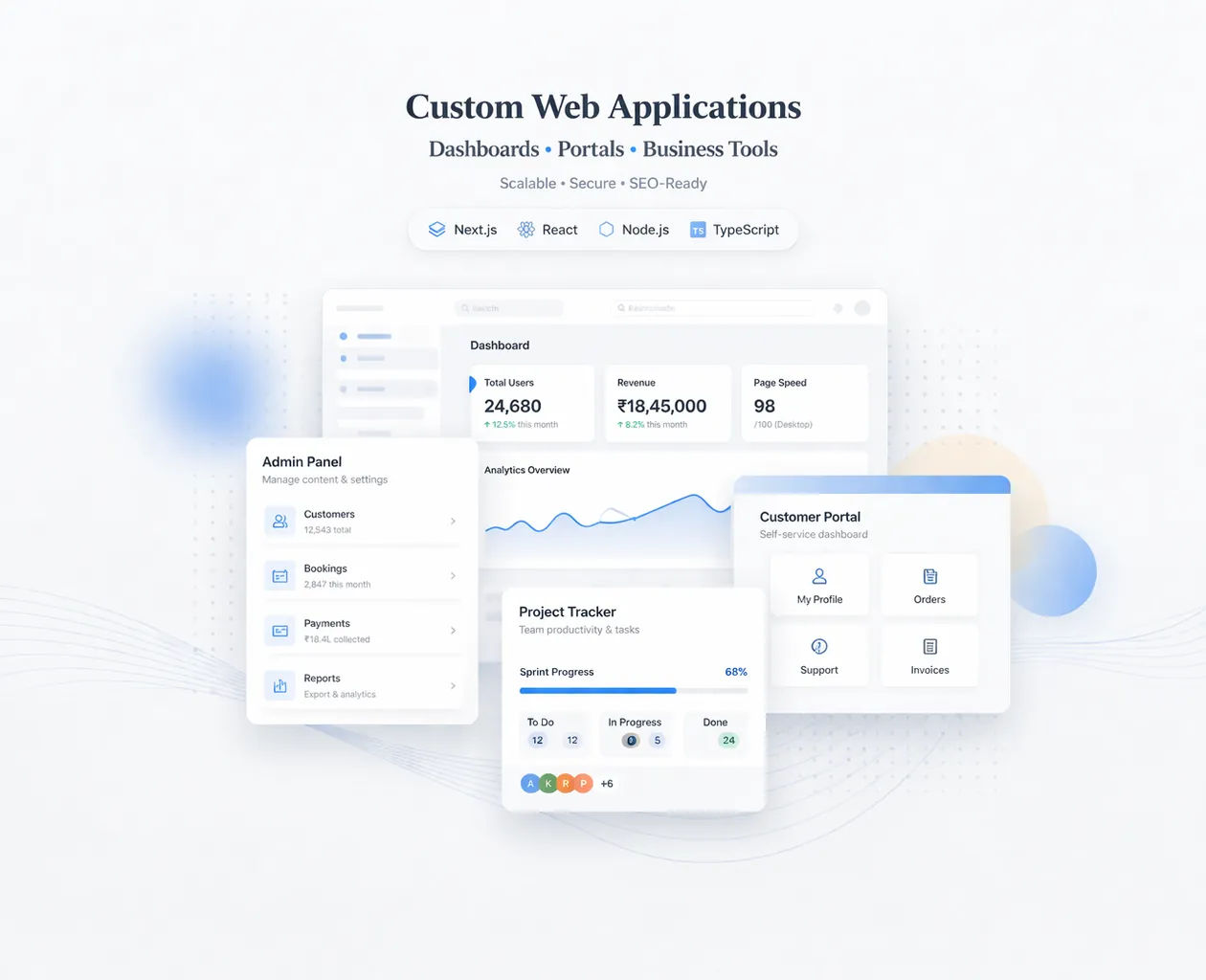
A web application is not the same as a normal website. A website is mostly informational (Home, About, Services). A web application is a working system—it stores data, has login and roles, performs actions, and helps a business run daily operations.
In 2026, businesses are moving fast toward web applications because they want:
- admin dashboards
- client portals
- automation workflows
- real-time reporting
- online ordering and inventory systems
- internal tools that reduce manpower cost
This guide will walk you through web application development step-by-step, including planning, architecture, UI/UX, tech stack, security, testing, deployment, cost in India, and the best practices that make web apps scalable and reliable.

Quick Definition: What Is a Web Application?
A web application is a software product that runs in a browser and includes:
- Frontend UI (screens, forms, dashboards)
- Backend logic (rules, APIs, processing)
- Database (store users, orders, products, etc.)
- Authentication (login system)
- Roles/permissions (admin, manager, staff, customer)
Examples:
- Inventory management system
- Restaurant ordering system + admin dashboard
- CRM-style lead tracker
- School/hotel management portals
- SaaS platforms (subscriptions)
If you want to build web apps for your business, your service hub is: Web Applications Services
Why Businesses Build Web Applications in 2026
1) Automation = cost saving
Web apps reduce manual work: billing, reporting, order tracking, data entry.
2) Centralized control
You can run multiple branches, warehouses, or staff accounts from one dashboard.
3) Real-time visibility
Owners want real-time dashboards: sales, orders, stock, performance.
4) Better customer experience
Ordering systems, portals, booking systems—all improve customer convenience.
5) Scalable operations
Once you build the system, growth becomes easier.
Website vs Web App (Simple Difference)
Website
- mostly pages
- no database (or minimal)
- no login (usually)
- goal: trust + leads
Web Application
- login, roles, database
- workflows and operations
- admin dashboard
- goal: run the business + automate
A common mistake is telling a developer “I want a website,” when you actually need a web application.
The Web Application Development Process (Professional Workflow)
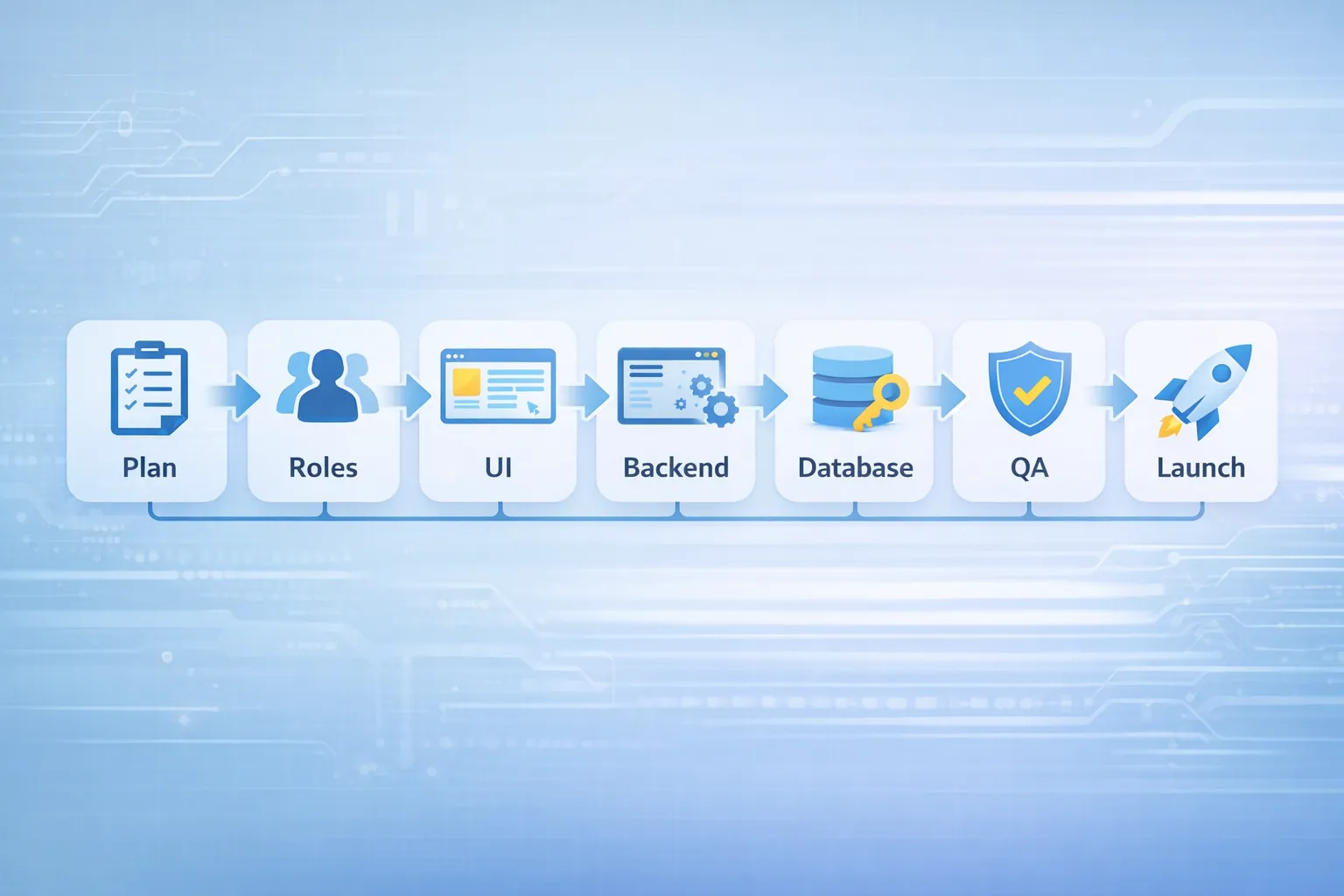
A reliable web app is built in phases, not in one messy sprint.
Phase 1: Discovery & Planning (Week 1)
This phase decides 80% of success.
You define:
- business goals
- user roles (owner, manager, staff, customer)
- features/modules
- workflows (what happens when someone clicks a button)
- data structure (what data needs to be saved)
- scope boundaries (what is NOT included yet)
Output of planning phase:
- feature list
- screen list (pages)
- data model (tables/collections)
- rough timeline and cost
Step 1: Define Users, Roles & Permissions
Almost every web app needs role-based access.
Example roles:
- Owner: full control, analytics
- Manager: manage orders/team
- Staff: limited access for operations
- Customer: view orders, place orders (optional)
Permissions define what each role can:
- view
- create
- edit
- delete
- export
If you skip this, the app becomes insecure or confusing later.
Step 2: Define Modules (What Features Exist)
Web apps should be modular. Common modules:
Admin Modules
- user management
- role management
- settings
- audit logs
Business Modules
- products/services master
- orders/sales module
- inventory module
- reports and analytics
- notifications
Support Modules
- file uploads
- export to Excel/PDF
- activity history
Tip: Start with an MVP (minimum viable product) and grow monthly.
Step 3: Plan the Screens (UI Pages)
A professional web app is planned as screens:
Examples:
- Login
- Dashboard
- List pages (products, orders)
- Create/edit forms
- Reports page
- Settings page
Each screen needs:
- purpose
- fields
- actions
- validations
- role permissions
This prevents rework.
Step 4: Choose the Right Tech Stack (2026 Recommendations)
Choosing the right stack decides speed, maintainability, and future scalability.
Recommended stack for modern web apps
- Frontend: Next.js (React)
- Styling: Tailwind CSS
- Backend: Firebase or Node.js
- Database: Firestore or PostgreSQL
- Auth: Firebase Auth or Auth.js
- Hosting: Vercel / Cloud hosting
When to choose Firebase
Best for:
- fast MVPs
- real-time dashboards
- small-to-medium apps
- faster development
When to choose PostgreSQL + Node
Best for:
- complex reporting
- relational data and heavy queries
- long-term SaaS scaling
If your web app is complex and business-critical, database design must be done carefully.
Step 5: Data Modeling (Database Design)
Database design is where many apps fail.
A good data model ensures:
- fast queries
- correct relationships
- stable reporting
- scalability
Examples:
- Users
- Roles
- Products
- Orders
- Transactions
- Logs
You should decide:
- primary keys
- indexes
- relationships (one-to-many, many-to-many)
- data validation rules
Rule: If data structure is weak, reporting becomes impossible later.
Step 6: UI/UX Design for Web Apps (Not Just Beauty)
Web apps must be:
- clear
- fast to use
- consistent
- optimized for daily usage
Web app UI/UX best practices
- consistent table layouts
- search + filters
- clear primary actions
- toasts instead of alerts
- keyboard-friendly input for speed
- mobile responsiveness if needed (owners often check dashboards on mobile)
If you want a premium UI/UX system, you can reference: Website UI/UX Best Practices
Step 7: Backend Logic & APIs
Backend decides:
- rules
- security
- validations
- automation
Examples:
- order status rules
- stock calculation logic
- invoice generation logic
- duplicate prevention logic
- role restrictions
Backend must always validate important actions. Never trust frontend alone.
Step 8: Security Best Practices (Must)
Web apps handle business data. Security is non-negotiable.
Must-have security layers
- HTTPS (SSL)
- secure authentication
- role-based authorization
- server-side validation
- spam/bot protection for public forms
- secure storage of secrets (env variables)
- database rules / permissions
Security should be planned from the start.
Step 9: Testing & QA (Before Launch)
Web apps need testing:
- login and roles test
- CRUD operations test (create/edit/delete)
- edge cases (empty values, duplicates)
- performance test
- mobile responsiveness (if needed)
- export and file download test
This prevents “launch bugs” that kill user trust.
Step 10: Deployment & Monitoring
Deployment includes:
- production hosting setup
- custom domain
- environment variables
- database security rules
- logging and error monitoring
After deployment:
- monitor errors
- track usage
- iterate weekly
A web app is never “one and done.” It grows with your business.
Cost of Web Application Development in India (2026)
Costs vary based on modules and complexity.
MVP Web App (basic dashboard + CRUD)
₹1,50,000 – ₹4,00,000
Medium Web App (roles + reports + integrations)
₹4,00,000 – ₹10,00,000
SaaS/Enterprise Web App (multi-tenant, subscriptions)
₹10,00,000 – ₹25,00,000+
For broader pricing guidance, see: Cost of Website Development in India (2026)
Timeline: How Long Does a Web App Take?
Typical timelines:
- MVP: 4–8 weeks
- medium system: 8–16 weeks
- complex SaaS: 16–30+ weeks
Fast builds are possible, but rushing increases bugs and reduces quality.
Best Practices for Building a Scalable Web App
1) Build MVP first (don’t add 50 features) 2) Keep modules clean and separated 3) Use consistent UI components 4) Plan database for reporting 5) Add audit logs for important actions 6) Document workflows and permissions 7) Monitor and improve after launch
Common Mistakes to Avoid
- starting without requirements
- changing scope daily
- no data model planning
- weak role permissions
- no QA testing
- building everything at once
- ignoring performance and security
What To Do Next (If You Want a Web App)
If you want to build a web application, start with: 1) Write modules list 2) Define roles 3) Define screens 4) Decide stack 5) Build MVP in 4–8 weeks 6) Improve with real user feedback
You can also show clients/stakeholders working demos:
And proof:
Need a Web Application Built for Your Business?
If you want a modern web app (dashboard/portal/admin system) built with clean structure, security, and scalable design, we can build it professionally.
👉 WhatsApp: Chat on WhatsApp 👉 Services: Web Applications Services 👉 Portfolio: View our work 👉 Contact: Contact page
FAQs
1) What is the difference between a website and a web application?
Website is mostly informational. Web app includes login, database, workflows, and dashboards.
2) Which stack is best for web apps in 2026?
For most business apps: Next.js + Firebase or Node + database (Firestore/PostgreSQL) + Vercel hosting.
3) How do I control scope and budget?
Start with MVP modules, then add features monthly based on real usage.
4) Can a web app be mobile-friendly?
Yes. Many owners use mobile to check reports. Mobile responsiveness can be included.
5) What makes a web app scalable?
Clean modules, good data model, security, performance optimization, and continuous monitoring.