Website Development Process Explained (2026): Step-by-Step Guide from Planning to Launch
Most businesses think website development means “make a design and upload it.” In reality, a high-quality business website is built like a product—with a clear process. That process determines whether your website becomes a lead generator or just a brochure that no one uses.
In 2026, website expectations are higher:
- It must load fast on mobile
- It must build trust instantly
- It must rank on Google over time
- It must convert visitors into WhatsApp/form leads
- It must stay secure and stable after launch
That’s why the development process matters. If the process is weak, the final website will be slow, confusing, and hard to scale. If the process is strong, the website will keep improving your business month after month.
This guide explains the complete website development process step-by-step—from planning to launch—using a professional workflow.
Quick Summary: The 8-Step Website Development Process
Here is the complete process:
1) Discovery & Goals 2) Sitemap & Structure 3) Wireframes 4) UI/UX Design 5) Development (Frontend + Backend if needed) 6) Content + SEO Setup 7) QA Testing + Performance Fixes 8) Launch + Tracking + Maintenance
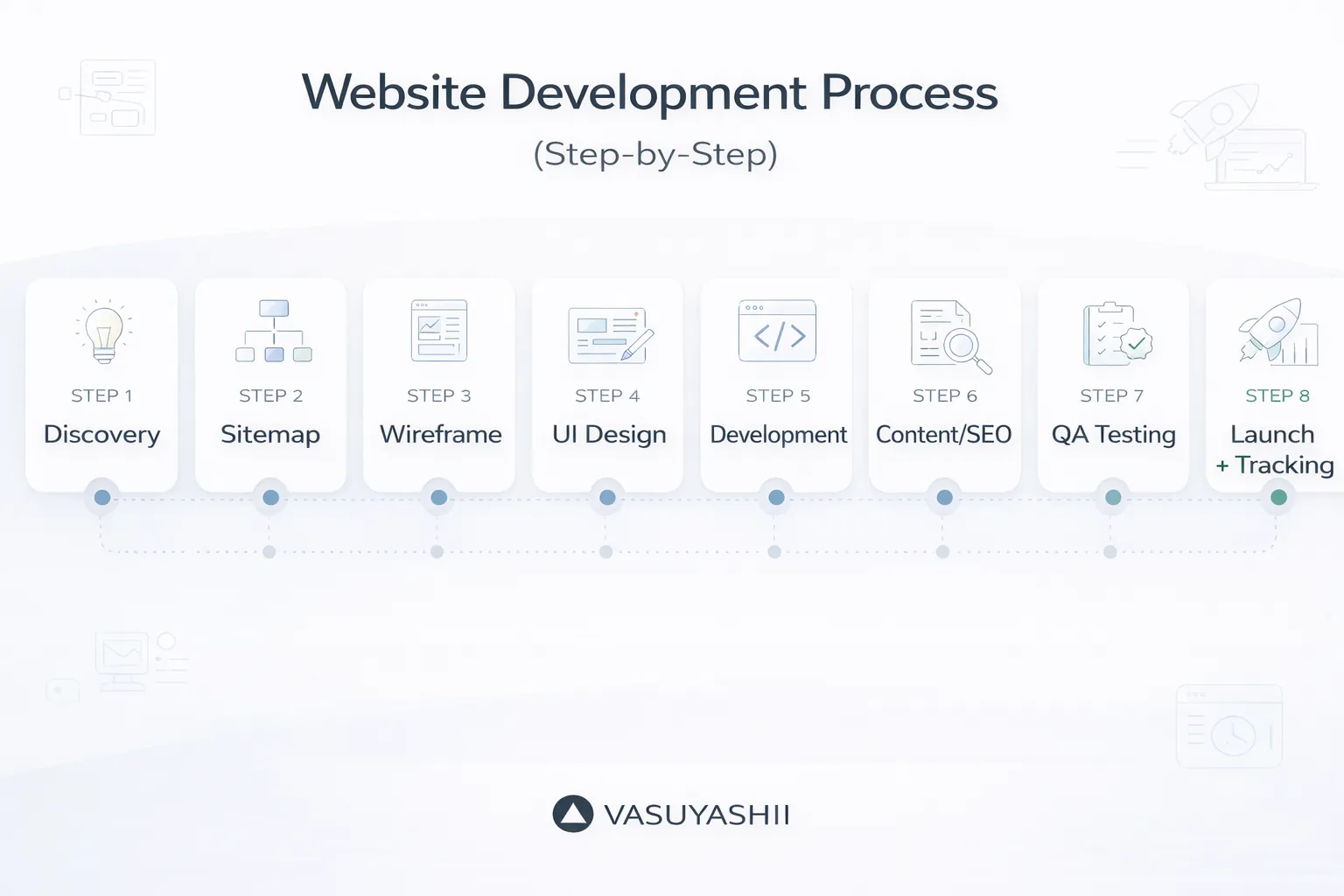
Now let’s break each step into details.
Step 1: Discovery & Goals (Most Important)
Discovery is where the project is decided. A website that has unclear goals usually fails.
Define the goal
For most business websites, goals are:
- leads (WhatsApp, calls, contact form)
- trust (portfolio, demos, testimonials)
- SEO growth (blogs and service pages)
- branding (premium look)
Define the audience
Ask:
- who is the buyer?
- what are they searching for?
- what questions do they have?
- what makes them trust you?
Define the offer
Be very clear:
- what services you offer
- what problems you solve
- what outcomes you deliver
Output of Step 1
A simple “Website Brief” document:
- services offered
- target cities/industry
- pages required
- CTA preference (WhatsApp vs form)
- proof assets available (portfolio/demos)
This document saves huge rework later.
Step 2: Sitemap & Structure (SEO Foundation)
Sitemap means page structure. This is where SEO begins.
Recommended core pages
- Home
- Services (separate pages for each service)
- Portfolio / Case Studies
- About
- Contact
- Blog
Why separate service pages matter
If you want to rank on Google, create separate service pages like:
/services/web-applications/services/saas-development/services/automation-solutions
Each page targets a separate keyword cluster.
Output of Step 2
A final sitemap list, for example:
- Home
- Services (3–6 pages)
- Portfolio
- Contact
- Blog
Step 3: Wireframes (Layout Before Design)
Wireframes are simple layout sketches (no colors yet). They ensure:
- good content structure
- clear CTA placement
- clean hierarchy
- less design confusion later
Key wireframe decisions
- hero section content (headline, CTA)
- proof section placement
- services layout
- portfolio layout
- contact flow
Wireframing avoids the mistake of “design first, logic later.”
Step 4: UI/UX Design (Premium Look + Conversion)
Now you create the real design:
- colors
- typography
- buttons
- spacing
- cards
- icons
In 2026, premium UI is mostly:
- spacing
- typography
- speed-feel
- clarity
Design must include mobile-first view
Always design for mobile first because most users will visit your website on a phone.
Conversion-focused design
A good design should include:
- CTA above the fold
- WhatsApp button for quick contact
- portfolio/demos as proof
- FAQs to remove objections
If you want deeper UI/UX guidelines: Website UI/UX Best Practices
Step 5: Development (Frontend + Backend)
Development includes turning the design into a working website.
Frontend development
- pages
- responsiveness
- animations (light)
- components
- accessibility basics
Backend development (if needed)
For basic websites, backend may be minimal (contact form). For web apps, backend includes:
- login
- database
- APIs
- dashboards
If you’re building portals or dashboards: Web Application Development Guide
Step 6: Content + SEO Setup (Must for Ranking)
This is where your website becomes “SEO-ready.”
On-page SEO setup
- page titles + meta descriptions
- clean URLs
- one H1 per page
- proper H2/H3 structure
- internal linking
- image alt text
Technical SEO setup
- sitemap.xml
- robots.txt
- canonical URLs
- schema markup (Organization, Website, BlogPosting)
If you want deeper SEO foundation: SEO Friendly Website Development
Content writing
Content should be:
- clear
- benefit-focused
- proof-based
- easy to scan (bullets)
Step 7: QA Testing + Performance Fixes
QA is where most cheap websites fail. Testing prevents:
- broken pages
- broken forms
- mobile issues
- slow loading
- SEO mistakes
QA checklist
- test all pages on mobile and desktop
- test WhatsApp button
- test contact form
- test internal links
- test loading speed
- test images
- check metadata
Performance fixes
- convert images to WebP
- compress large files
- lazy-load below fold images
- remove unnecessary scripts
If you want performance guide: Website Speed Optimization Guide
Step 8: Launch + Tracking + Maintenance
Launch is not the end. It’s the beginning of growth.
Launch tasks
- connect domain
- SSL
- submit sitemap to Google Search Console
- setup analytics and conversion tracking
- request indexing for key pages
Tracking setup
Track:
- WhatsApp clicks
- form submits
- call clicks
- top pages
Maintenance plan
Monthly maintenance includes:
- backups
- updates
- broken link checks
- security checks
- speed checks
Related: Website Maintenance Guide Website Security Best Practices
Timeline: How Long Does This Process Take?
Typical timelines:
- basic business website: 2–4 weeks
- premium corporate site: 4–6 weeks
- web application/dashboard: 6–16 weeks
Common Mistakes to Avoid
1) No discovery brief 2) Design before sitemap 3) No mobile-first UI 4) No SEO structure 5) No testing 6) No tracking 7) No maintenance plan
Need a Website Built Using a Professional Process?
If you want a website that is fast, SEO-ready, and built for lead generation—with a clean professional workflow—we can build it.
👉 WhatsApp: Chat on WhatsApp 👉 Services: Web Applications Services 👉 Portfolio: View our work 👉 Contact: Contact page