Workflow Automation with WhatsApp and Email: Practical Business Use Cases That Actually Work (2026)
Most teams already know that fast follow-up matters. The problem is consistency. Messages get delayed, reminders are missed, and internal teams rely on memory to decide what should be sent next. That is exactly where communication workflow automation helps.
In 2026, businesses increasingly combine WhatsApp and email because each channel serves a different purpose. WhatsApp handles immediacy and response visibility well. Email handles longer content, confirmations, attachments, and traceability better. Used together, they create stronger communication systems.
This guide covers:
- how WhatsApp and email work together inside modern business workflows
- which triggers, timings, and CRM stages make automation feel useful instead of spammy
- where message sequencing improves lead response, reminders, and status updates
- what technical and operational safeguards keep message automation reliable
- which business use cases create the fastest payoff from automation
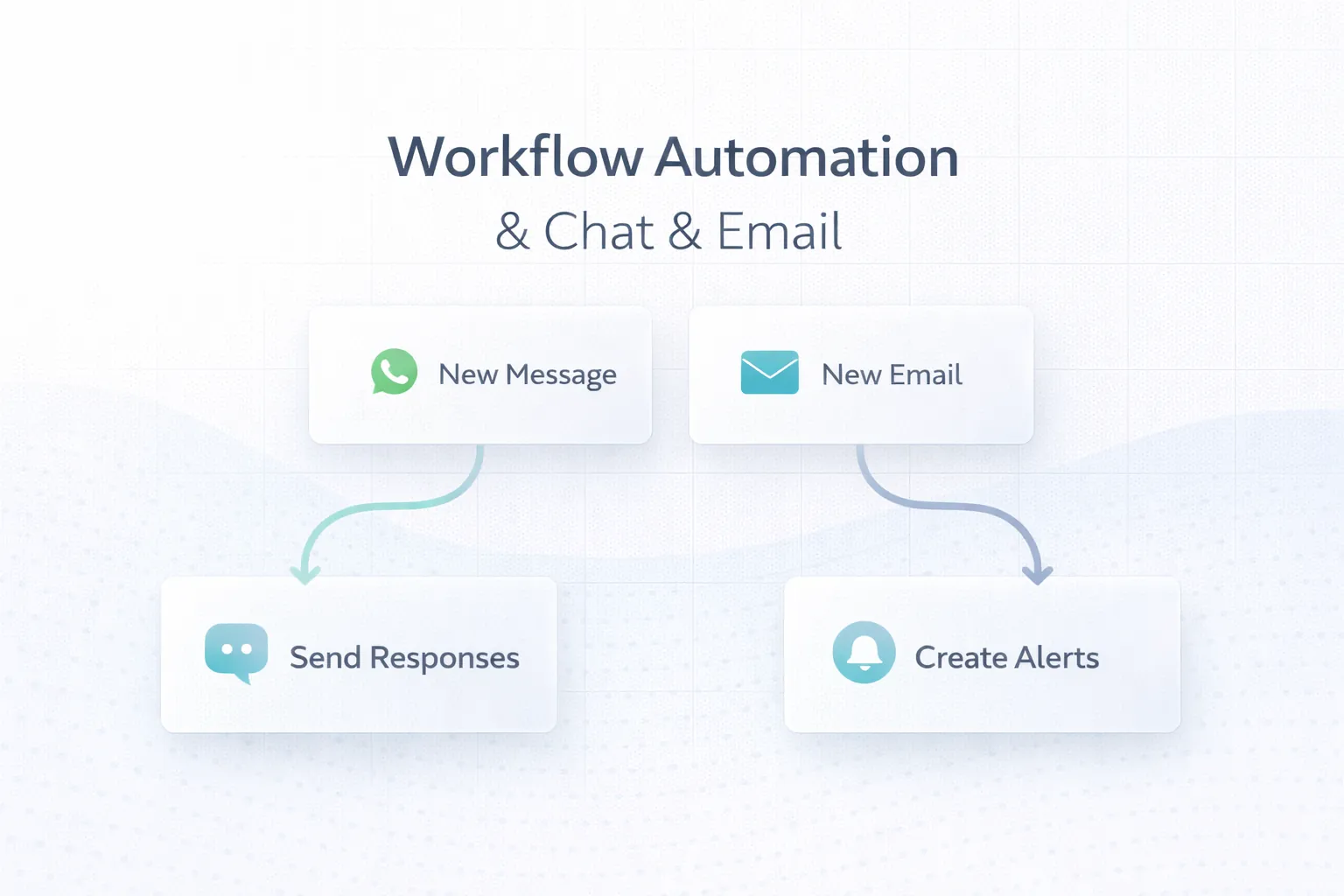
Table of Contents
- Quick answer
- Why this matters in 2026
- What changes the outcome
- What good implementation usually includes
- Common business use cases
- Cost, timeline, and scale considerations
- FAQs
Quick Answer
WhatsApp and email automation works best when messages are tied to real events such as enquiries, bookings, payments, document requests, or status changes. The goal is timely communication, not indiscriminate blasting.
- Use automation when the business already knows what trigger should start the communication flow.
- WhatsApp is strong for quick visibility and action; email is strong for detail, records, and formal follow-up.
- CRM stages, customer permissions, and message timing matter more than the channel alone.
- Reliable workflows need delivery checks, escalation rules, and easy human takeover when needed.
If you already know your business needs a stronger technical foundation, web application services are usually the best place to start the discussion because the scope can be mapped around workflows instead of guesswork.
The right scope starts by matching the business goal, the users involved, and the decisions the system needs to support every day. That keeps the project practical, measurable, and easier to phase.
Why This Matters in 2026
The key is to automate based on business events, not on volume alone. When automation mirrors the real workflow, customers get timely information and teams spend less effort chasing routine communication.
What Changes the Outcome
Event and trigger accuracy
A workflow should start from meaningful triggers such as a new lead, a booking confirmation, a missed payment, or a status update from an internal system. This changes the outcome because message automation only feels relevant when the trigger truly matches the business moment.
CRM and data sync
Messages become unreliable when contact details, lead stages, or account statuses are inconsistent across systems. This changes the outcome because good sync prevents wrong messages, duplicates, and lost follow-up context.
Channel and timing logic
Some moments need instant WhatsApp visibility, while others need detailed email confirmation. Timing, delay windows, and follow-up order should be deliberate. This changes the outcome because channel logic improves both response rates and customer experience.
Opt-in, compliance, and message quality
Templates, consent expectations, and message relevance must be handled responsibly so the workflow supports trust instead of annoying users. This changes the outcome because quality and compliance are what keep automation useful long term.
Human handoff and escalation
Not every customer action should stay automated forever. Some replies or delays should route to a person or create a task for follow-up. This changes the outcome because human takeover points protect service quality and conversion opportunities.
Reporting and delivery visibility
Businesses need to know whether messages were sent, delivered, opened where possible, clicked, or ignored so workflows can improve over time. This changes the outcome because without reporting, communication automation becomes hard to optimize.
What Good Implementation Usually Includes
A strong project is not only about getting features live. It is about making sure the system can be operated, edited, trusted, and improved after launch. That is where implementation quality becomes visible.
Trigger and sequence mapping
The service should define exactly what starts the workflow, what message goes out first, and what follow-up happens if there is no response.
Sequence clarity prevents ad hoc messaging and makes performance easier to evaluate. When this layer is done properly, the product becomes easier to onboard, easier to support, and easier to improve later.
WhatsApp and email template planning
Message templates should be written around business states such as new enquiry, reminder, confirmation, pending action, or update completion.
This keeps messages relevant and easier for customers to understand quickly. When this layer is done properly, the product becomes easier to onboard, easier to support, and easier to improve later.
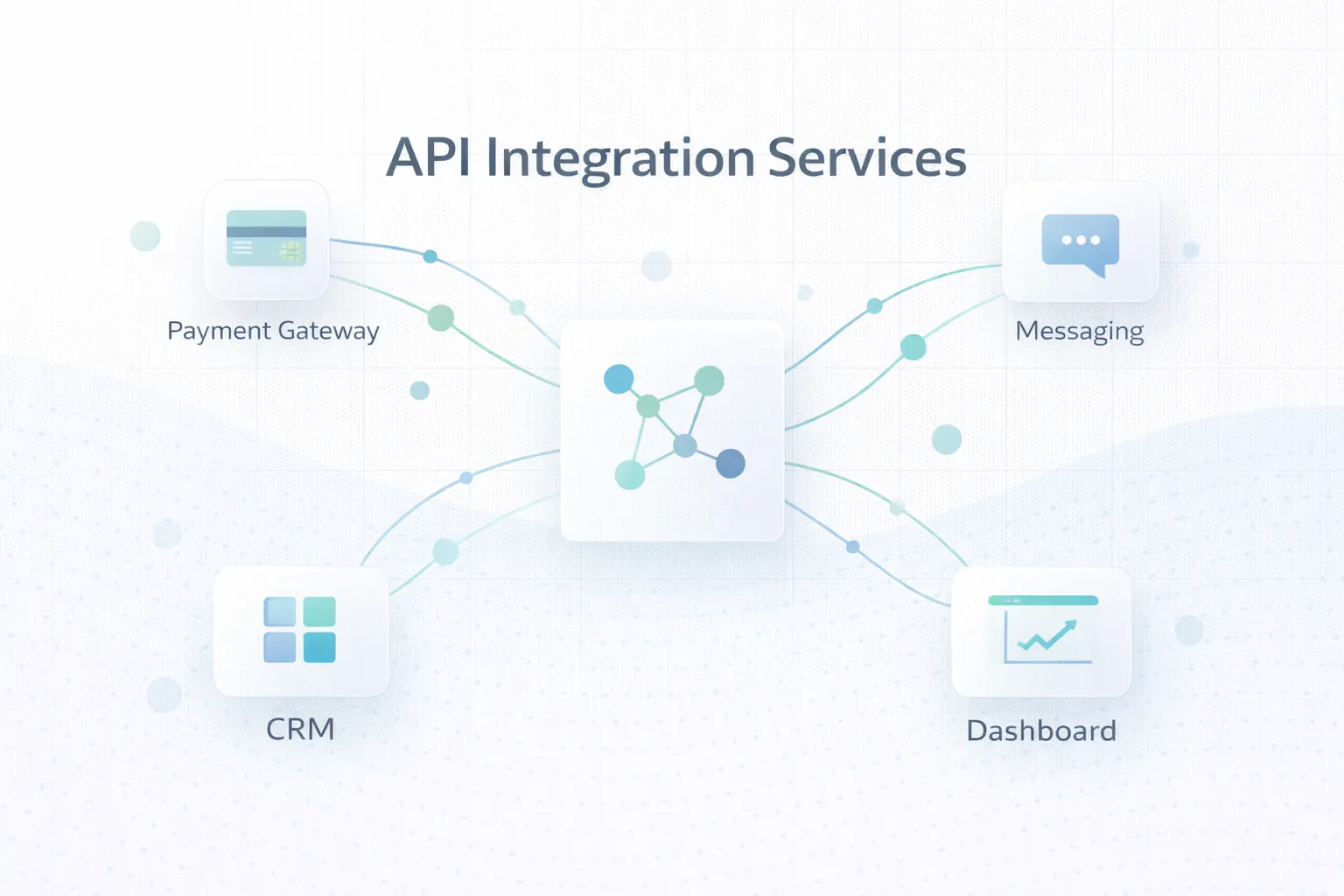
CRM or system integration
Lead source, customer stage, booking details, or payment status should feed the automation so the right person gets the right message at the right time.
Integrated data prevents generic communication and improves conversion quality. When this layer is done properly, the product becomes easier to onboard, easier to support, and easier to improve later.
Escalation and manual follow-up rules
Workflows should define when a human should call, message personally, or review the case instead of continuing the automated sequence.
This protects important leads and avoids robotic customer experiences. When this layer is done properly, the product becomes easier to onboard, easier to support, and easier to improve later.
Logs, dashboards, and status visibility
Teams should be able to inspect workflow runs, delivery state, and customer response without asking developers to trace every event.
Visibility turns communication automation into a manageable business process. When this layer is done properly, the product becomes easier to onboard, easier to support, and easier to improve later.
Ongoing optimization
Message timing, wording, and sequence gaps should be reviewed after launch because customer behavior quickly shows what is working and what is not.
The best automation systems improve continuously instead of staying fixed forever. When this layer is done properly, the product becomes easier to onboard, easier to support, and easier to improve later.
Common Business Use Cases
New lead acknowledgement and follow-up
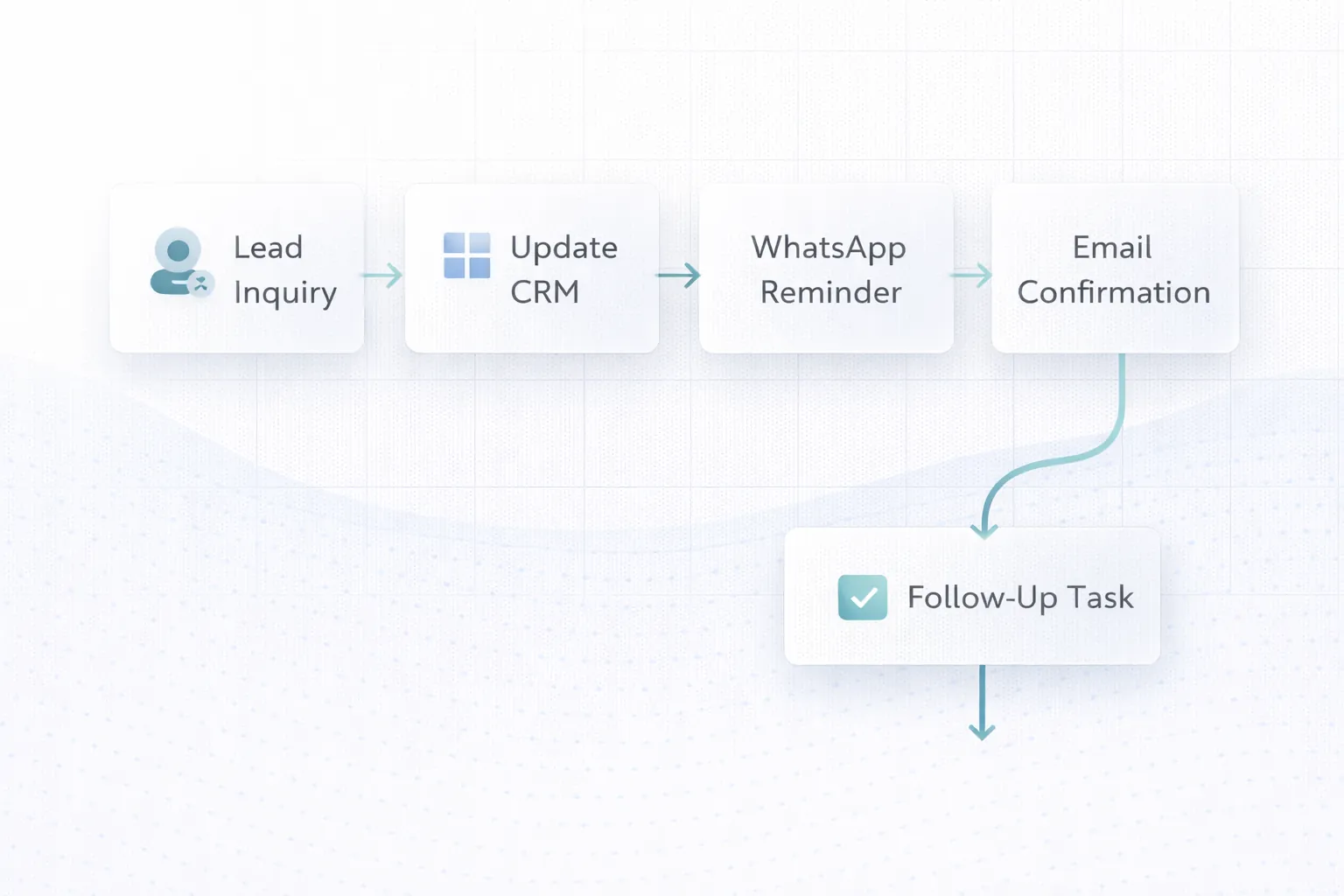
A lead form can trigger instant acknowledgement, CRM update, owner alert, and timed follow-up messages if the enquiry is not handled quickly. In practice, businesses usually choose this direction because the workflow repeats often and has a clear value when handled better.
This improves response speed and reduces the number of leads that go cold silently. That combination of speed, clarity, and control is why this use case tends to justify the build.
Booking, appointment, or demo reminders
Businesses can send confirmations by email and reminder nudges by WhatsApp before the scheduled event, plus internal alerts if the customer does not confirm. In practice, businesses usually choose this direction because the workflow repeats often and has a clear value when handled better.
That reduces no-shows and keeps scheduling teams aligned. That combination of speed, clarity, and control is why this use case tends to justify the build.
Payment and document reminder sequences
Invoices, payment links, due-date reminders, and missing document prompts can all be handled through automated multi-step communication flows. In practice, businesses usually choose this direction because the workflow repeats often and has a clear value when handled better.
Manual follow-up load drops while consistency improves. That combination of speed, clarity, and control is why this use case tends to justify the build.
Order or service status updates
When a job moves stages, customers can receive timely notifications while internal teams stay updated through the same workflow backbone. In practice, businesses usually choose this direction because the workflow repeats often and has a clear value when handled better.
This improves transparency without increasing communication overhead. That combination of speed, clarity, and control is why this use case tends to justify the build.
Mid-Article CTA
If you want to translate this topic into a practical scope for your own business, the fastest next step is to review the real workflow, the must-have first phase, and the integrations that matter most.
Common Mistakes to Avoid
Blasting messages without event logic
Automation should respond to customer state, not just send more messages because the system can. Irrelevant communication damages trust and reduces engagement. Avoiding this one mistake often protects both budget and adoption quality.
No CRM or status sync
If the workflow does not know where the lead or customer stands, it is easy to send the wrong reminder or duplicate prompt. System context is essential for message accuracy. Avoiding this one mistake often protects both budget and adoption quality.
No human override
Critical leads and special cases should not stay trapped in automation loops without anyone noticing. Clear handoff rules preserve both conversion opportunity and service quality. Avoiding this one mistake often protects both budget and adoption quality.
Weak delivery monitoring
If teams cannot see whether messages actually went out, they will keep checking manually and trust in the workflow will drop. Logging and alerting are part of operational reliability. Avoiding this one mistake often protects both budget and adoption quality.
Poor message writing
Even a technically correct workflow can underperform if the message copy is vague, pushy, or not matched to the user's stage. Message quality is part of workflow design, not just marketing polish. Avoiding this one mistake often protects both budget and adoption quality.
Cost, Timeline, and Scale Considerations
Automation cost depends on how many events, channels, templates, and system integrations are involved. A simple lead acknowledgement flow is much smaller than a multi-stage CRM-linked sequence with escalations and delivery dashboards.
The highest-value early workflows are usually tied to measurable outcomes such as faster lead response, fewer no-shows, better collections, or more transparent service updates. That makes ROI easier to prove internally.
If you want broader system context, Website Conversion Optimization and Web Application Development Guide pair well with this topic because communication workflows often sit inside larger sales or operations systems.
- Event-driven logic matters more than channel quantity.
- WhatsApp and email play different roles and usually work best together, not interchangeably.
- CRM sync and human escalation make message workflows far more reliable.
- Start with one business use case that has a clear measurable outcome.
Related Reading
FAQs
Why use both WhatsApp and email in one workflow?
Because they serve different jobs well. WhatsApp is useful for fast visibility and action. Email is better for detailed confirmations, records, attachments, and structured communication.
What is the best workflow to automate first?
Usually a flow tied to a clear outcome such as lead response, appointment reminders, payment reminders, or service status updates.
Do I need CRM integration for message automation?
It is highly recommended if lead stage, customer status, or account ownership affects what should be sent next. Context improves accuracy significantly.
Can automation still include manual follow-up?
Yes, and it should. Good workflows create tasks or alerts when a person needs to step in rather than forcing every case through the same automated loop.
How do I avoid spammy automation?
Tie messages to real events, keep them relevant, respect timing and consent expectations, and stop sending once the next meaningful human step is required.
What should I track after launch?
Track delivery, response, conversions, no-show reduction, payment recovery, and how often manual intervention was still needed.
Can this be connected to a custom dashboard too?
Yes. Many businesses use dashboards to monitor workflow runs, missed responses, escalations, and communication performance across teams.
Strong CTA (End)
If you want this planned around your business instead of around generic assumptions, the next move is to define the workflow, the first release boundary, and the technical approach that matches your growth path.